
Knowledge Base
Help Center articles
Run a backtest
A backtest runs one Expert Advisor (EA) with one set file on one symbol and timeframe, in MetaTrader 5's own Strategy Tester on one of your test terminals. You fill in one form, and the app does the rest: it queues the test, runs it when a terminal is free and saves the result.
Plan: every plan. Backtests are unlimited.
Pick the EA and what to test
- Click Backtests › New test (or press Ctrl+N). The page is called Configure Test.
- Leave Run Mode on Backtest.
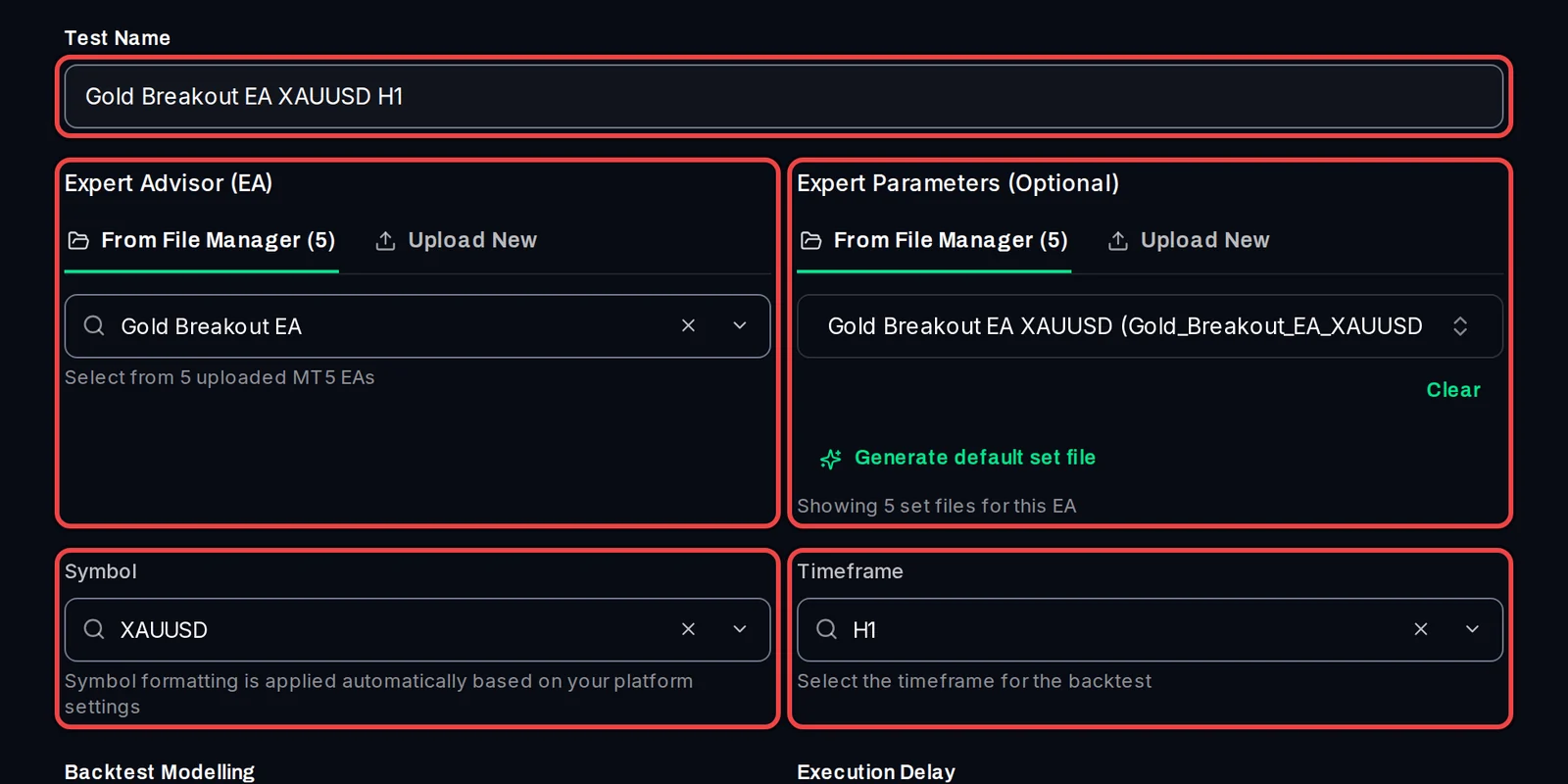
- Type a Test Name. The app suggests one when you pick the EA and set file.
- Under Expert Advisor (EA), pick the EA from From File Manager, or click Upload New to add an .ex5 file. An uploaded EA stays in your library for later tests.
- Under Expert Parameters (Optional), pick the EA's set file (the file that holds its input settings). Leave it empty to test the EA's own default inputs, or click Generate default set file to have the app make one from the EA (it runs a short test first).
- Pick the Symbol and the Timeframe.
Set the tester settings
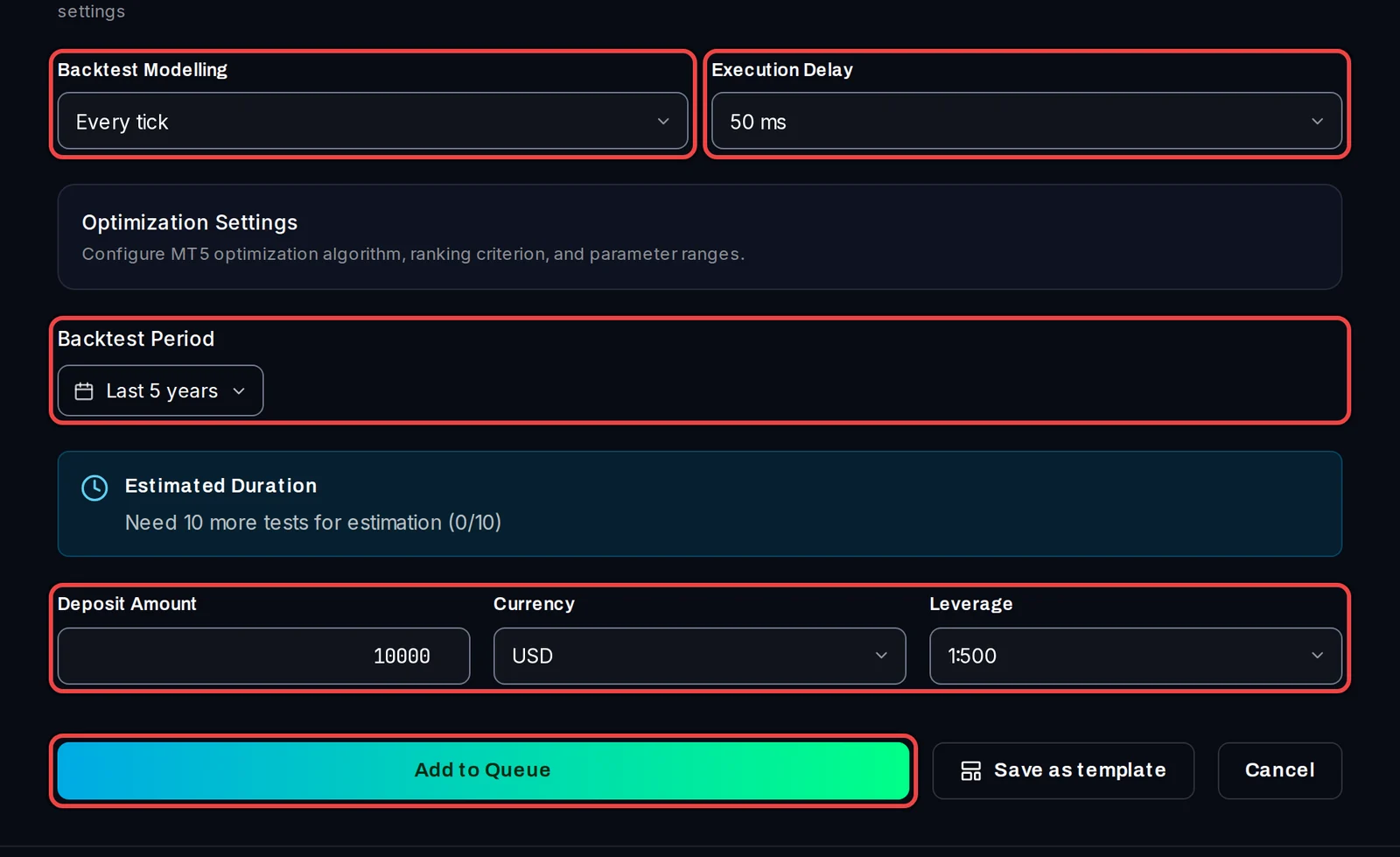
- Pick the Backtest Modelling (how MT5 makes the price ticks). Every tick based on real ticks is the most realistic and the slowest. Open prices only is the fastest, for EAs that only act when a bar opens.
- Pick the Execution Delay: the delay MT5 adds to each order, to mimic a real broker. The default is 50 ms.
- Click Backtest Period and pick the dates, or a preset such as Last 5 years.
- Set the Deposit Amount, Currency and Leverage of the test account.
- Optional: under Trading Account (Optional), pick a test terminal to run the test on that broker's price data. Leave No account override and the app uses whichever terminal is free.
- Click Add to Queue.
Follow it in the queue
- The app opens Backtests › Queue. Your test shows as Pending until a terminal is free, then Running, then Completed.
- When it is completed, click its name to open the result. It is also listed under Results.

Good to know
- The app never trades and never touches your own MetaTrader: tests run on copies of it (your test terminals). A test terminal must be closed for a test to start on it.
- If your broker names the symbol differently (for example XAUUSD.r), the form says so under Symbol and offers a button to use that name.
- If the same test is still waiting or running, the app warns you instead of adding it twice. Click Run anyway in the message to add it again.
- To start every test with your own deposit, leverage, modelling and dates, set them once in Settings › Defaults.