
Knowledge Base
Help Center articles
Read the passes and promote one to a backtest
A finished optimization lists every pass it tried, with its results and the input values it used. Sort them to find the settings you like, then promote a pass: it runs again as a normal backtest with a full report.
Plan: every plan.
Open an optimization
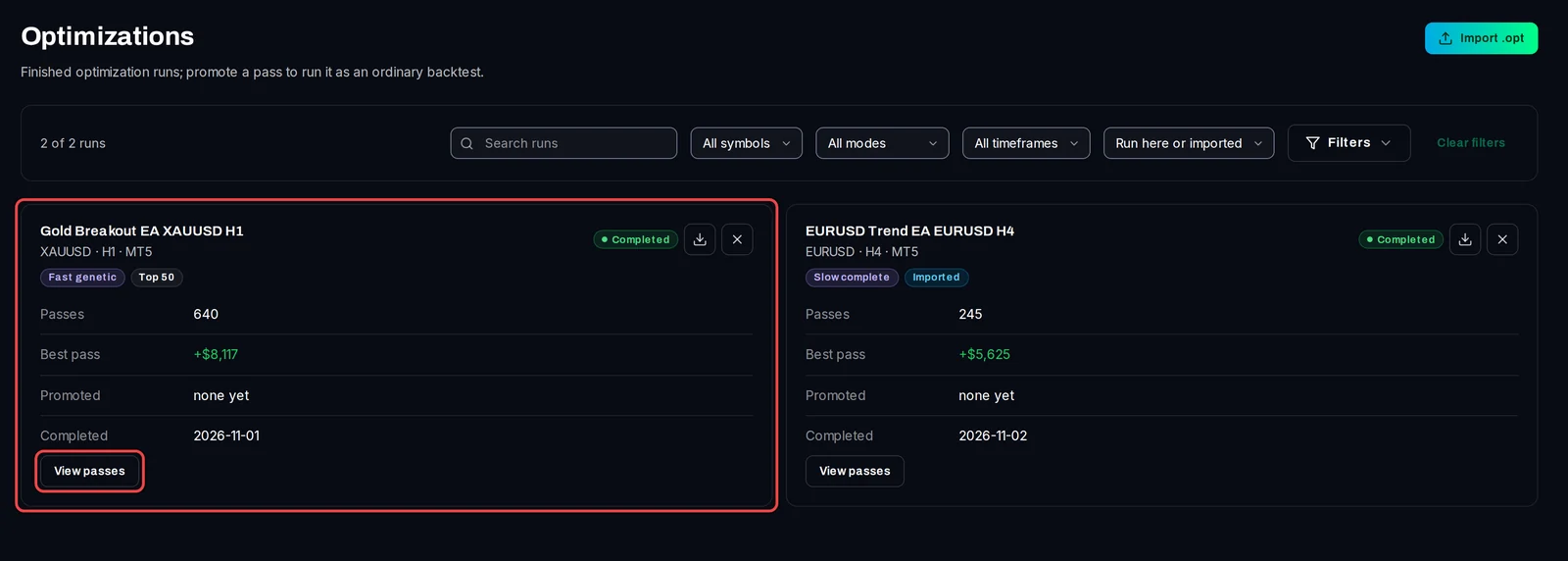
- Click Optimizations in the left menu. Each finished run has a card with its algorithm, the number of Passes, the profit of the Best pass and how many passes were Promoted.
- Click View passes on the run you want.
Sort and read the passes
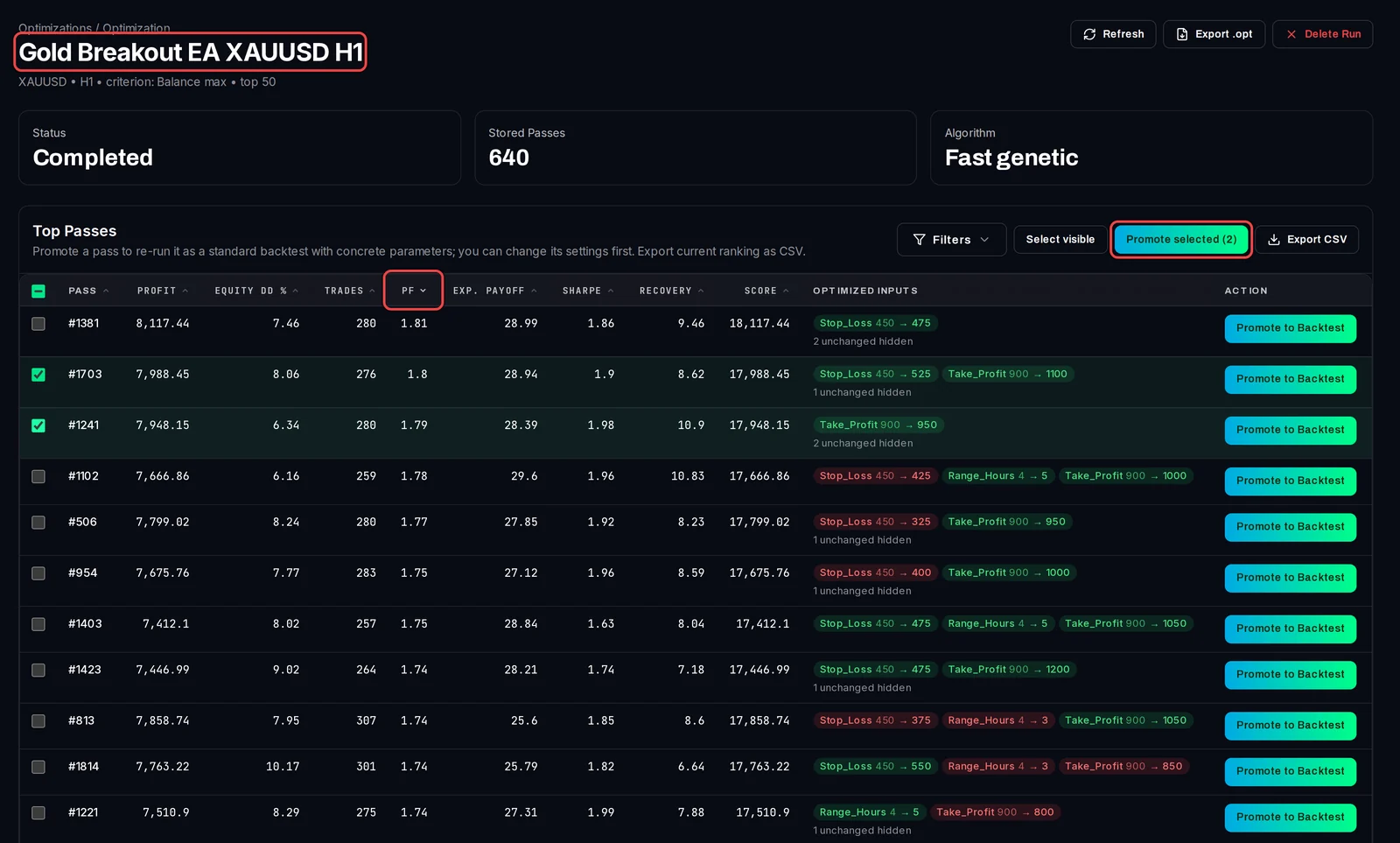
- The Top Passes table opens sorted by Profit, best first.
- Click a column heading to sort by it, for example PF (profit factor: gross profit divided by gross loss) or Equity DD % (the largest drop from a peak, smallest first). Click it again to reverse the order.
- Score is the pass's value for the criterion the optimization ranked by.
- Optimized inputs shows only the inputs this pass changed, as old value → new value. Green means the value went up from the set file's value, red that it went down.
- Use Filters to hide passes, for example with fewer than 100 trades.
Promote a pass to a backtest
- Click Promote to Backtest on the pass's row.
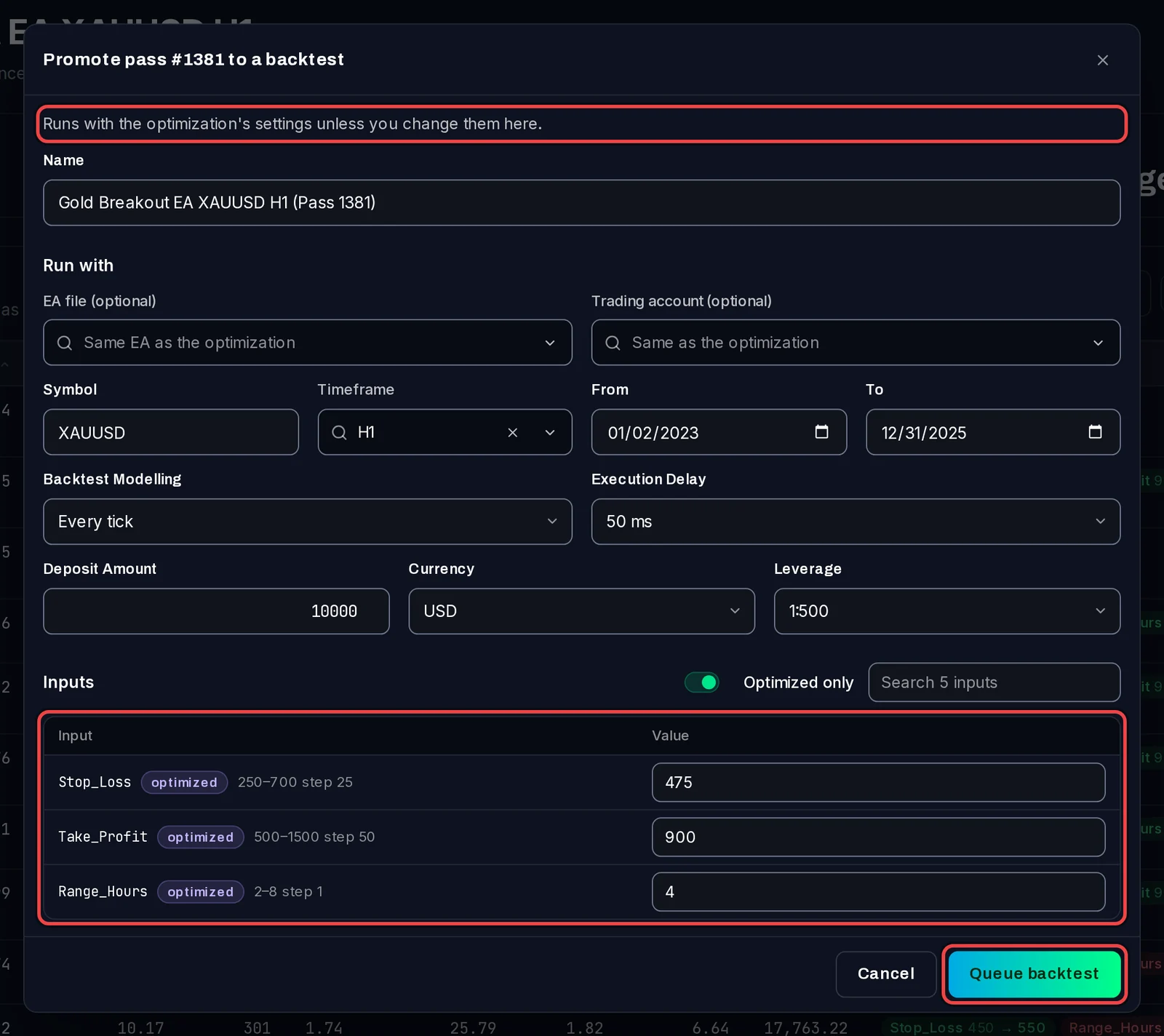
- The dialog runs with the optimization's settings unless you change them: the name, EA file, trading account, symbol, timeframe, dates, modelling, deposit and the inputs. Optimized only shows just the inputs that were optimized, filled with this pass's values.
- Click Queue backtest.
The row now says Promoted with the backtest's status. Use View Queue while it waits or runs, and Open Backtest Result once it has finished.

Promote several passes
- Tick the passes you want, or click Select visible.
- Click Promote selected (N). The dialog's changes apply to all of them; each keeps its own optimized values unless you set one for all.
Good to know
- Check a promoted backtest before you trust a pass: the best pass of an optimization is often tuned to the past. A robustness review helps with that.
- Export CSV downloads the table in its current order; Export .opt downloads MT5's own optimization file.
- Delete Run removes the optimization and its passes. Backtests you promoted from it are kept.