Knowledge Base
Help Center articles
Start a robustness review
A good backtest can still be luck. A robustness review puts one backtest through two checks it was not tuned for, and tells you whether it is worth trading: the same test on another price feed (Cross-data) and many slightly changed versions of it (Monte Carlo).
Plan: Pro (€29 a month). New accounts get 14 days of Pro when they first sign in to the app.
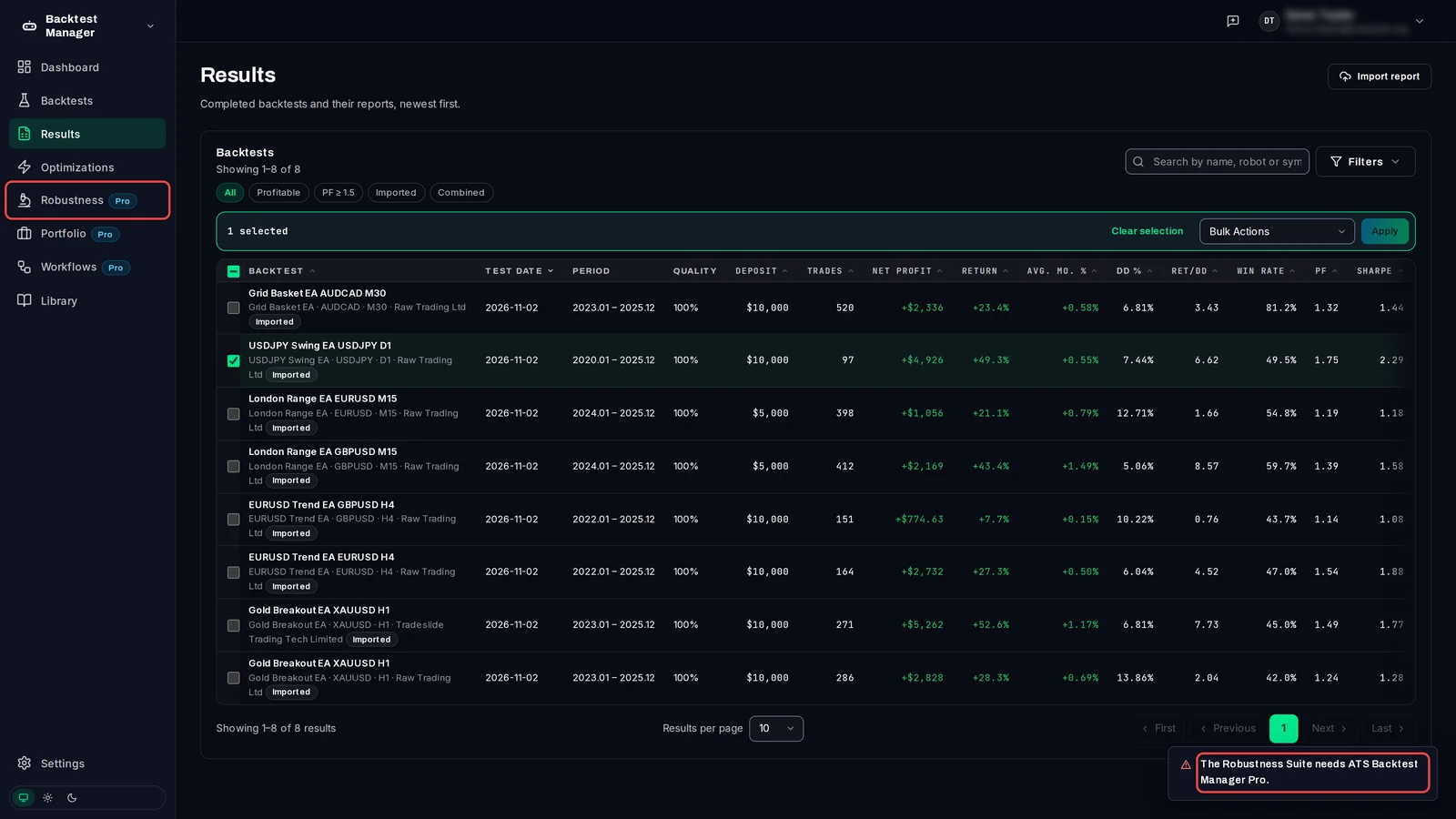
Open a review from Results
- Click Results in the left-hand menu.
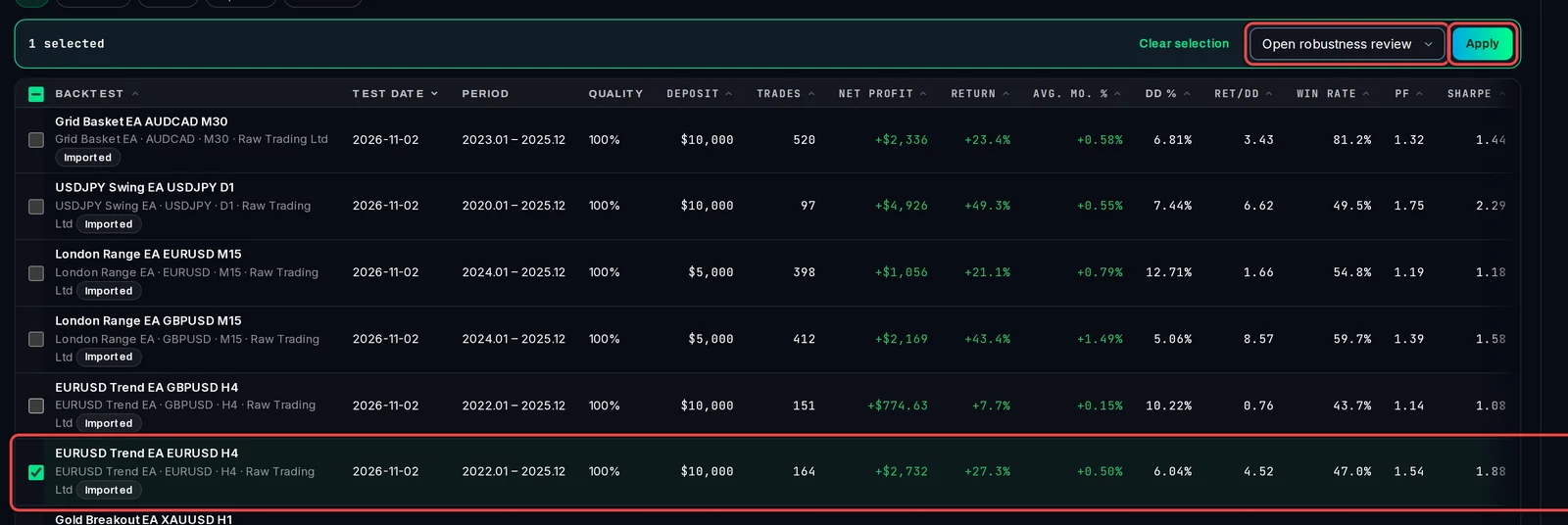
- Tick the backtest you want to check. You can tick several: each gets its own review.
- In the bar above the list, choose Open robustness review from Bulk Actions.
- Click Apply. One review opens straight away; several land on the Robustness Reviews list.
Or open it from the result page
- Open the result.
- Click Actions, then Send to Robustness.
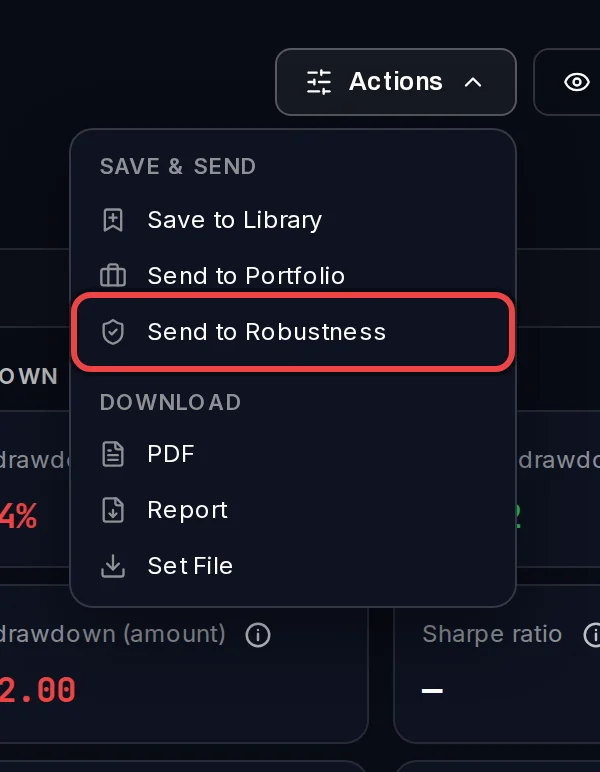
If the backtest already has a review, the app opens that one again instead of making a second.
Read the new review
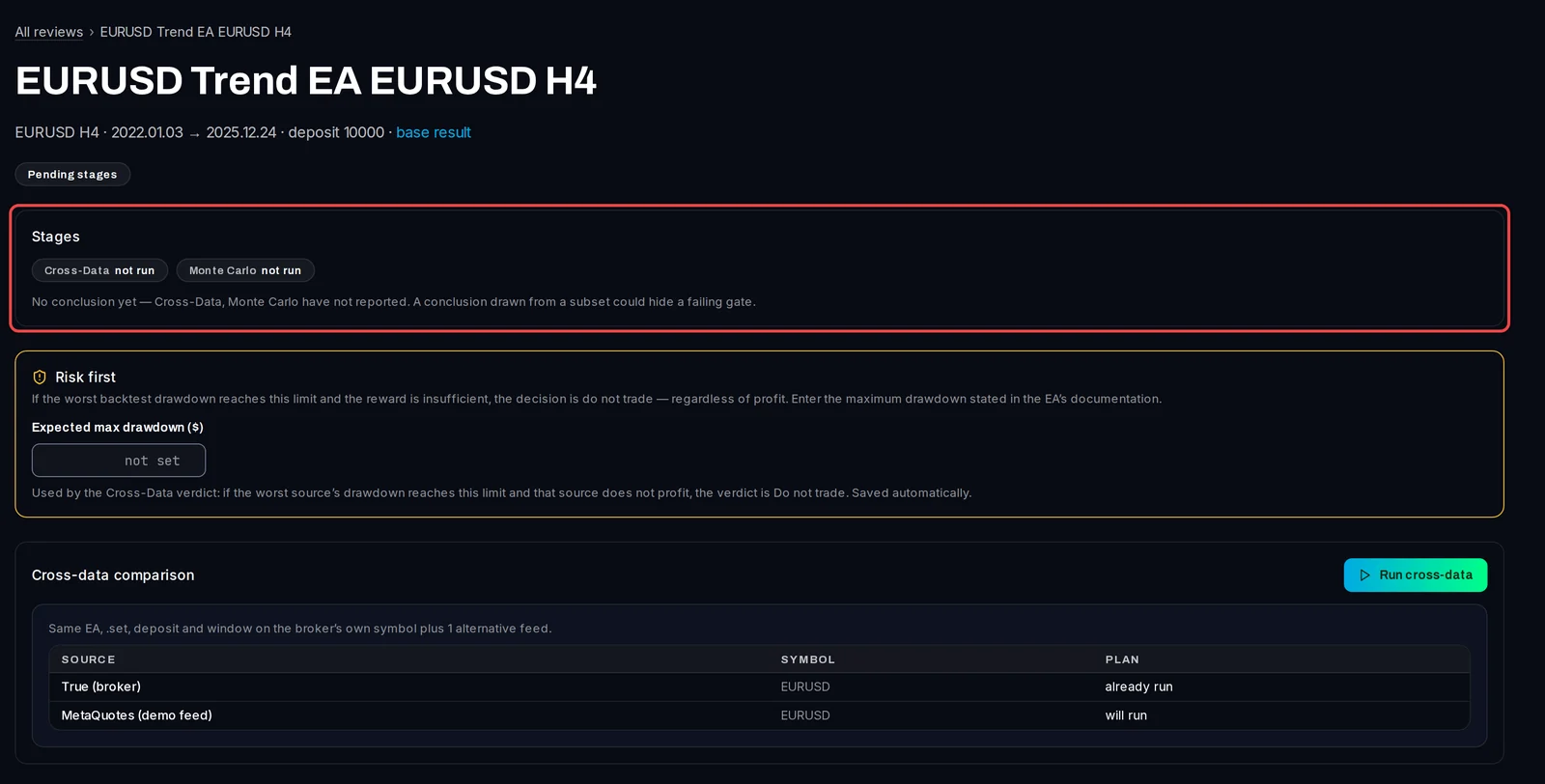
The review page shows the strategy, its symbol, timeframe and dates, and a link back to the base result (the backtest you started from).
- Stages shows the two checks. Both say not run until you start them.
- Risk first: type the Expected max drawdown ($) from the EA's documentation (drawdown is the largest fall from a peak). If the worst feed reaches that loss and does not make money, the verdict is do not trade. It saves when you leave the box.
- Below are the Cross-data comparison and Monte Carlo panels, where you start each check.
Find your reviews
- Click Robustness in the left-hand menu, then Reviews.
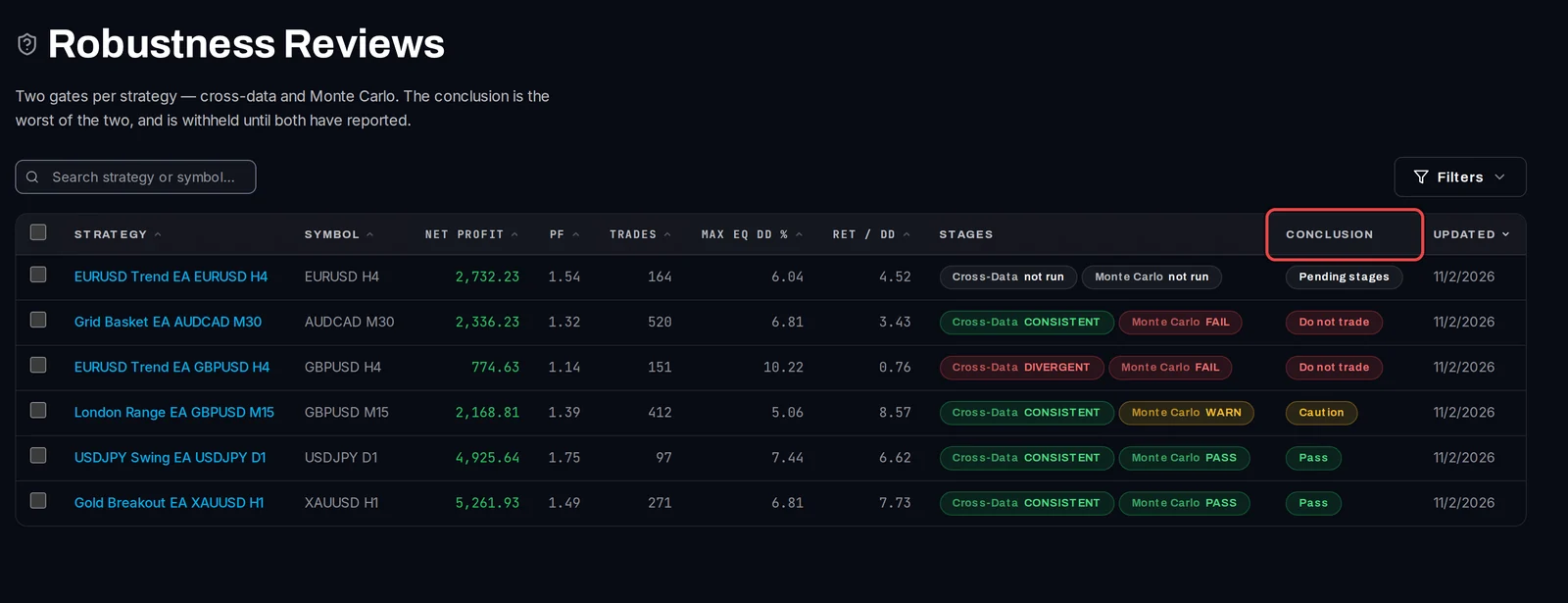
- Each row shows the backtest's own figures, the verdict of each stage and the Conclusion: Pass, Caution, Do not trade, or Pending stages until both checks have reported. The conclusion is the worse of the two.
Good to know
- You can only start a review from Results. The Robustness pages list reviews; they don't create them.
- Each check runs real backtests on your test terminals. They wait in the Queue like any other test, and the verdict appears when the last one finishes.
- On Free, Robustness carries a Pro badge in the menu, and opening a review shows "The Robustness Suite needs ATS Backtest Manager Pro." Reviews you made during your Pro trial stay readable.