
Knowledge Base
Help Center articles
Prices differ a little from broker to broker. Cross-data runs your backtest again, with the same EA, set file, deposit and dates, on MetaQuotes' own demo price feed, and compares the two results. A strategy whose profit disappears on another feed was fitted to one broker's data, not to the market.
Plan: Pro (€29 a month). New accounts get 14 days of Pro when they first sign in to the app.
Before you start
- You need a test terminal logged in to a MetaQuotes-Demo account. Add one in Settings › Terminals, and log it in once in MetaTrader if the app asks.
- Open a review for the backtest (see Start a robustness review).
Run the cross-data check
- On the review page, find Cross-data comparison. It lists the sources: True (broker), your backtest, already run, and MetaQuotes (demo feed), which will run.
- Click Run cross-data.

The MetaQuotes test goes into the Queue on your MetaQuotes-Demo terminal and shows queued here. The app collects the result by itself when the test finishes. Collect results does the same by hand.

Read the verdict
When both results are in, the panel shows a table of 14 figures side by side (net profit, gain, drawdown, profit factor, trades, win rate and more), the Difference (max − min), and Worst / Best: the weaker figure divided by the stronger, where 1.00 means identical.
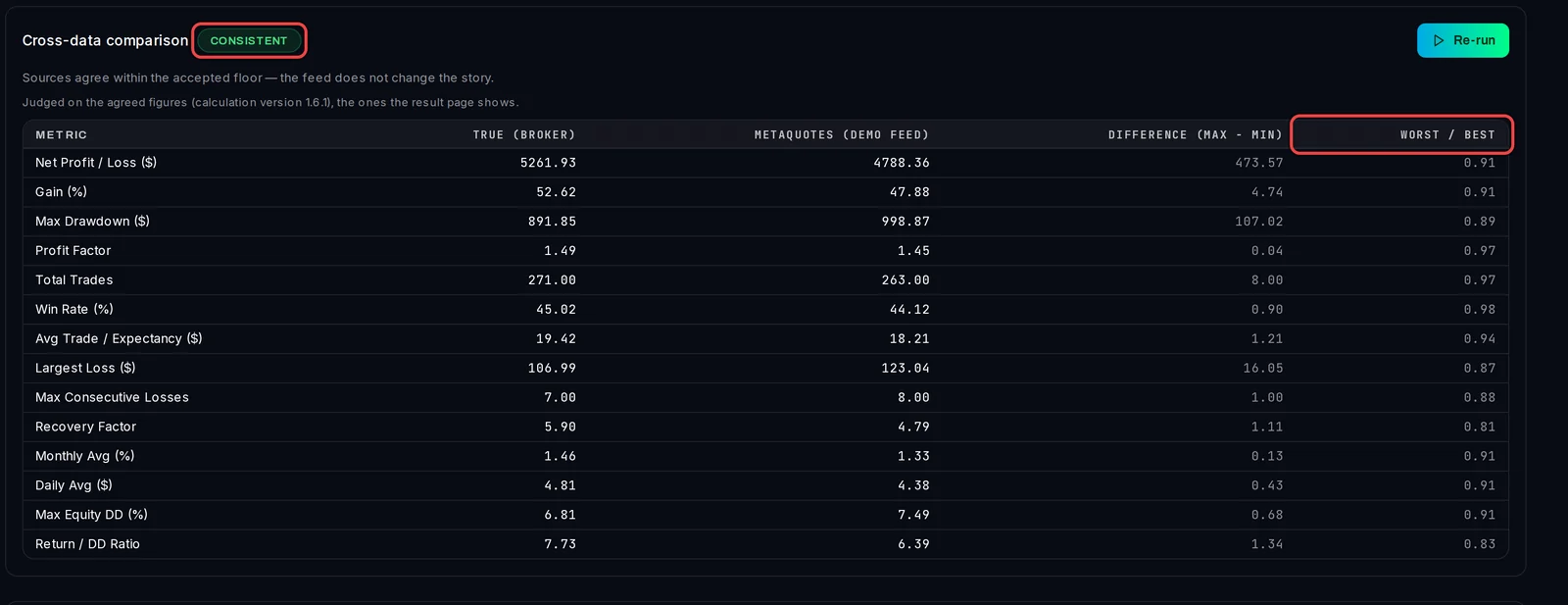
- CONSISTENT: the feeds tell the same story. This stage passes.
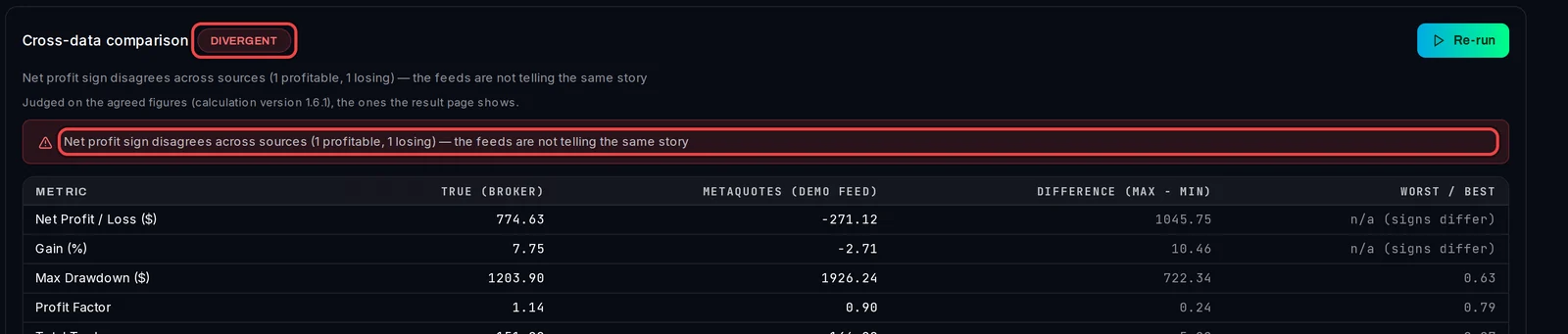
- DIVERGENT: one feed makes money and the other loses, the weaker feed earns less than half the net profit of the stronger, no feed makes money, or the Risk first limit was reached without a profit. The red notice says which. The review's conclusion becomes Do not trade.
- NOT AVAILABLE: there was no second feed to compare. The conclusion can then be Caution at best.
Good to know
- With no MetaQuotes-Demo terminal, the MetaQuotes row says "No MetaQuotes backtest terminal is configured." and the stage can only end NOT AVAILABLE.
- If your backtest itself ran on MetaQuotes-Demo, there is no second feed to compare with.
- Re-run starts a new attempt, for example after you set Risk first. The earlier attempt is kept as history.
- Robustness › Cross-Data lists the cross-data verdict of every review.