
Knowledge Base
Help Center articles
Already ran backtests in MetaTrader 5 yourself? Import their reports, and they become results like any other: the same figures, charts and tabs, and you can filter, compare, combine or send them on.
Plan: every plan.
Save the report in MetaTrader 5
- In MT5's Strategy Tester, after a test, open the Backtest tab.
- Right-click the report and choose Report › HTML (Internet Explorer), then save the file.
The app reads the .htm or .html file MT5 saves; other formats are not accepted.
Import it
- Click Results in the menu on the left.
- Click Import report at the top right.
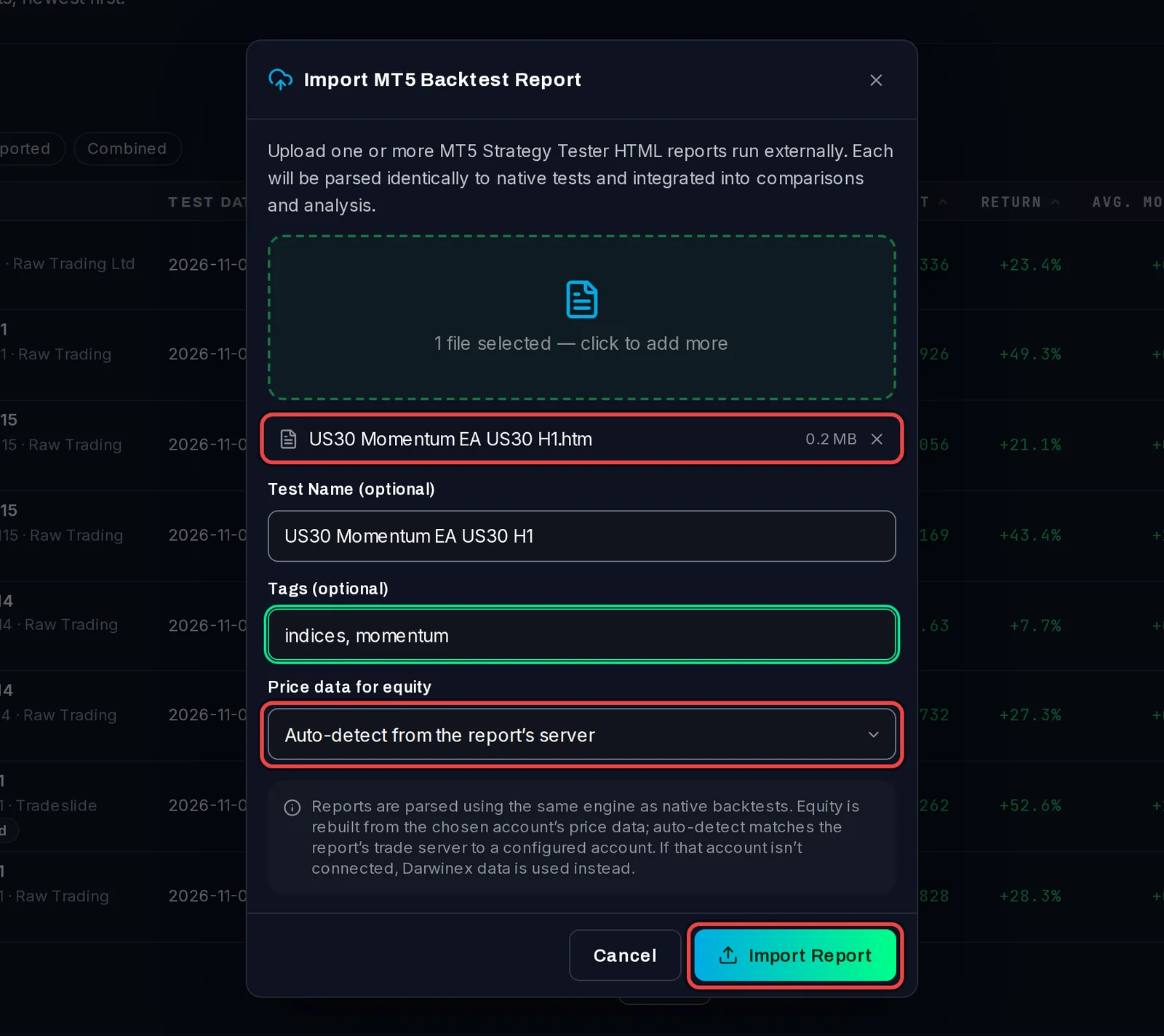
- Drag the report into the dashed box, or click the box and choose the file. You can add several reports, up to 50 MB each.
- Optional: change the Test Name (it is filled in from the report) and add Tags, separated by commas.
- Leave Price data for equity on Auto-detect from the report's server, or pick one of your test terminals (see below).
- Click Import Report.
Check the summary
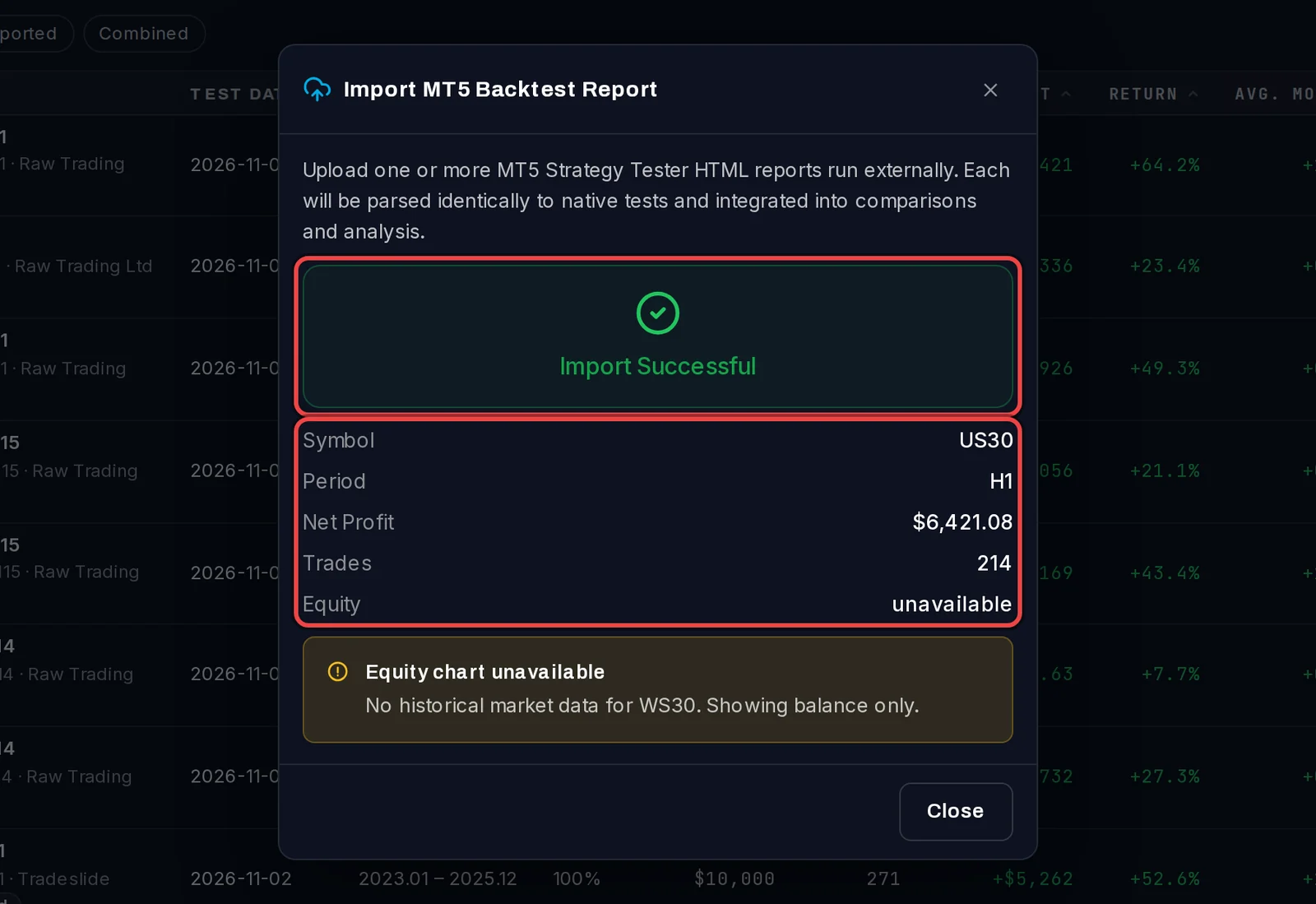
When the import is done, the window shows Import Successful with the report's symbol, period, net profit, number of trades and the state of the equity curve. The result is now on the Results page, marked Imported.
When the equity curve is missing or approximate
An MT5 report lists the closed trades, which give the balance, but not what open trades were worth in between. The app rebuilds that equity line from one-minute price history on your test terminals: by default from the terminal logged in to the report's broker server, otherwise from any test terminal that has the symbol.
- Equity chart unavailable: none of your test terminals has price history for that symbol and period. The result keeps all its figures and its balance curve; only the equity line and the drops while trades were open are missing.
- Equity chart is approximate: the history covers only part of the test, or comes from another broker, so the floating drawdown is an estimate.
Good to know
- A test terminal has a symbol's history once MT5 has downloaded it there, for example after you have run a test of that symbol on it. Import the report again after that to get the full equity curve, and delete the first import.
- Importing does not run anything and does not change the report.
- Imported results show on the Imported quick filter of the Results page.