
Knowledge Base
Help Center articles
Every finished backtest, and every MT5 report you import, lands on the Results page, newest first. Use it to find a test again, narrow the list down to the ones worth a closer look, and act on several at once.
Plan: every plan.
Search and use the quick filters
- Click Results in the menu on the left.
- Type in Search by name, robot or symbol, for example XAUUSD or the EA's name.
- Or click a quick filter above the list: Profitable (net profit above zero), PF ≥ 1.5 (profit factor, gross profit divided by gross loss, of 1.5 or more), Imported (reports you imported) or Combined. Click All to clear them.
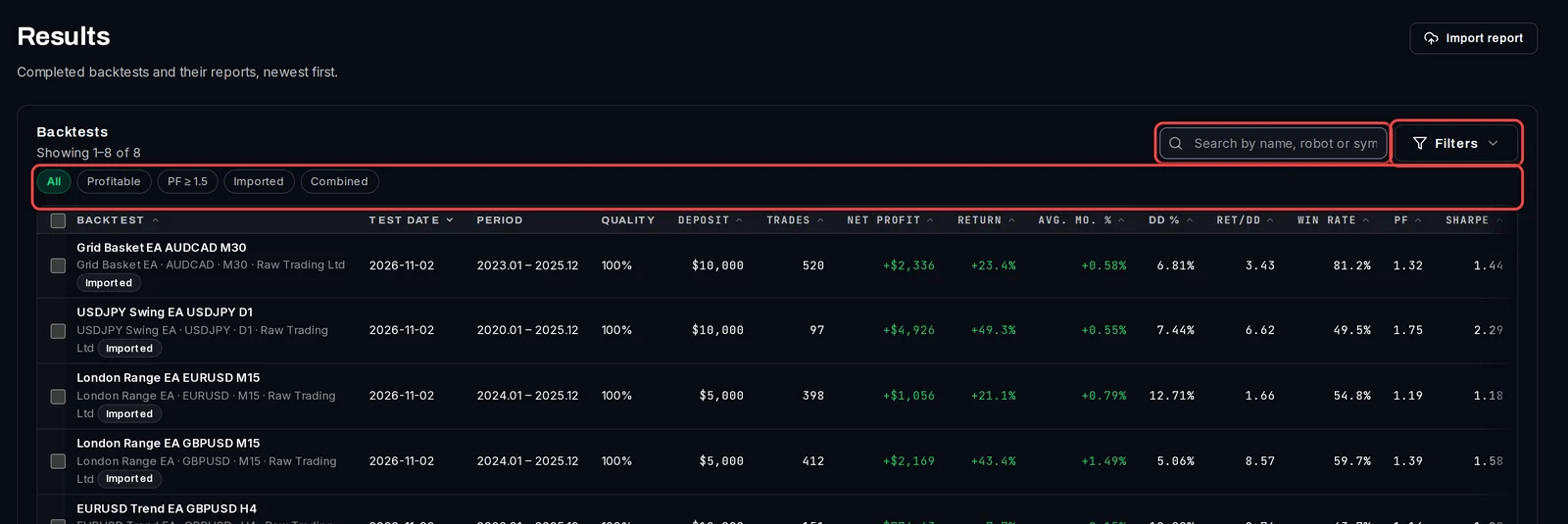
Filter on any figure
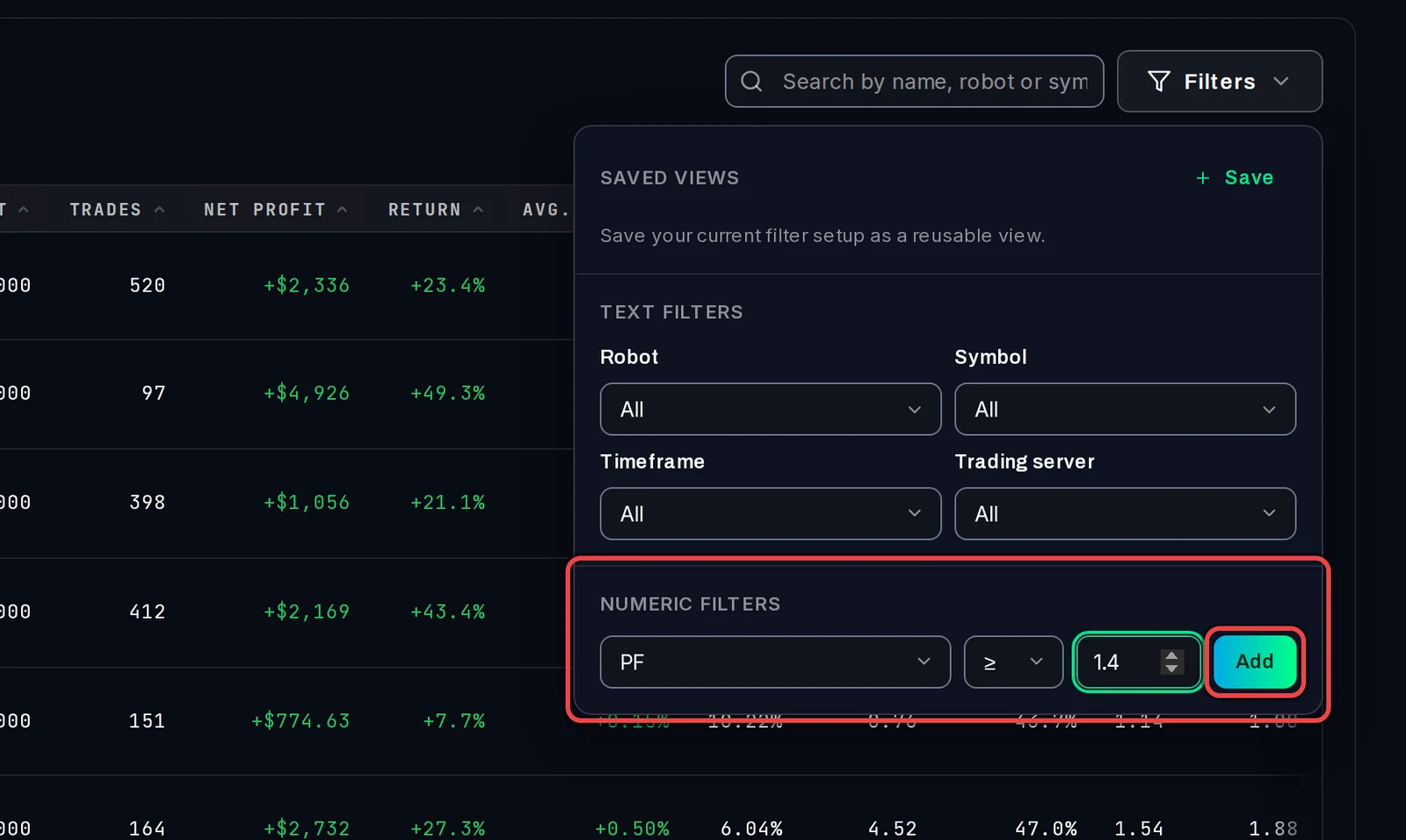
- Click Filters.
- Under Text Filters, pick a Robot, Symbol, Timeframe or Trading server.
- Under Numeric Filters, choose a figure (for example PF or DD % (Equity Drawdown Relative)), a comparison such as ≥, type a value and click Add. Add as many as you need.
- To keep this set of filters, click Save under Saved Views and give it a name. Next time, click the view's name to apply it again.
Active filters show above the list. Click the × on one to remove it, or Clear all.
Sort and read the columns
- Click a column heading, for example PF, to sort by it. Click it again to reverse the order.
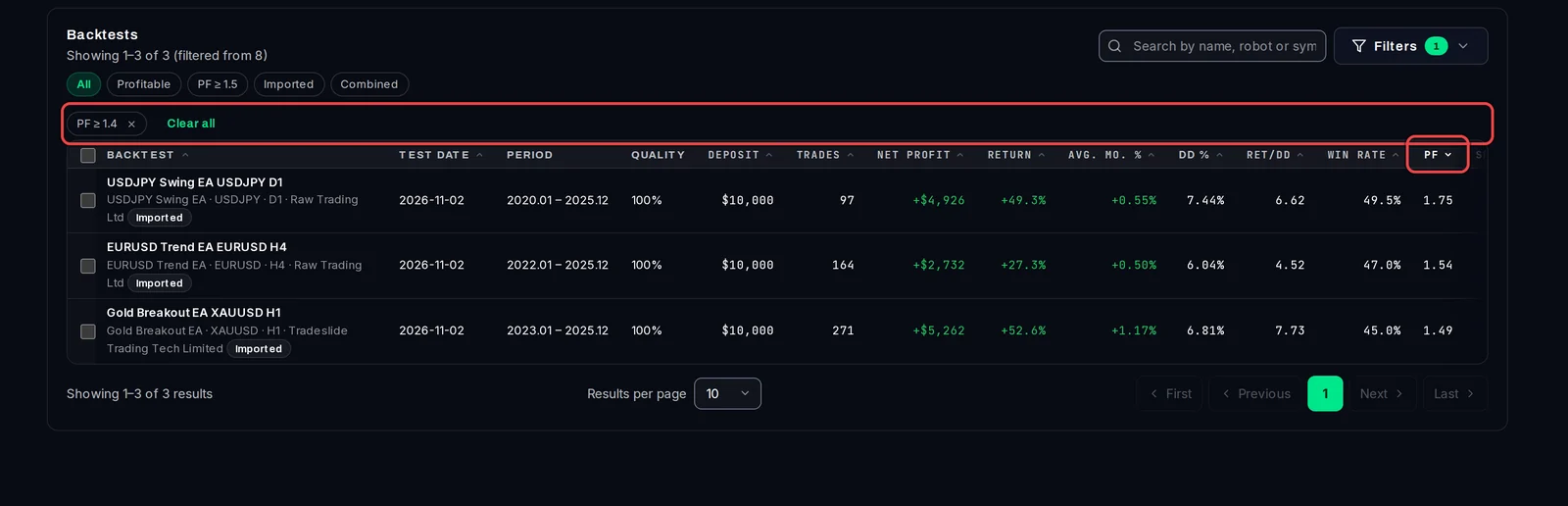
Besides net profit and return, the list shows Avg. mo. % (average monthly gain), DD % (the largest drop in equity from a peak, in percent), Ret/DD (return divided by that drawdown), Win rate, PF, Sharpe and Exp. payoff (average profit per trade). Scroll the list sideways to see the last columns.
Act on several results at once
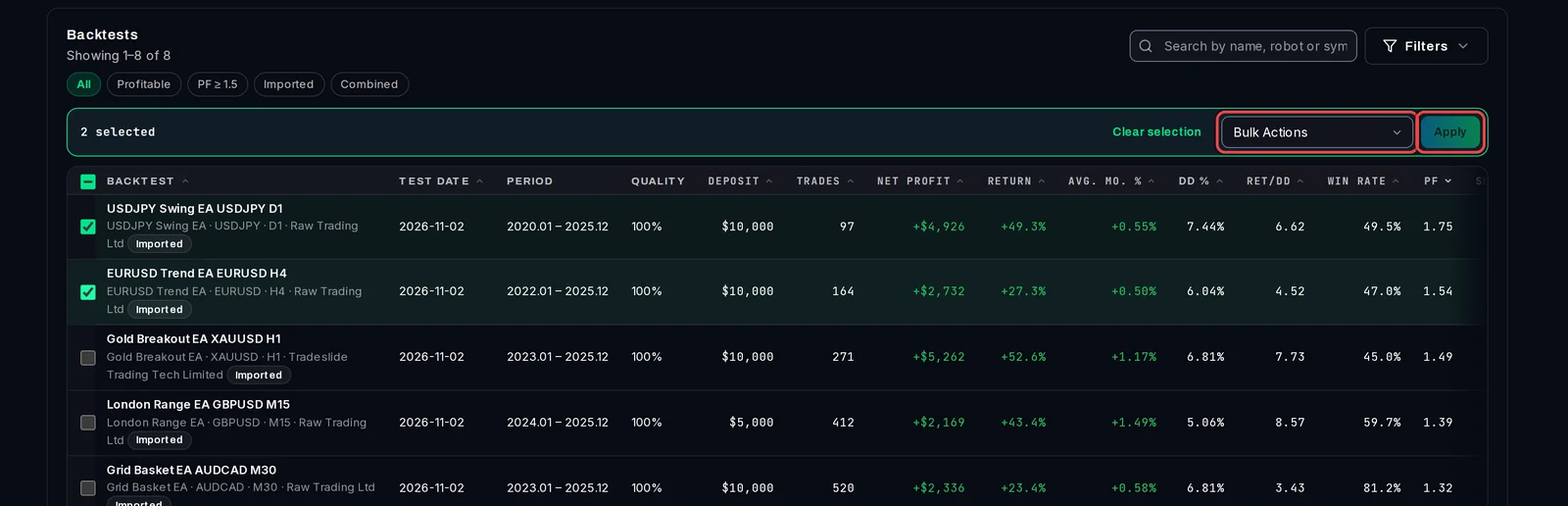
- Tick the box in front of each result you want.
- Open Bulk Actions and choose what to do: Save to Library, Download Report, Send to Portfolio Builder, Open robustness review, Combine (2–10) or Delete.
- Click Apply.
Each row also has its own menu (the ⋯ button at the far right) with Compare, Sensitivity, Requeue test (run the same test again) and Delete result and its test.
Good to know
- At the bottom, Results per page shows 10, 30, 50 or 100 at a time; use Next and Previous to move through the pages.
- Saved views are kept on this PC.
- Optimizations are not listed here: they are on the Optimizations page. A backtest you promote from an optimization pass does appear here.
- Open robustness review and Combine need Pro. On Free, the list leaves out combined backtests and says how many are kept for Pro.