
Knowledge Base
Help Center articles
Backtest Manager: what you need before you start
Backtest Manager is a Windows app that runs and keeps your MetaTrader 5 backtests. It uses the MT5 you already have on your PC. This guide lists what to have ready before you install it.
Plan: every plan. New accounts get 14 days of Pro when they first sign in to the app.
Check what you need
- A Windows PC: Windows 10 or 11, 64-bit. MT4, macOS and Linux are not supported.
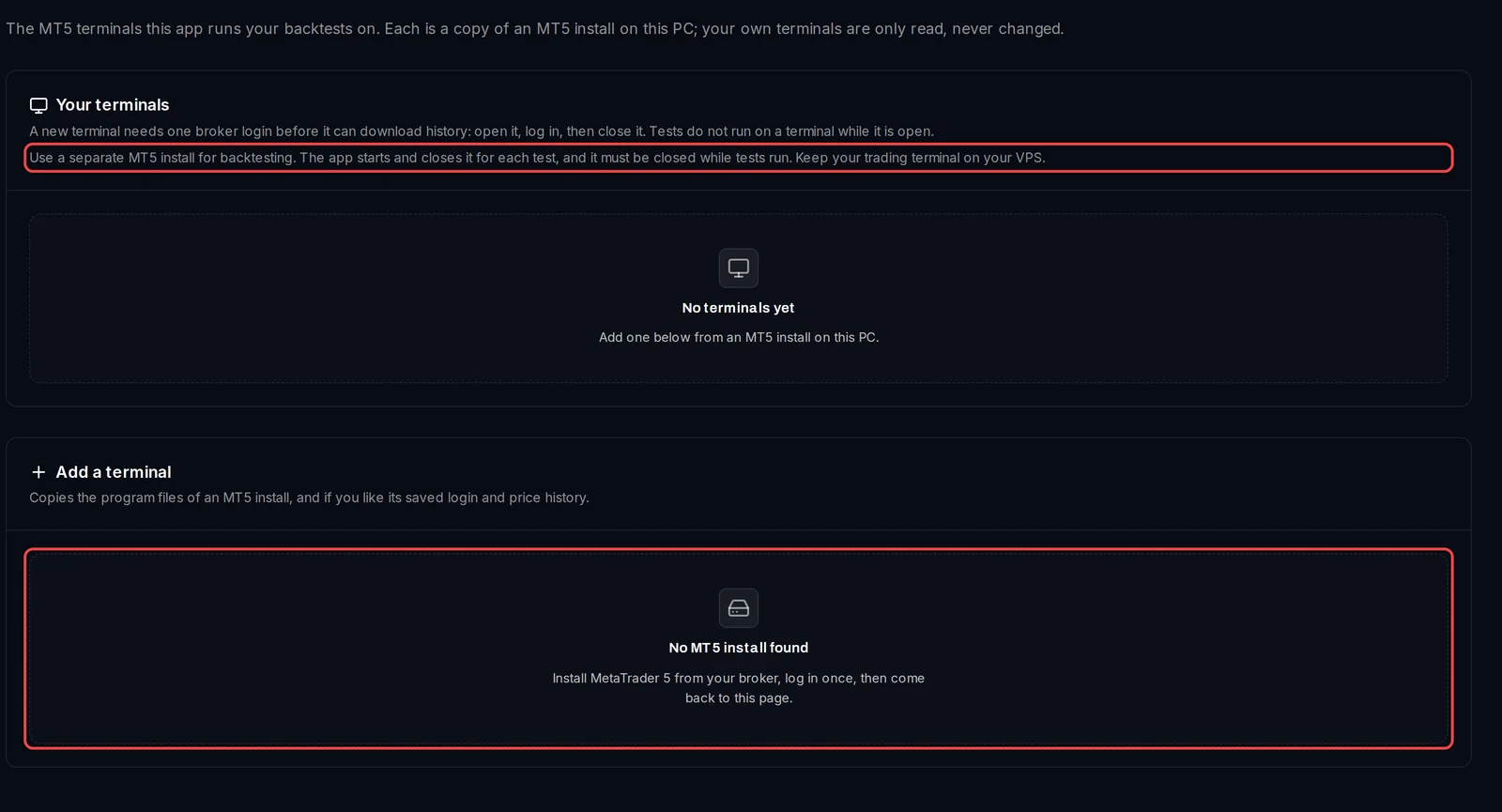
- MetaTrader 5, installed from your broker (or from MetaQuotes) and logged in at least once. Best is a separate MT5 install just for backtesting, not the one you trade with. The app never installs MetaTrader itself: it copies the program files of an install you have.
- An Algo Trading Space account. The Free plan needs no payment.
- Free disk space for the test terminals: each copy needs the MT5 program files plus the price history you copy into it. The app shows the size before it copies.
- Your Expert Advisors (
.ex5files) and, if you use them, their set files (.set: a saved list of an EA's input values).
If Settings › Terminals says No MT5 install found, MetaTrader 5 is not installed on this PC yet.
Get set up
- Download and install the app.
- Sign in with your Algo Trading Space account.
- Add a test terminal from your MT5 install, and log in to your broker in it once.
- Run your first backtest.
Good to know
- The app never trades and never changes your own MT5. It works on copies, called test terminals, that it starts and closes for each test.
- Keep your trading terminal on your VPS. A test terminal must stay closed while tests run on it.
- Robustness reviews (Pro) can re-run a test on MetaQuotes' demo price feed. For that, add one test terminal logged in to MetaQuotes-Demo.