
Knowledge Base
Help Center articles
Sign in and check your plan
The app works with your Algo Trading Space account, which also decides your plan. You sign in once, in your browser, and the app remembers you.
Plan: every plan. New accounts get 14 days of Pro when they first sign in to the app.
Sign in
- Start ATS Backtest Manager. Until you sign in, it shows Sign in to ATS Backtest Manager.
- If you like, tick Also use my results for offers and product news. You can change this later in Settings › Profile.
- Click Sign in with Algo Trading Space. The app shows Finish signing in in your browser….
- In the browser page that opens, sign in with your Algo Trading Space account. A Free account works too.
- The browser says You are signed in. Close that tab and go back to the app.
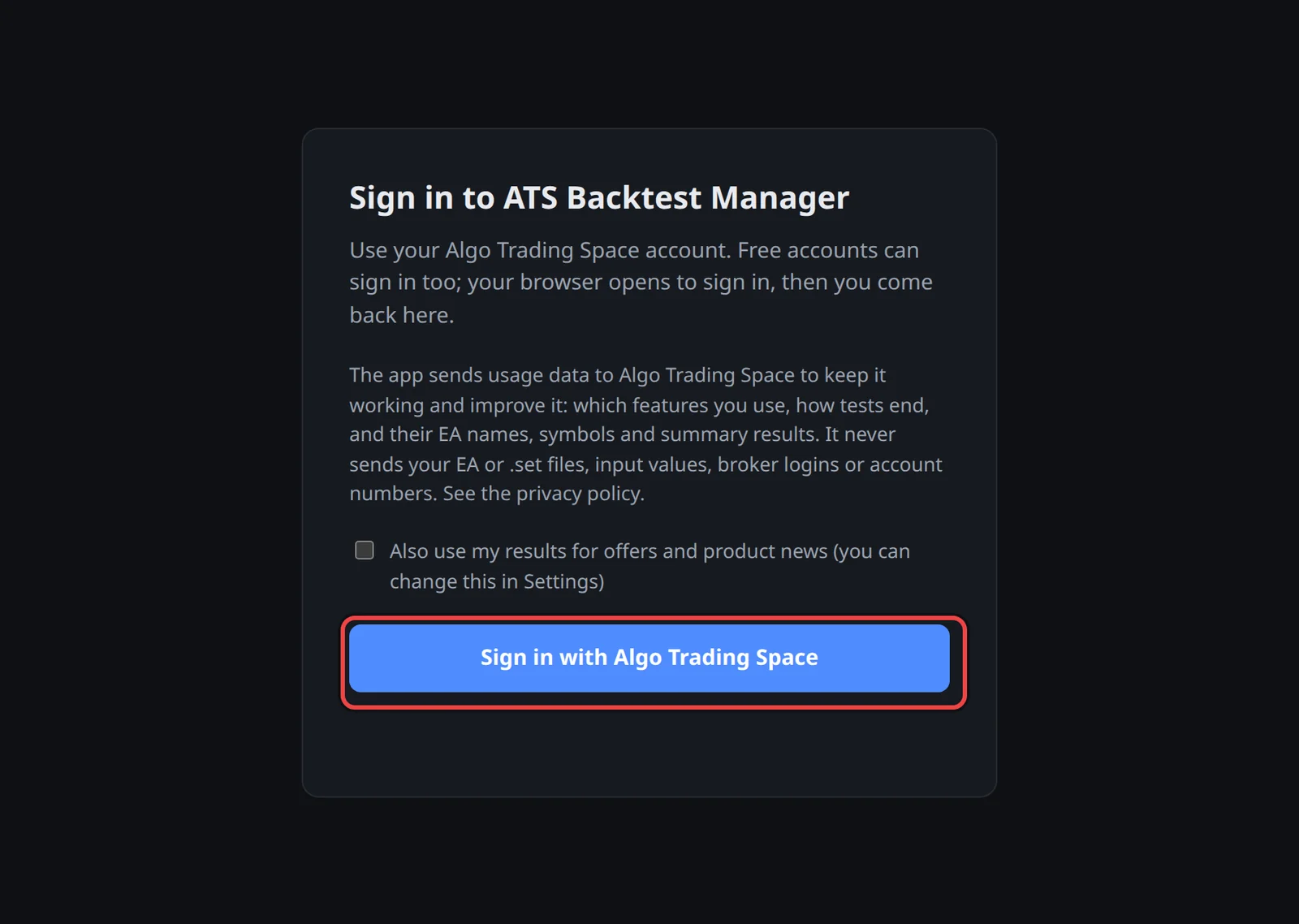
The first time, the app then opens Settings › Terminals so you can add a test terminal.
Check your plan
- Open Settings › Profile.
- Read the badge next to Sign out: Pro trial, Pro or Free. On the trial, the line under it says when the trial ends.
- Under This month's runs, see how many optimizations and Portfolio Builder runs you have used this month and when they reset.
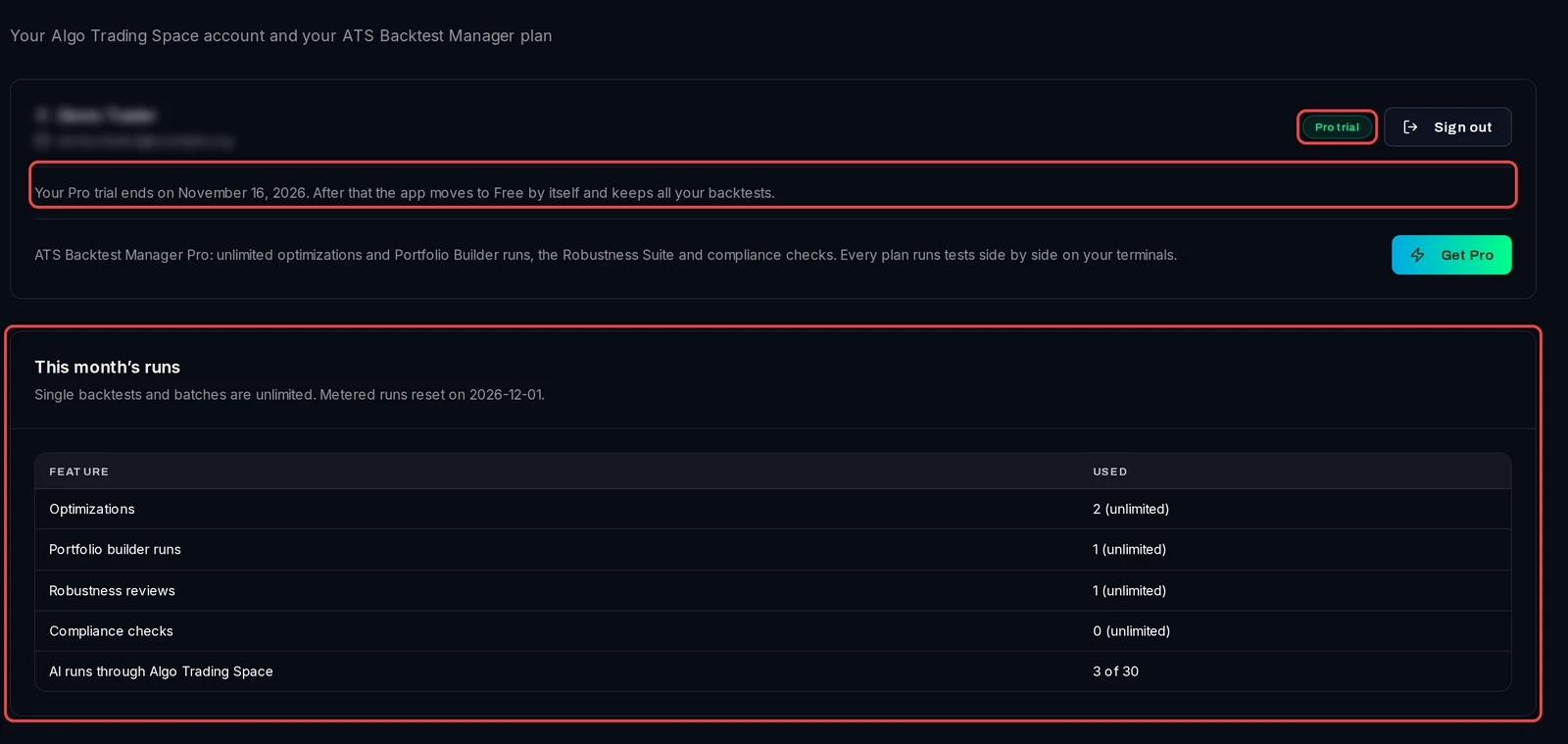
On Free the badge reads Free. To upgrade, get Pro on the Backtest Manager page; Pro is €29 a month.

Good to know
- When the trial ends, the app moves to Free by itself and keeps all your backtests. Free includes a monthly allowance of optimizations and Portfolio Builder runs; This month's runs shows what is left. It resets on the 1st of each month.
- Single backtests and batches are unlimited on every plan.
- Pro is paused: the app has not reached your account for more than 3 days. Connect to the internet and Pro comes back. Free backtests keep working meanwhile.
- Pro is in use on your other PCs: Pro covers two PCs: the ones you signed in on most recently. Sign out and in again on this PC to move Pro here.
- The sign-in waits 5 minutes for the browser. If it took longer, click the button again. To sign out, use Sign out on Settings › Profile or File › Sign out.