
Knowledge Base
Help Center articles
Winners & Latest: the best robots across symbols
Winners & Latest shows the best robots of a whole market at once (all forex majors, for example) instead of one symbol at a time.
Plan: anyone can browse the robots; downloading needs a plan that includes the app.
Open Winners & Latest
- Click Winners & Latest at the top right. A panel opens on the right.
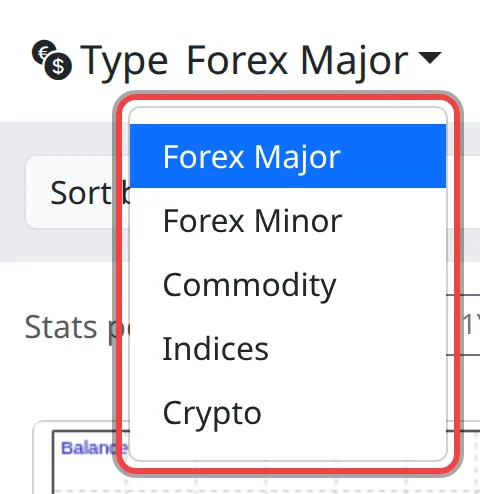
- Click Type and choose a market: Forex Major, Forex Minor, Commodity, Indices or Crypto.
Choose what counts as a winner
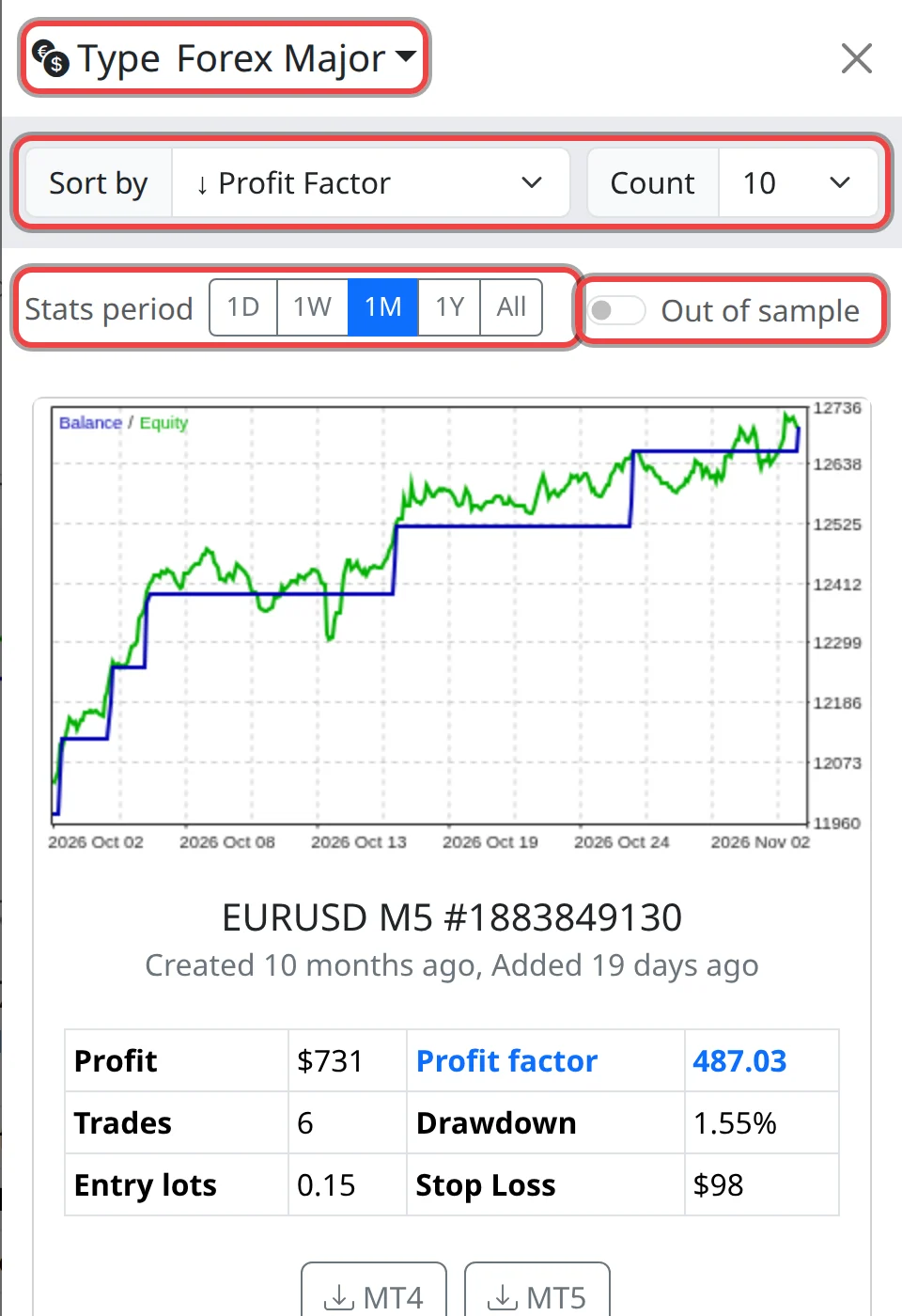
- In Sort by, choose the ranking. It starts at ↓ Profit Factor. To see the newest robots, choose ↑ Latest added.
- In Count, choose how many robots to show: 10, 20, 30, 40 or 50.
- Pick a Stats period (1D to All) and, if you want, turn on Out of sample. They work as on the main page.
- Scroll the panel to read the cards. Close it with the × at the top.
Download from the panel
- Click MT4 or MT5 on a card. The robot uses your account, risk and challenge settings, as on the main page.
- The panel has no Zip button. To collect several robots in one file, pick their symbol on the main page and use Zip or Add to Zip there.
Add a symbol's top robots to a ZIP
- On the main page, pick a Symbol and a Sort by order.
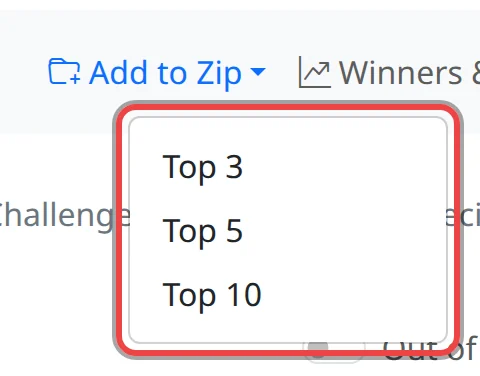
- Click Add to Zip and choose Top 3, Top 5 or Top 10. The first robots in the current order are added to your ZIP.
Good to know
- The panel keeps its own settings, separate from the main page, and remembers them in this browser.
- A top place on a short period can come from a handful of trades. Check the trades, a longer period and the out-of-sample results before you choose.