
Knowledge Base
Help Center articles
Track a prop-firm challenge with Progress Tracking
A prop-firm challenge has a profit target and loss limits you must not break. Progress Tracking shows, on the account page, how far you are from the target and how much of each loss limit you have already used.
Plan: every plan.
Open Progress Tracking
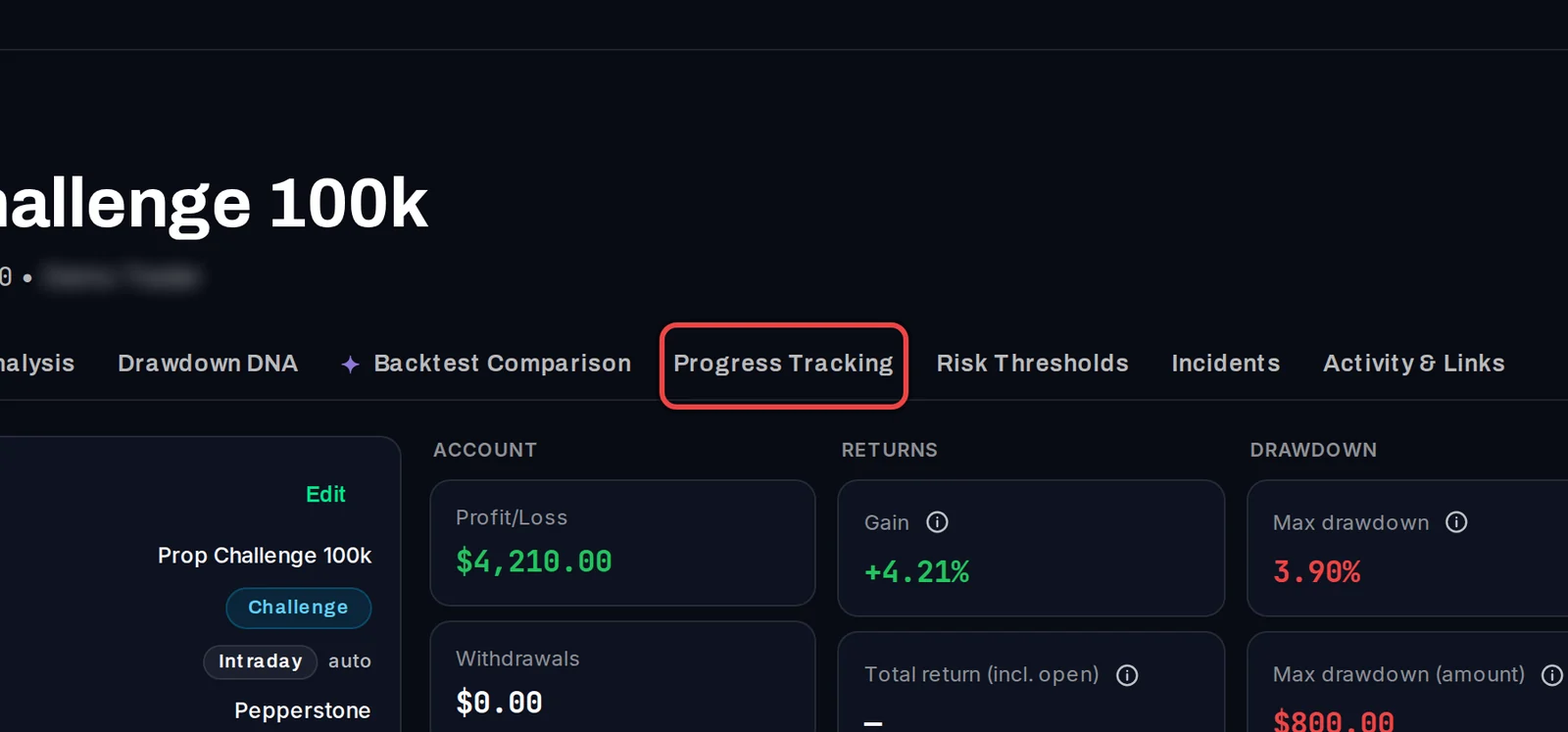
- On the Overview, click the account's name.
- On the account page, click the Progress Tracking tab.
Enter your firm's rules
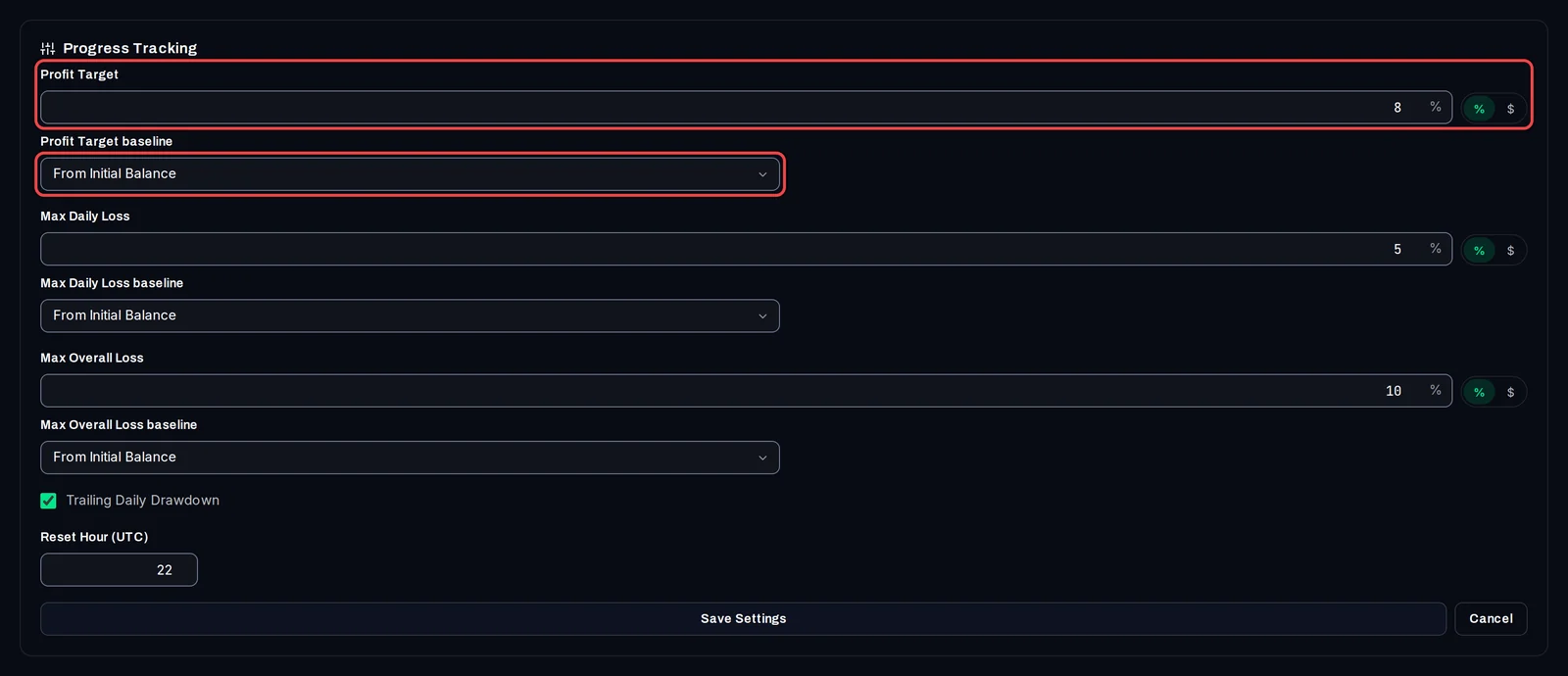
- Click Configure.
- Type the Profit Target, the Max Daily Loss and the Max Overall Loss from your firm's rules.
- Beside each one, choose % or $ (money in the account's currency).
- Under each rule, choose its baseline: the balance it is measured from. From Initial Balance fits most challenges. You can also pick From last Reset, From date, and for the profit target From balance (a balance you type) or From last Withdrawal.
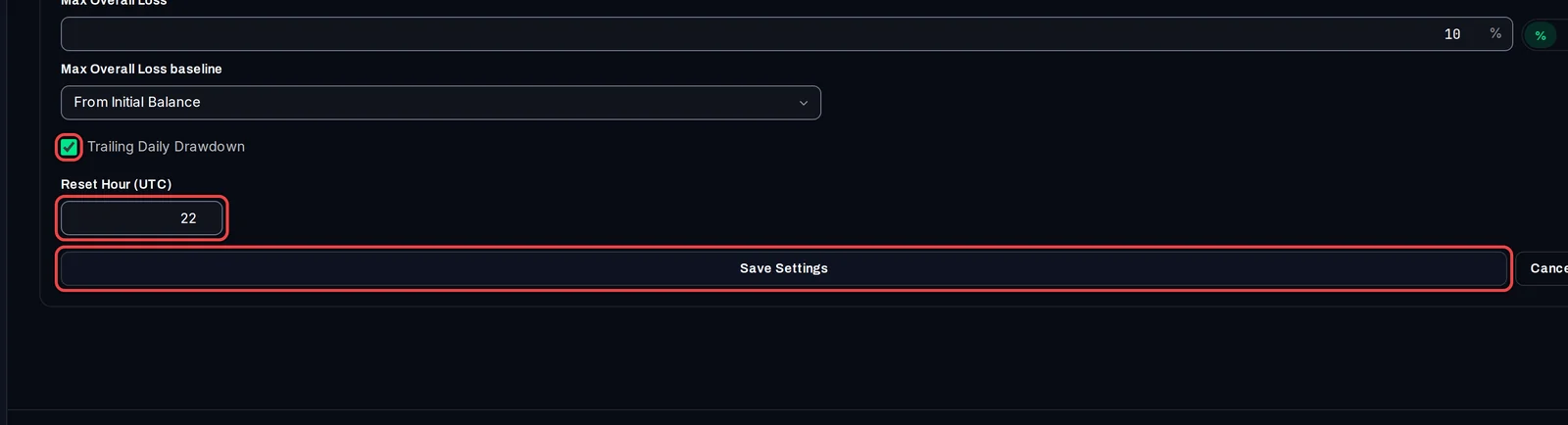
- If your firm measures the daily loss from your equity at a set hour each day (a trailing daily drawdown), tick Trailing Daily Drawdown and type that hour in Reset Hour (UTC), from 0 to 23.
- Click Save Settings.
Read the meters
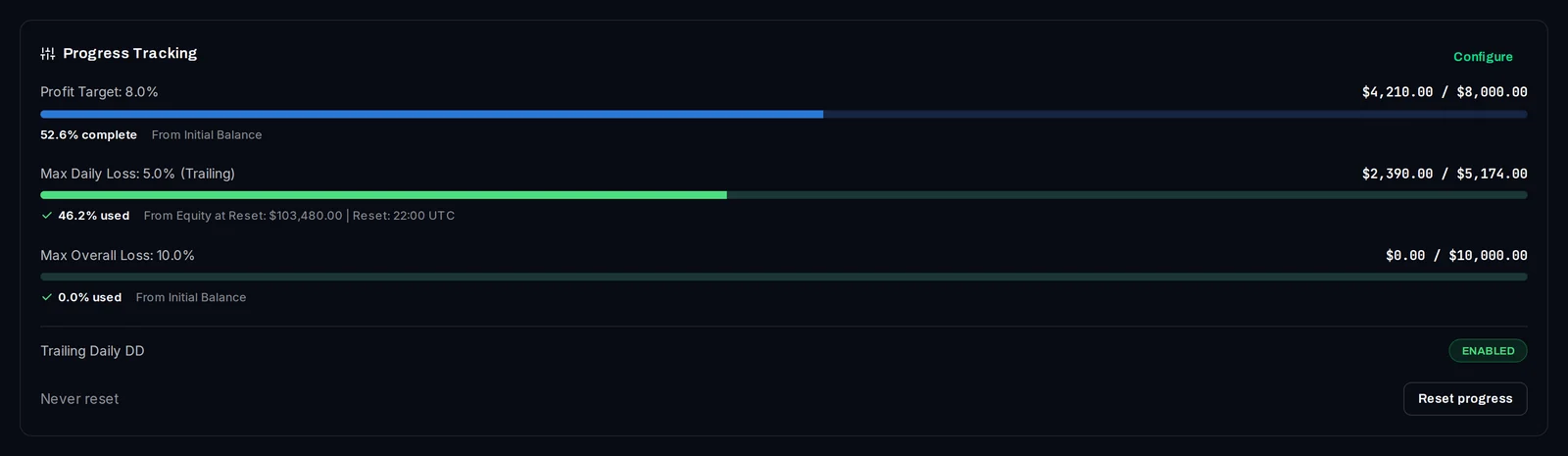
The profit target shows how much of it is complete. Each loss limit shows how much of it is used, with the amounts on the right. A loss meter turns amber above 50 % used and red above 80 %.
Good to know
- The tracker only shows your rules. It never closes a trade or stops a robot, so keep your firm's own terms at hand.
- Profit counts trading results only (including fees and swaps). Deposits and withdrawals are never counted as profit or loss.
- Max Daily Loss counts open positions (your equity). Max Overall Loss counts closed trades (your balance). With Trailing Daily Drawdown off, the daily loss is counted from the rule's baseline, not from the start of each day.
- If the account type is Challenge, the tracker changes it by itself to Challenge - Passed when the target is reached, or to Challenge - Failed when the overall loss limit is reached. Other account types only show the meters.
- To be warned before a limit is hit, add an alert rule on drawdown for this account.