
Knowledge Base
Help Center articles
Reset progress after a payout or a new phase
Passed phase 1 and starting phase 2 on the same account, or took a payout? Reset progress makes Progress Tracking start again from your balance today, so the new target and limits are measured from there.
Plan: every plan.
Choose which rules start over
Only rules measured From last Reset start over when you reset. Set this once.
- Open the account page and click the Progress Tracking tab.
- Click Configure.
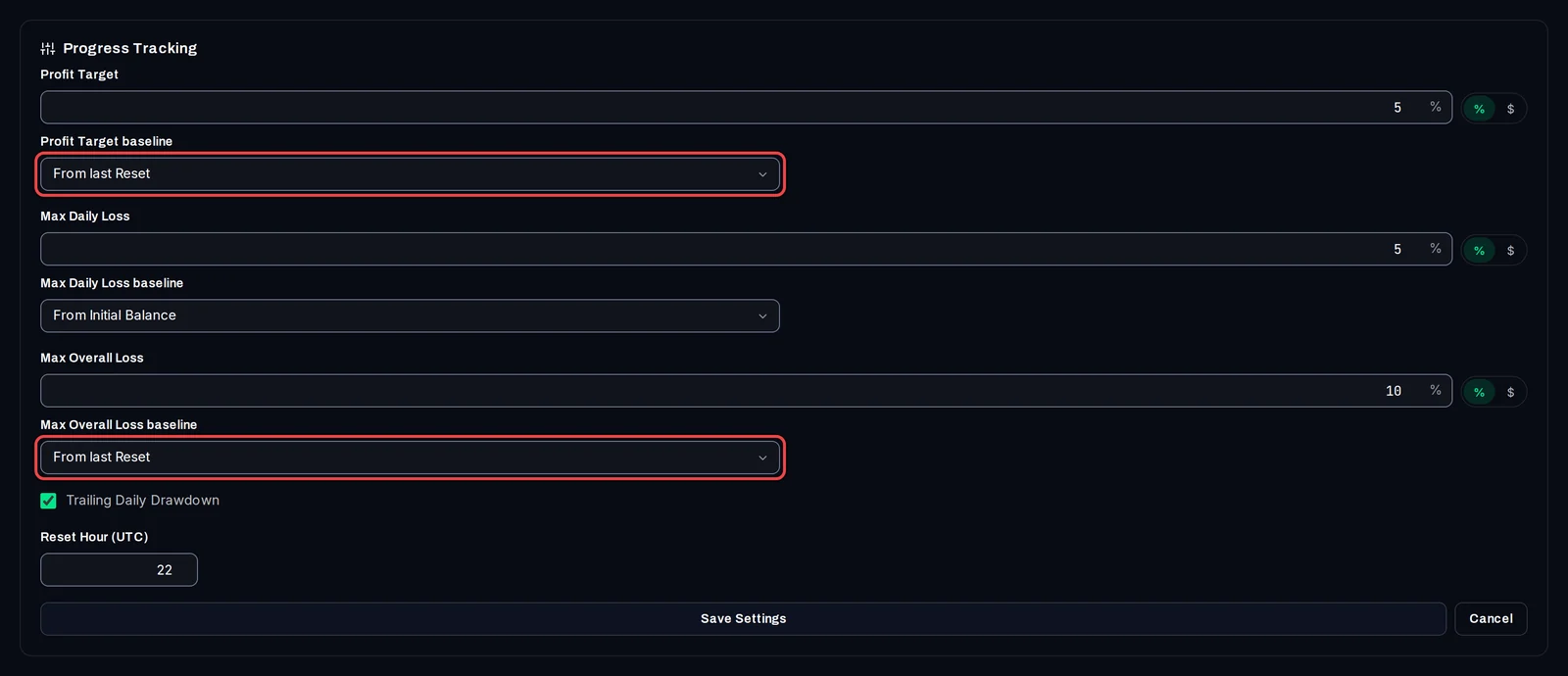
- For each rule that should start over, choose From last Reset as its baseline, for example the Profit Target baseline and the Max Overall Loss baseline.
- Enter the new phase's target and limits if they changed, then click Save Settings.
Reset progress
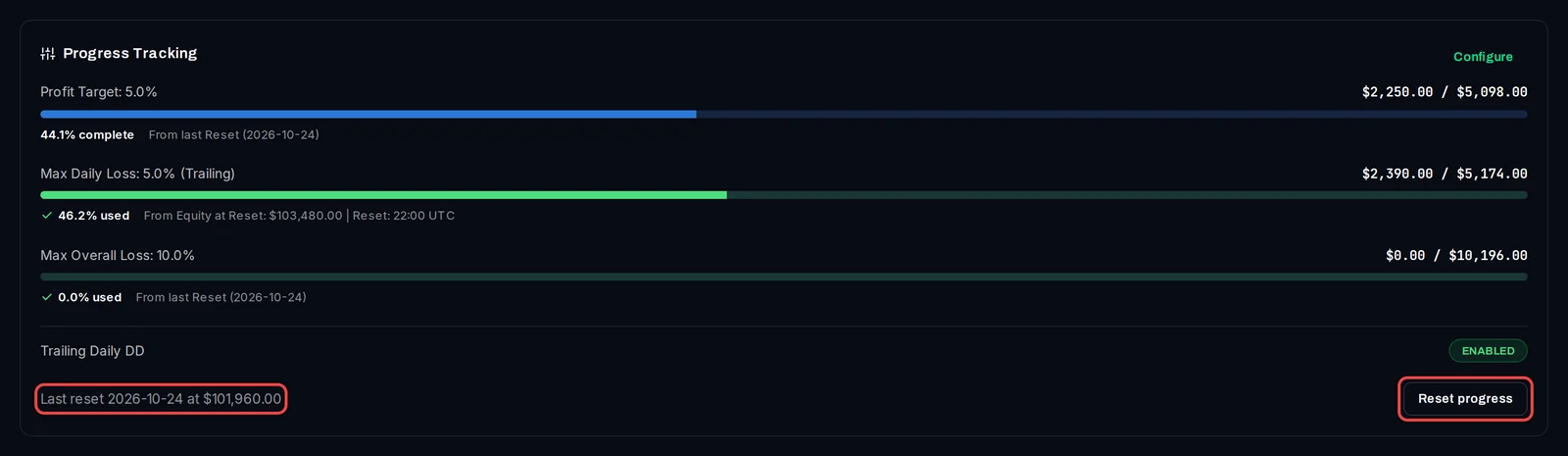
- At the bottom of the Progress Tracking card, click Reset progress.
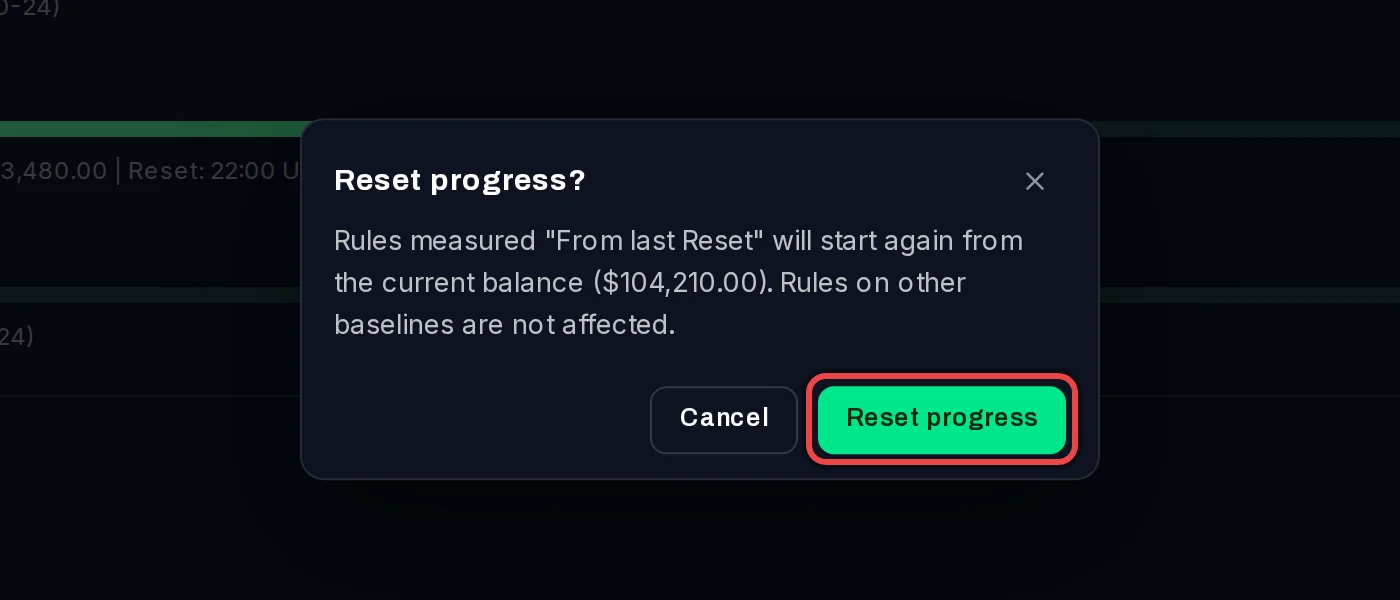
- Read the message: it shows the balance the rules will start from. Click Reset progress to confirm.
The card now says Last reset with the date and the balance, and each rule measured from the reset shows From last Reset with that date.
Good to know
- Rules on other baselines (initial balance, a date, a balance) are not changed by a reset.
- The reset uses your balance, not your equity. Trades still open when you reset count towards the new phase when they close.
- A reset does not change the account type. If the account shows Challenge - Passed, set the type back to Challenge so the tracker can mark the next phase as passed or failed.
- After a payout you can also measure the profit target From last Withdrawal: it follows your latest withdrawal by itself, with no reset needed.
- Until you reset for the first time, a rule set to From last Reset is measured from the initial balance, and its caption says (no reset yet).