
Knowledge Base
Help Center articles
Start counting from a new date (Tracking Baseline)
Reusing a broker account for a new robot? Set a Tracking Baseline Date and the account's figures start again from that day, so the old robot's trades and deposits don't mix with the new one's.
Plan: every plan.
Set the date from the EA
- In MetaTrader, click the chart that runs the ATS Terminal EA and press F7 to open its settings. Go to the Inputs tab.
- Set Start Date to the day the new robot started, and click OK.
- Open the account in the dashboard. Within a few minutes a yellow bar asks whether to use that date: "Your EA reports a new Start Date… Apply it as this account's Tracking Baseline Date?"
- Click Apply to start counting from that date, or Dismiss to keep counting as before.
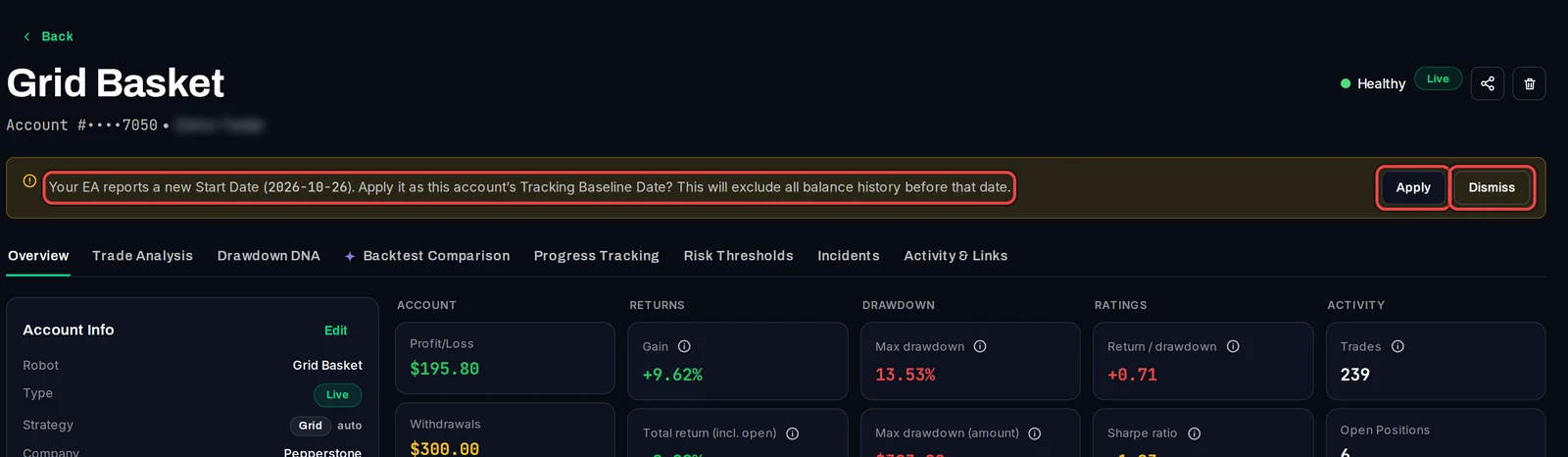
Set the date in the dashboard
- On the account's Overview tab, click Edit in Account Info.
- In Tracking Baseline Date, pick the day to start from.
- Click Save.
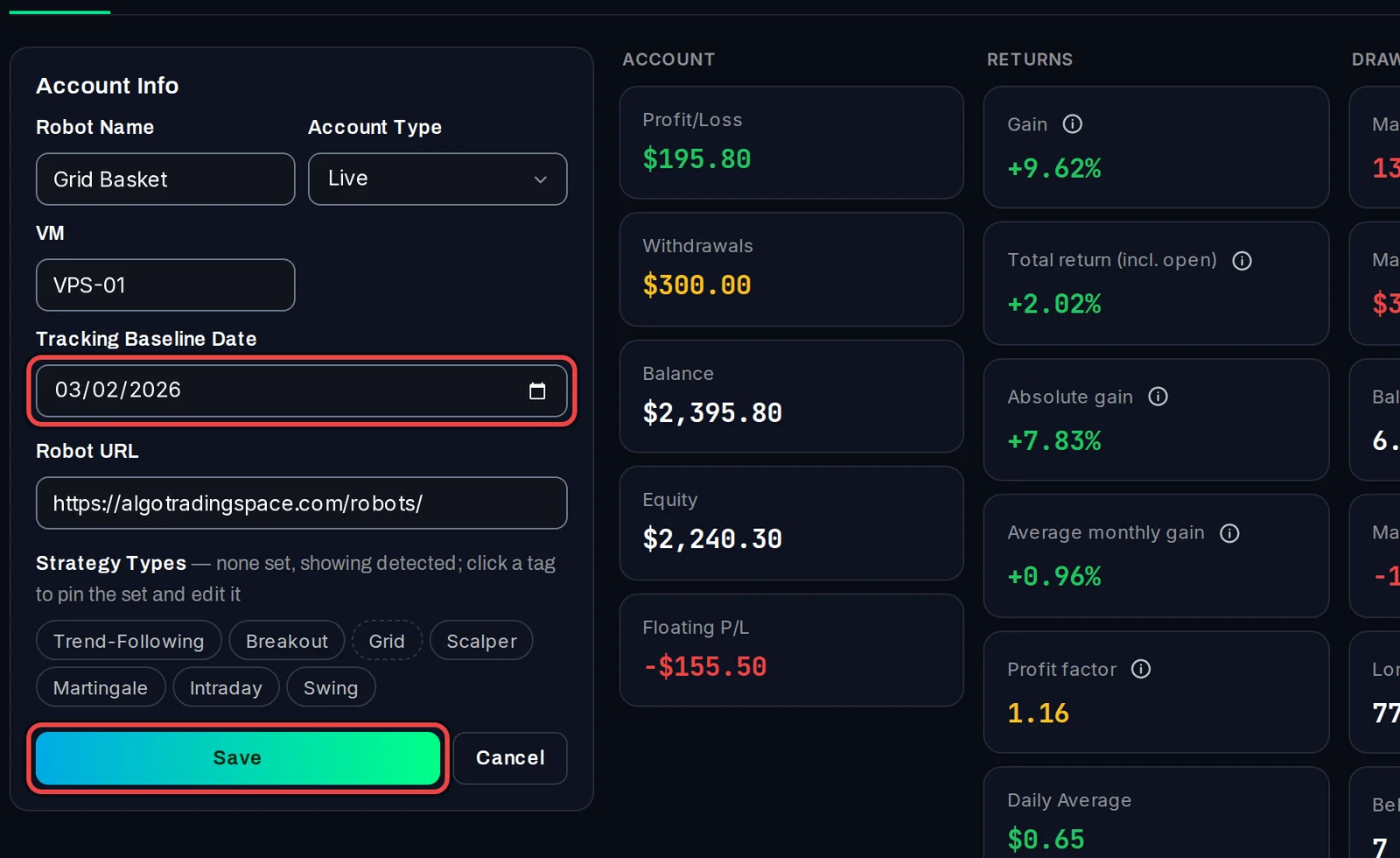
The date then shows in Account Info as Tracking Baseline.
Good to know
- Gain, profit, drawdown and the other figures, the trade count, the strategy type and the trades CSV all start from that date.
- The bar appears only when the EA's date is new. If the account has no baseline yet and no older history, the EA's Start Date is used without asking.
- Dismiss is final for that date: the bar won't come back for it, but it will for a different date.
- A Start Date of 1970.01.01, the EA's default, means the whole history.