
Knowledge Base
Help Center articles
Strategy types: how accounts are tagged
Every account carries one or more strategy types, such as Grid or Scalper, so you can see at a glance how a robot trades and filter your accounts by style. The tracker sets them from the closed trades; you can set your own instead.
Plan: every plan.
See an account's strategy type
- Open the account.
- In Account Info, read the Strategy row. auto beside the tag means the tracker detected it; auto · probable means the trades sit close to the line between two types.
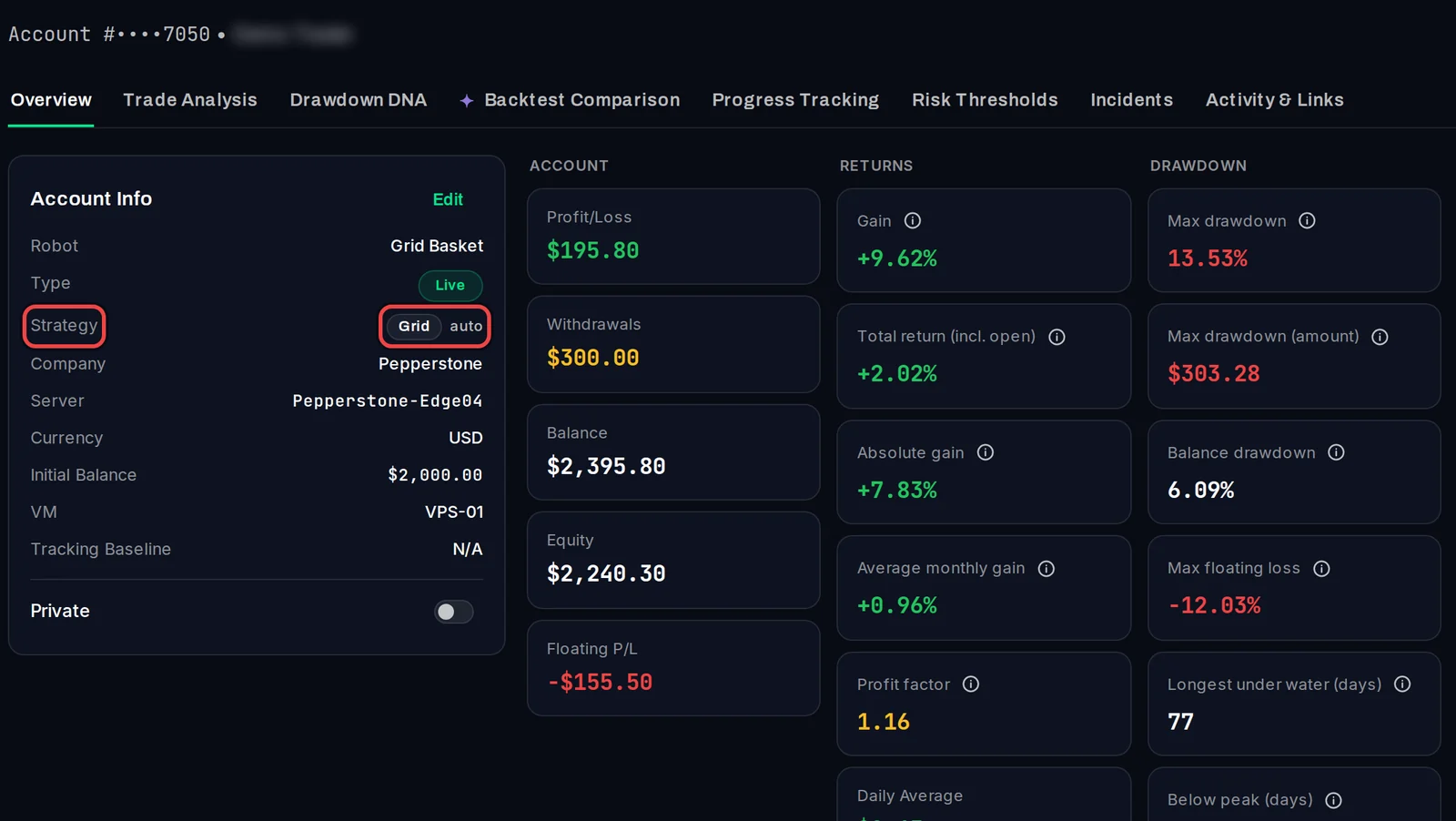
How the types are detected
- Grid: several positions open at the same time on one symbol, or closed together as a basket.
- Martingale: like a grid, but the lot size grows by half or more as positions are added.
- Trend-Following: wins 45 % of trades or fewer, with average wins well above average losses.
- Scalper: one position at a time, held under 2 hours on average.
- Intraday: held under a day on average. Swing: held a day or longer.
- Breakout: never guessed. It comes from a list of known EAs or from your own tags.
Each robot on the account (each magic number and symbol with at least 5 closed trades) gets a type, so an account with two robots can carry two types.
Set your own types
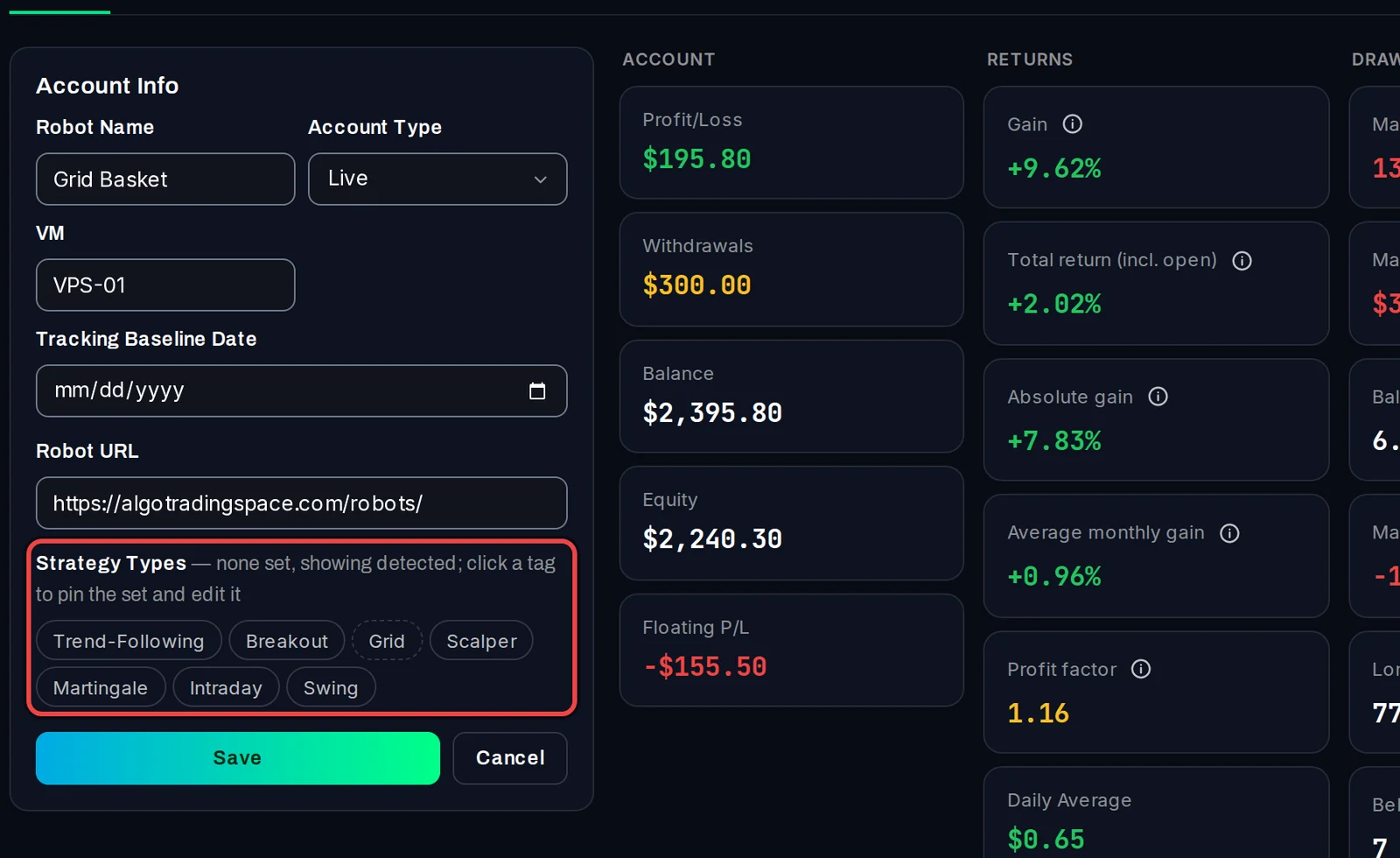
- In Account Info, click Edit.
- Under Strategy Types, the detected tags have a dashed edge. Click any tag: the detected set becomes your own and that tag is added or removed.
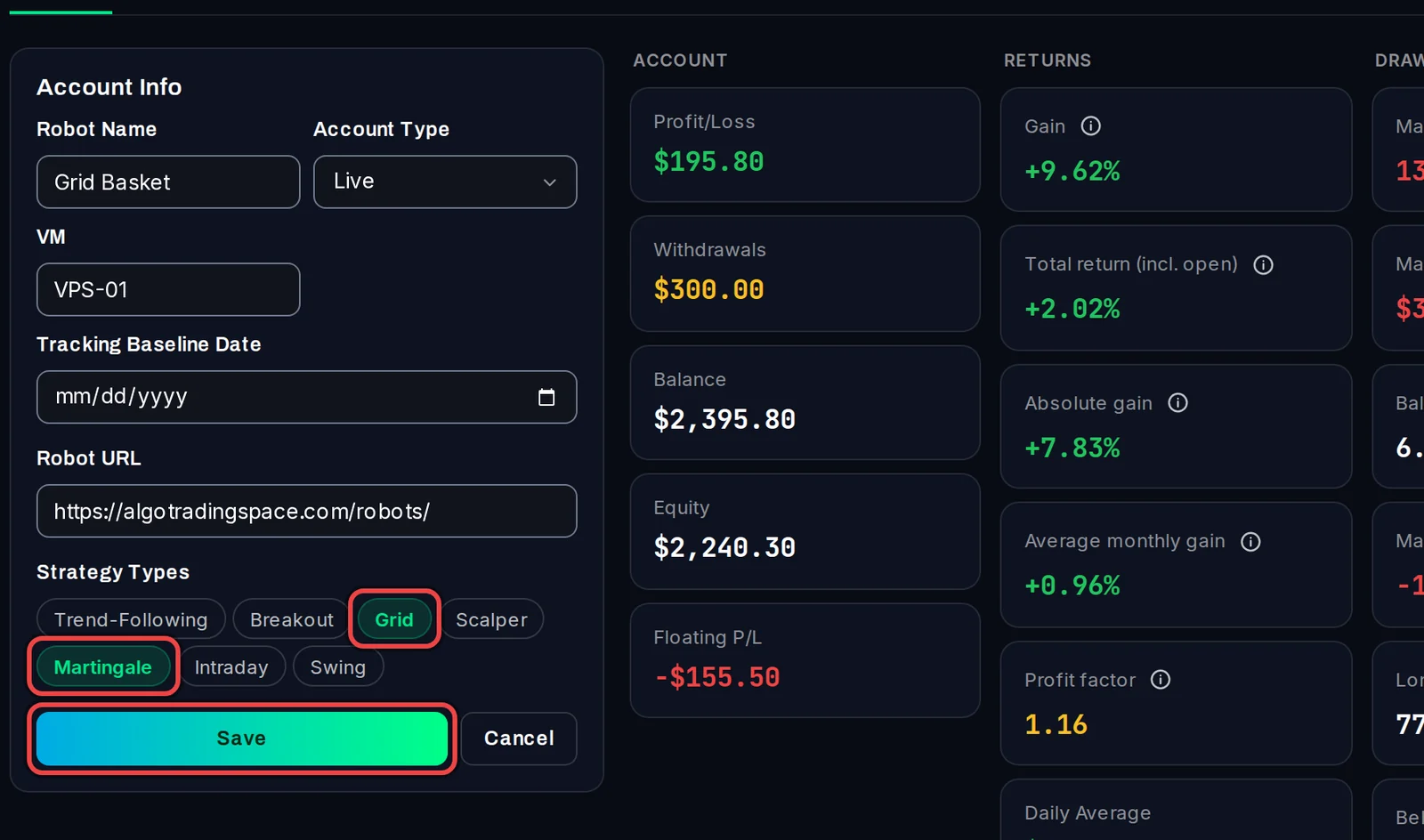
- Click more tags to add them, or click a highlighted tag to remove it.
- Click Save.
Filter accounts by type
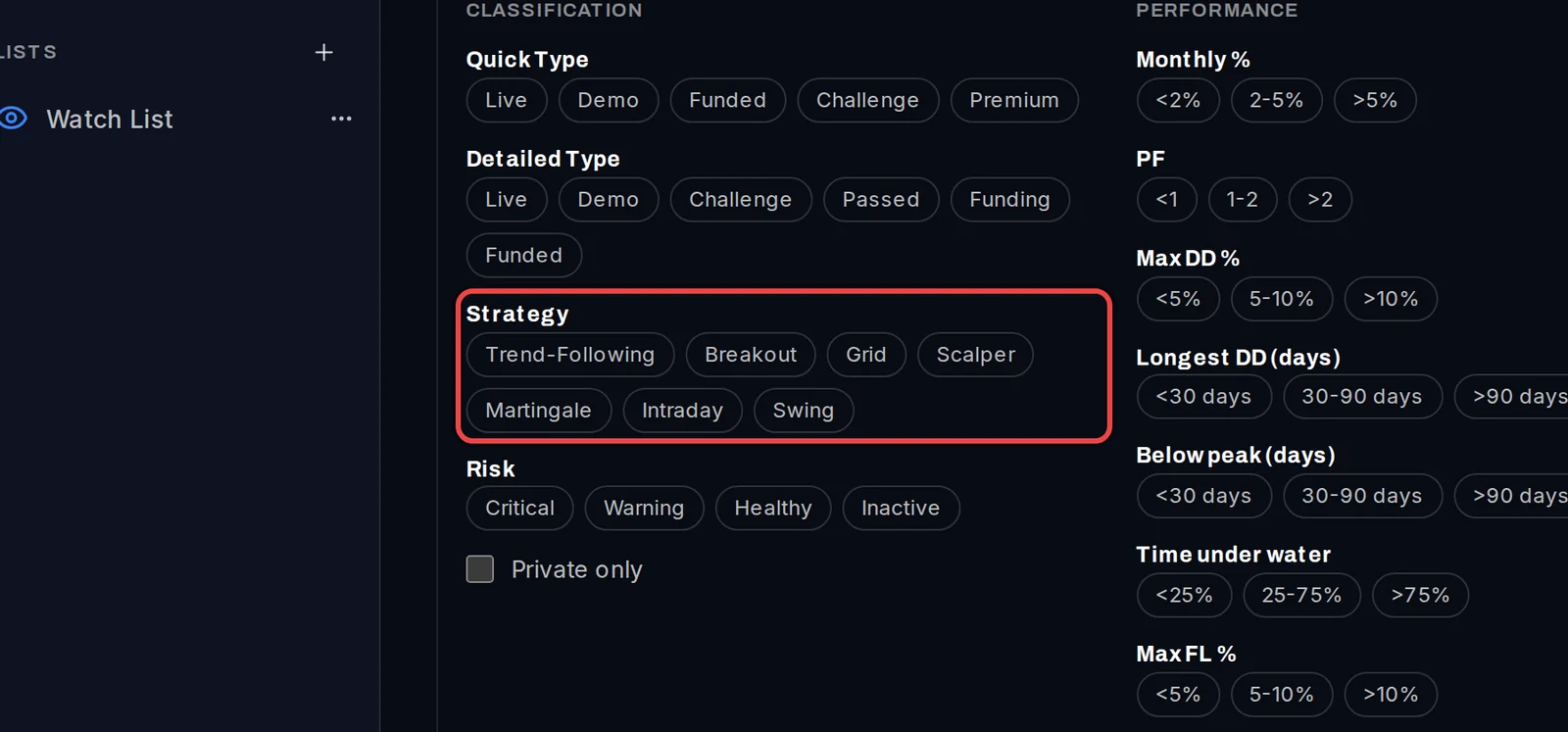
- On the Overview, click Filters.
- Under Strategy, click one or more types. Accounts with any of them stay in the list.
Good to know
- Your own tags always win over detected ones. To go back to detection, remove all your tags and save.
- Detected types are checked again once a day, so a new account gets its tag after its first trades are in.
- The Strategy filter is also on Strategy Performance and Capital Allocation.