
Knowledge Base
Help Center articles
Compare one EA across brokers (Strategy Performance)
Running the same EA on more than one account or broker? Strategy Performance puts each strategy on one row with its results from every account, then splits it by broker so you can see where it does better.
Plan: every plan.
Open Strategy Performance
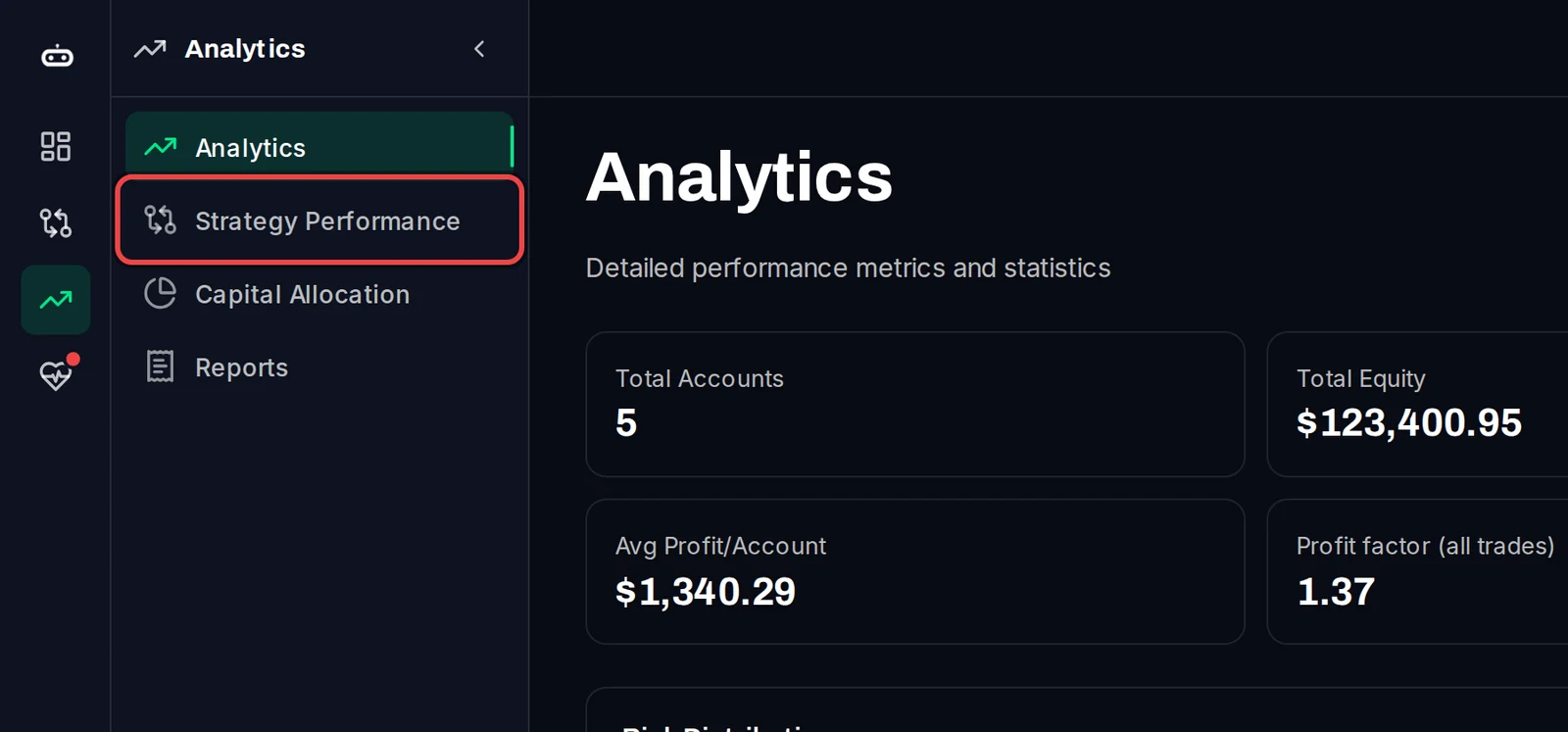
- In the menu on the left, click Analytics.
- Click Strategy Performance.
Choose how strategies are grouped
- Under Group by, pick how trades are put together:
- Comment (the default): the trade comment your EA writes on each trade.
- Tag Name: the robot name you gave each account.
- Robot ID (Magic #): the magic number, the ID an EA stamps on every trade it opens.
- To look at one period only, click All Time and pick a range.
- To leave accounts out, use the search box or Filters above.
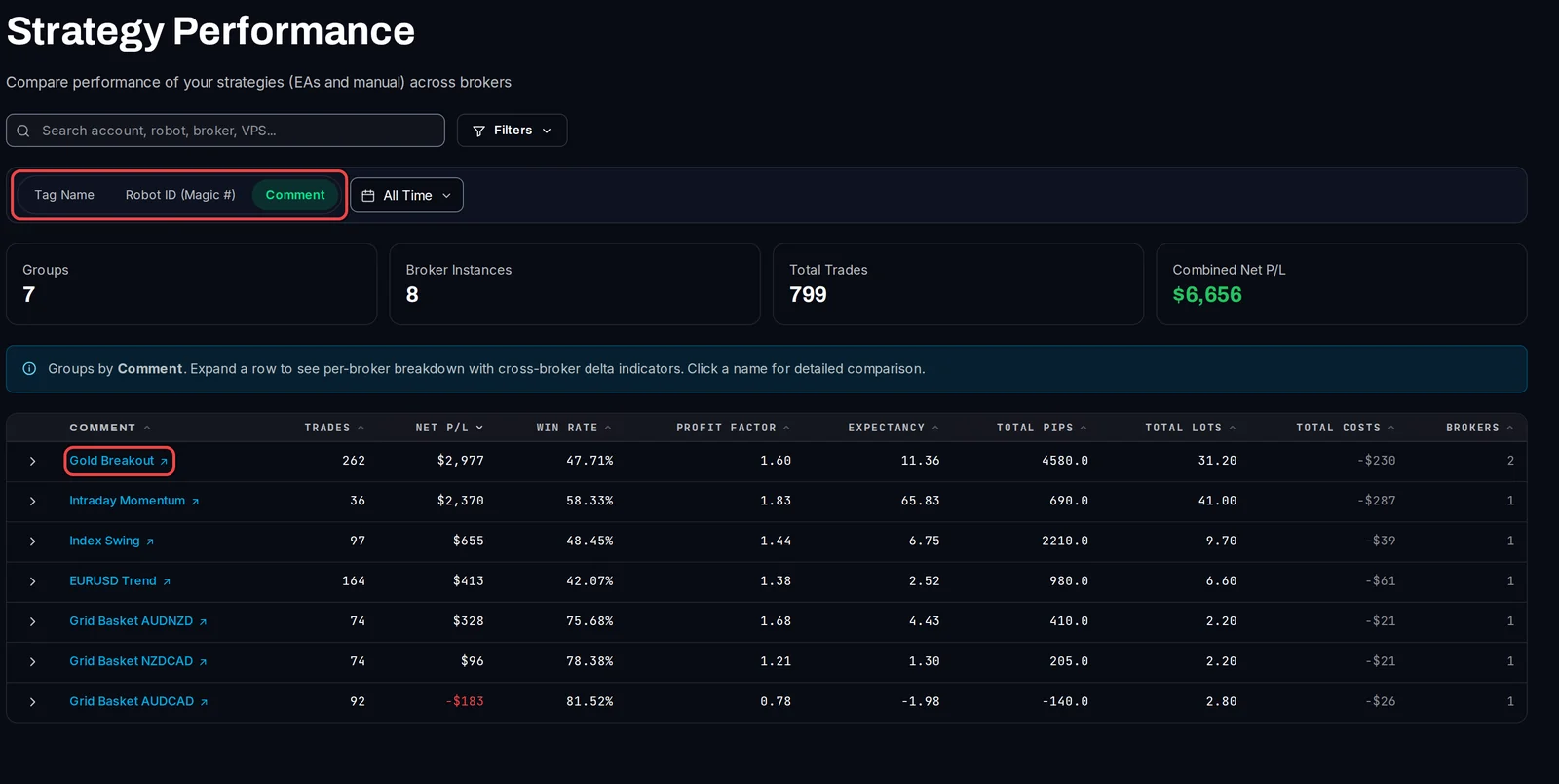
Each row shows the strategy's Trades, Net P/L, Win Rate, Profit Factor (gross profit divided by gross loss), Expectancy (the average result per trade), pips, lots, costs and how many Brokers it runs on. Click a column header to sort.
Compare the brokers
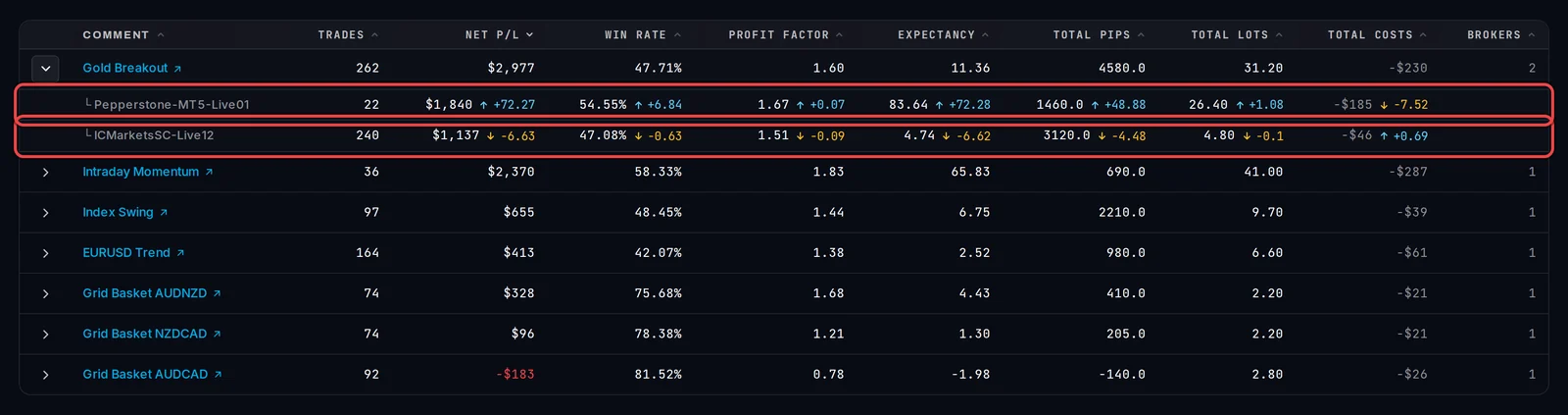
- Click the arrow at the start of a row that runs on two or more brokers.
- One row appears per broker server. Next to each figure, an arrow up or down and a number show how far that broker is above or below the strategy as a whole.
- Click the strategy's name for its own page, with a Broker Comparison and the list of accounts it runs on.
Good to know
- For Net P/L, pips, lots and costs the difference is per trade, so a broker with fewer trades is still compared fairly.
- Only closed trades count. The period is cut on each trade's close time.
- For the clearest result, give the same EA the same comment or tag name on every account. Strategies with different comments show as separate rows.