
Knowledge Base
Help Center articles
Set your prop firm challenge rules
Enter your prop firm challenge's rules once. The app sizes the robots for the challenge account and writes the loss limits and the profit target into every robot you download, so the robot stops before it breaks a rule.
Plan: anyone can try these settings; downloading the robots needs a plan that includes the app.
Enter your challenge rules
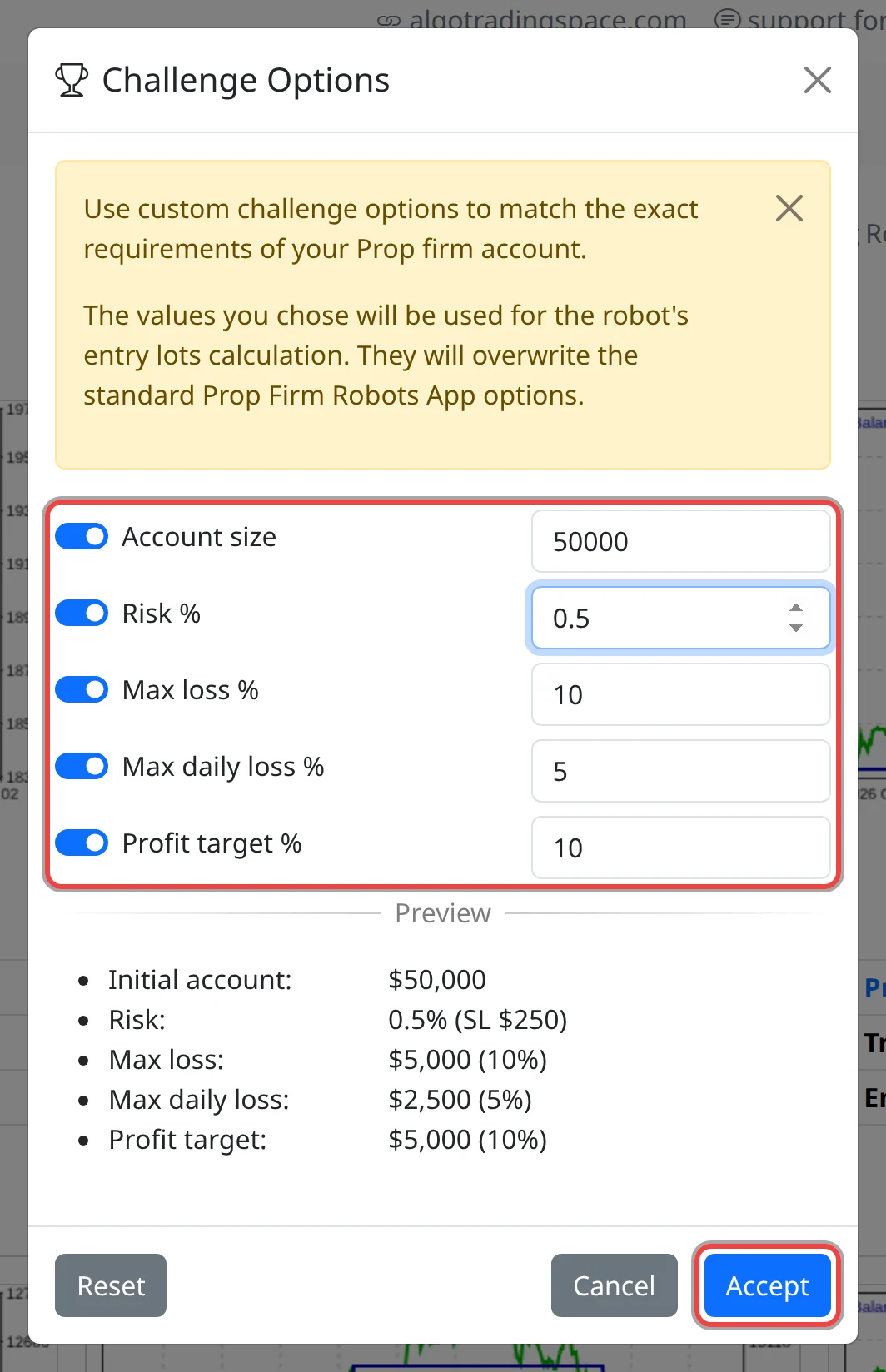
- Click Challenge (the trophy) above the cards. The Challenge Options dialog opens.
- Turn on each rule you want and type its value: Account size (default 100000), Risk % per trade (0.1 to 10), Max loss % (default 10), Max daily loss % (default 5) and Profit target % (default 10).
- Check the Preview: it turns each percentage into dollars.
- Click Accept.
Challenge turns blue, and the account line shows the challenge's account size and risk.

See what goes into the robot
- Account size and Risk % replace the values in Account and Risk. They set the Entry lots on the cards and in the downloaded robots.
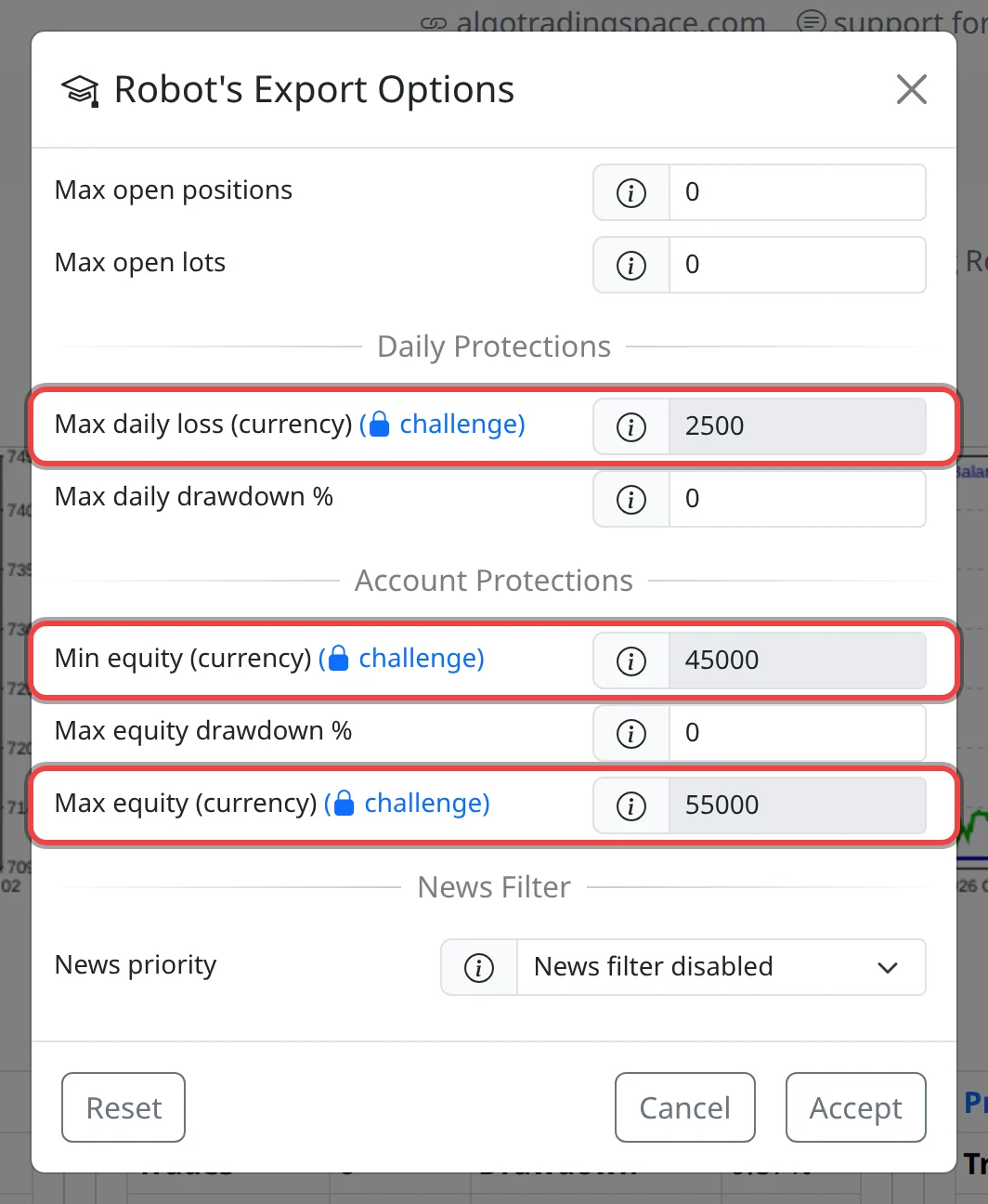
- Click Robot to see the other three rules as locked protections. Max daily loss (currency) closes all open trades when the account loses that much in a day. Min equity (currency) (account size minus max loss) closes all trades and stops trading if equity (balance plus open profit or loss) falls to it. Max equity (currency) (account size plus profit target) closes all trades and stops trading once the target is reached.
Good to know
- The downloaded robot keeps a small margin: its daily loss limit and minimum equity are 0.1% of the account size inside your rule (on $50,000: $2,450 and $45,050), and its target is 0.05% above it ($55,025).
- The maximum loss is a fixed level below the account size. If your firm measures drawdown differently, for example trailing from your highest balance, check its rules and set a stricter value.
- The rules don't change the backtest stats on the cards. Only Account size and Risk % do.
- Robots you downloaded before don't change. Download again after you change the rules. Turn a rule off, or click Reset, to remove it.