
Knowledge Base
Help Center articles
Set trading hours, news filter and account protections
Prop firms close an account that breaks their daily loss or maximum loss rule. Robot's Export Options builds your own limits, trading hours and a news filter into every robot you download. A value of 0 (the default) means off.
Plan: a plan that includes the Prop Firm Robots App.
Set the trading hours
- Click Robot above the cards.
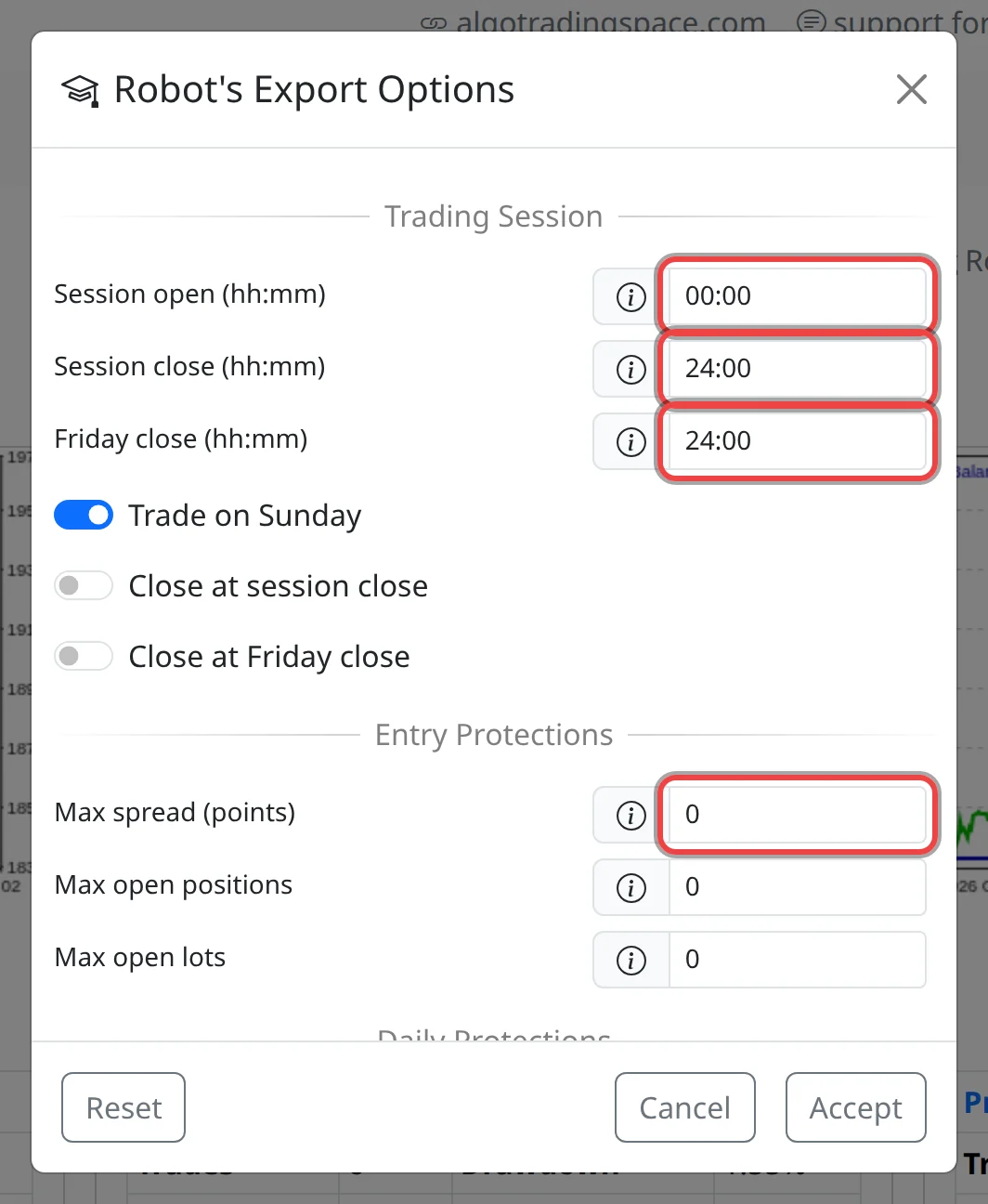
- Under Trading Session, set Session open (hh:mm) and Session close (hh:mm), 00:00 and 24:00 by default. Outside them the robot opens no new trades. Times are your broker's server time (MetaTrader's Market Watch clock).
- Set Friday close (hh:mm) to stop new trades earlier on Fridays, and untick Trade on Sunday to skip Sundays.
- Tick Close at session close or Close at Friday close to also close the robot's open trade at that time.
Set the protections
- Max spread (points): no new trade while the spread (the gap between buy and sell price) is wider. A point is the last decimal of the price; on EURUSD 10 points = 1 pip.
- Max open positions and Max open lots: limit the trades and lots open at once on the account, counting all robots and your own trades.
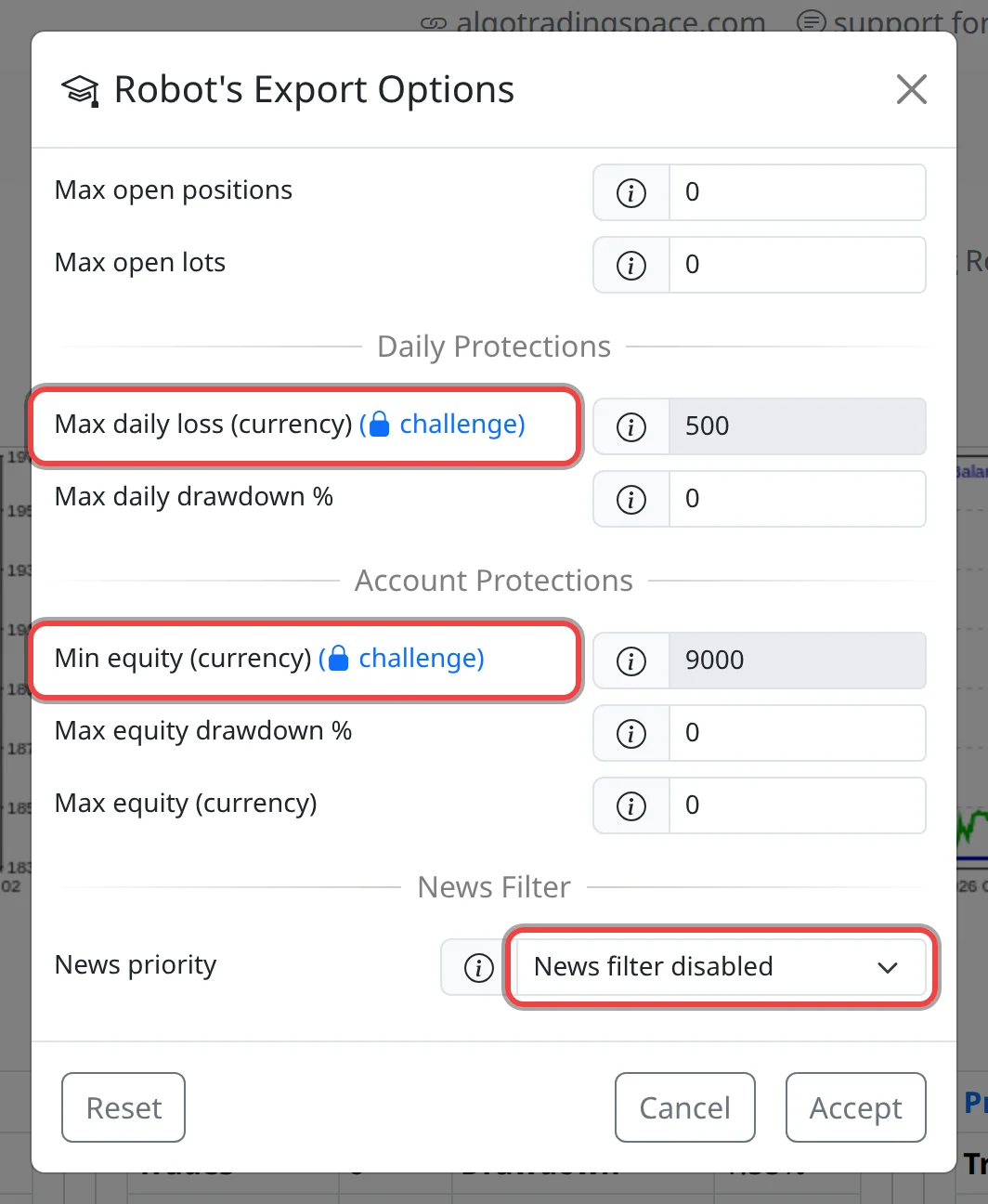
- Max daily loss (currency) and Max daily drawdown %: when the day's loss reaches the limit, the robot closes its trade and opens nothing more until midnight server time.
- Min equity (currency), Max equity drawdown % and Max equity (currency): when equity (balance plus open profit or loss) falls to the minimum, drops that far from its highest, or reaches the maximum, the robot closes its trade and removes itself from the chart.
- News priority: High news filter or High and Medium news filter blocks new trades for a few minutes around news for the symbol's currencies.
- Click Accept.
Good to know
- If you set Max daily loss %, Max loss % or Profit target % under Challenge, the app fills Max daily loss, Min equity and Max equity for you and locks them (marked challenge). The robot gets limits 0.1% of the account inside them.
- The settings go into the file at download. For a robot you already have, download it again or edit its inputs in MetaTrader.
- The news filter needs MetaTrader to reach the news server: in Tools › Options › Expert Advisors, tick Allow WebRequest for listed URL and add
https://forexsb.com. It doesn't work in the Strategy Tester. - Protections can't prevent a sudden price gap. Check your prop firm's rules and set your limits a little inside them.