
Knowledge Base
Help Center articles
My robot isn’t opening trades: what to check
A robot that is set up but not trading is usually waiting for its signal, or something in MetaTrader or its settings stops it. Go through these checks in order.
Plan: a plan that includes the Prop Firm Robots App.
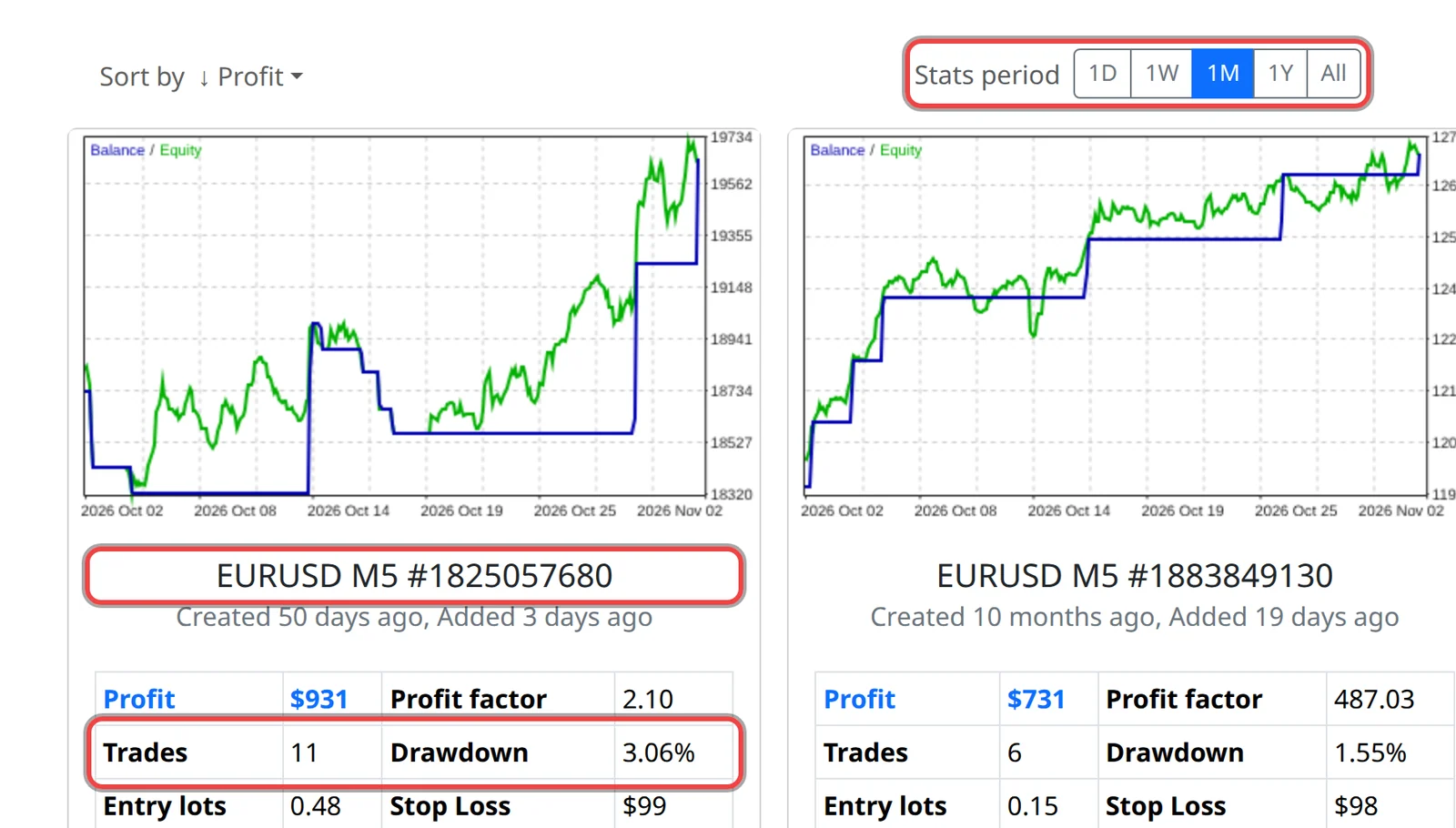
Check how often it trades
- In the app, find the robot's card and look at Trades for the Stats period. With 1M, 8 trades means about two a week, so quiet days are normal.
- The robot checks its rules only when a new bar opens (every 5 minutes on M5), and holds one trade at a time.
Check MetaTrader
- MetaTrader is open and connected. If your computer sleeps or switches off, the robot stops; a VPS keeps it running.
- The Algo Trading (MetaTrader 5) or AutoTrading (MetaTrader 4) button is on.
- The chart's top right corner shows a blue hat (MetaTrader 5) or a smiling face (MetaTrader 4). If not, open the robot's settings and tick Allow Algo Trading or Allow live trading.
- The chart is the symbol and timeframe in the robot's name, for example EURUSD M5, with your broker's ending if it has one. One robot per chart.
- The market is open. Forex is closed at the weekend.
Read the robot's messages
- Look at the top left of the chart. When the robot skips a trade it writes why, after Entry order was canceled:, for example Protection: Max spread, Max open positions, Max daily loss or News filter.
- Press Ctrl+T and open the Experts and Journal tabs. Messages such as invalid volume, not enough money or trade disabled come from your broker.
Check the robot's settings
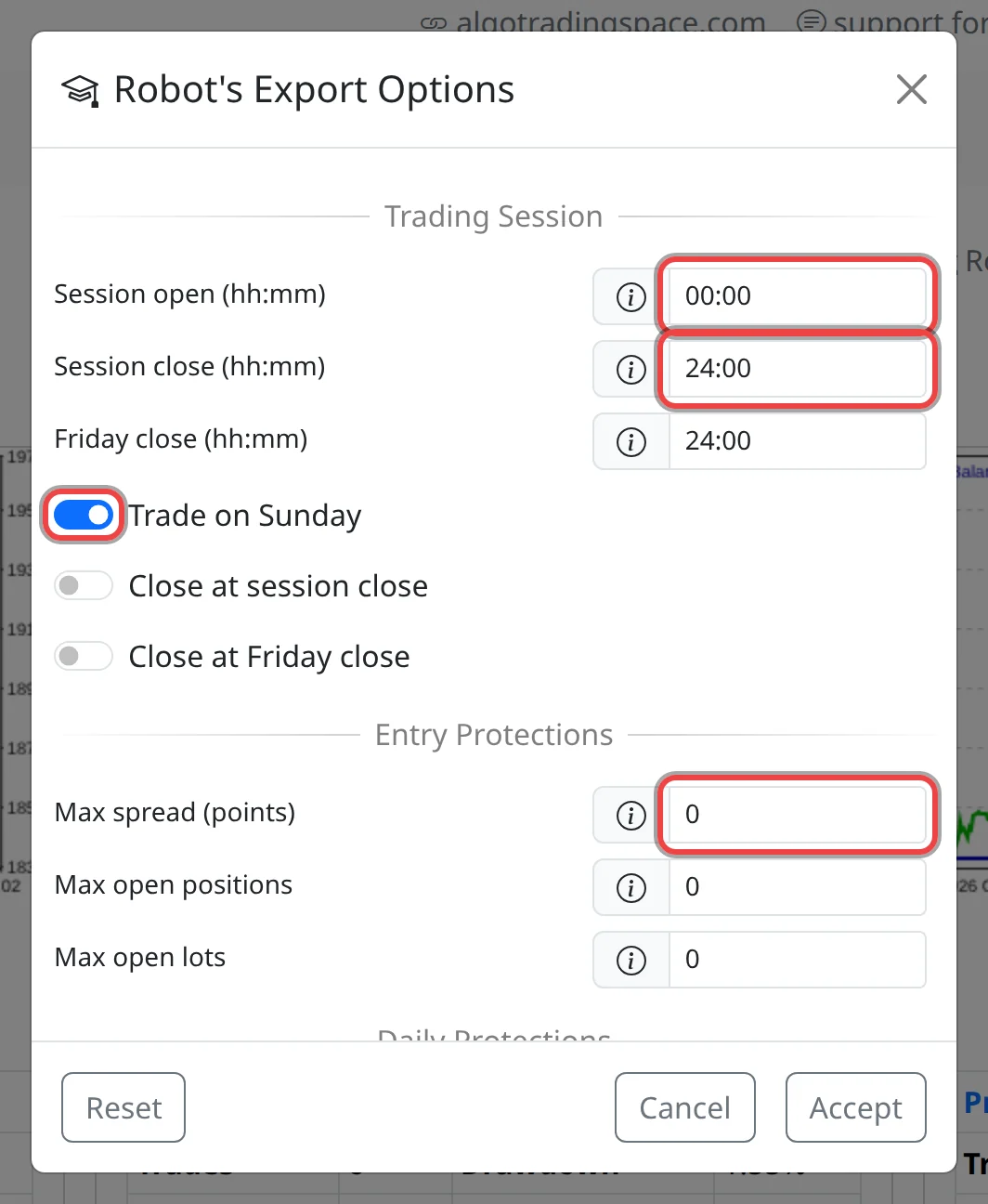
- Session open, Session close, Friday close and Trade on Sunday under Robot limit the hours, in server time.
- Max spread (points) set too low blocks most trades. It is in points: 10 points is 1 pip on EURUSD.
- After Max daily loss or Max daily drawdown % is reached, the robot waits until midnight server time. After Min equity, Max equity or Max equity drawdown %, it closes its trade and removes itself from the chart.
- Entry lots below your broker's minimum lot are refused. Raise your account size or risk, or fix Specification, and download again.
Good to know
- The news filter needs
https://forexsb.comallowed under Tools › Options › Expert Advisors. Without it the chart says the filter can't reach the news server. - Some prop firms limit EAs or symbols: check your prop firm's rules on EAs.
- Still stuck after a week of normal market hours? Contact support with a screenshot of the chart and the Experts tab.