
Knowledge Base
Help Center articles
Match your broker’s symbol specification
The app works out each robot's lots and stop loss for a standard symbol. If your broker's gold, index or crypto symbol is set up differently, tell the app in Specification so the robot you download trades the right size.
Plan: a plan that includes the Prop Firm Robots App.
Check your broker's specification
- In MetaTrader, right-click the symbol in Market Watch and choose Specification.
- Note Digits (the number of decimals in the price) and Contract size (how much one lot is, for example 100 ounces of gold).
Set it in the app
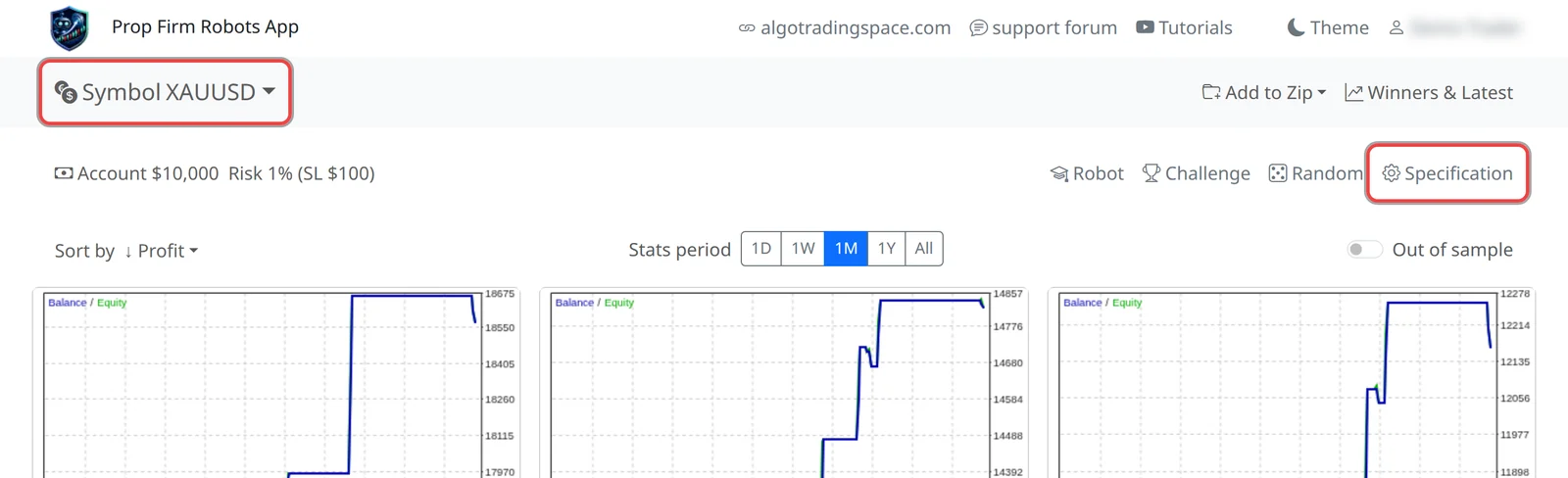
- Pick the symbol in Symbol. For gold, silver, indices and crypto the Specification button flashes briefly as a reminder.
- Click Specification.
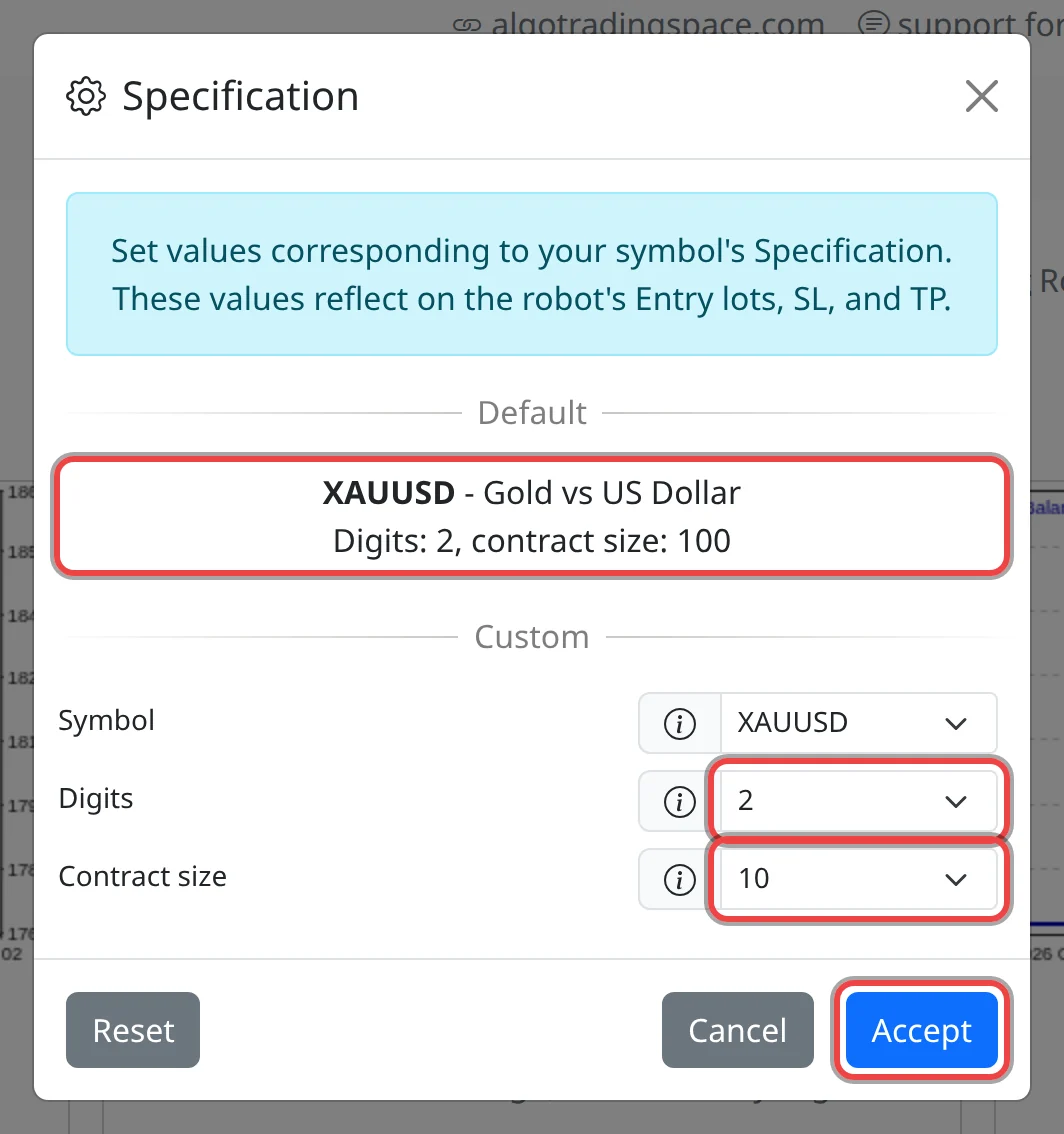
- Under Default you see what the app uses, for example XAUUSD: Digits 2, contract size 100. If your broker shows the same, you are done: click Cancel.
- If not, under Custom choose your broker's Contract size and Digits.
- Optionally choose the name your broker uses in Symbol (for example Gold). This only renames the robot and its file.
- Click Accept. The Specification button turns blue with a filled gear while a custom specification is saved for that symbol.
What it changes
- Contract size changes the robot's entry lots (trade size) so a trade risks the same money. Example: the card shows 0.05 lots of gold at 100 ounces a lot; with a contract size of 10 the robot trades 0.50 lots.
- Digits changes the robot's stop loss and take profit so they stay the same price distance.
Good to know
- The cards don't change. Only the file you download gets the new lots, stop loss and take profit.
- Most forex brokers use the default (5 digits, 3 for yen pairs, 100,000 a lot), so forex pairs rarely need a change.
- A name with an ending such as
XAUUSD.prodoesn't matter: the robot trades the chart you attach it to. - The setting is kept per symbol in this browser. Click Reset, then Accept, to go back to the default.
- After a change, backtest the robot in MetaTrader and check its lots and stop loss look right before you trade it.