
Knowledge Base
Help Center articles
Set your default test settings
If you always test with the same deposit, leverage, modelling and dates, set them once in Settings › Defaults. Every new test then starts with them filled in, and you only pick the EA, symbol and timeframe.
Plan: every plan.
Set your defaults
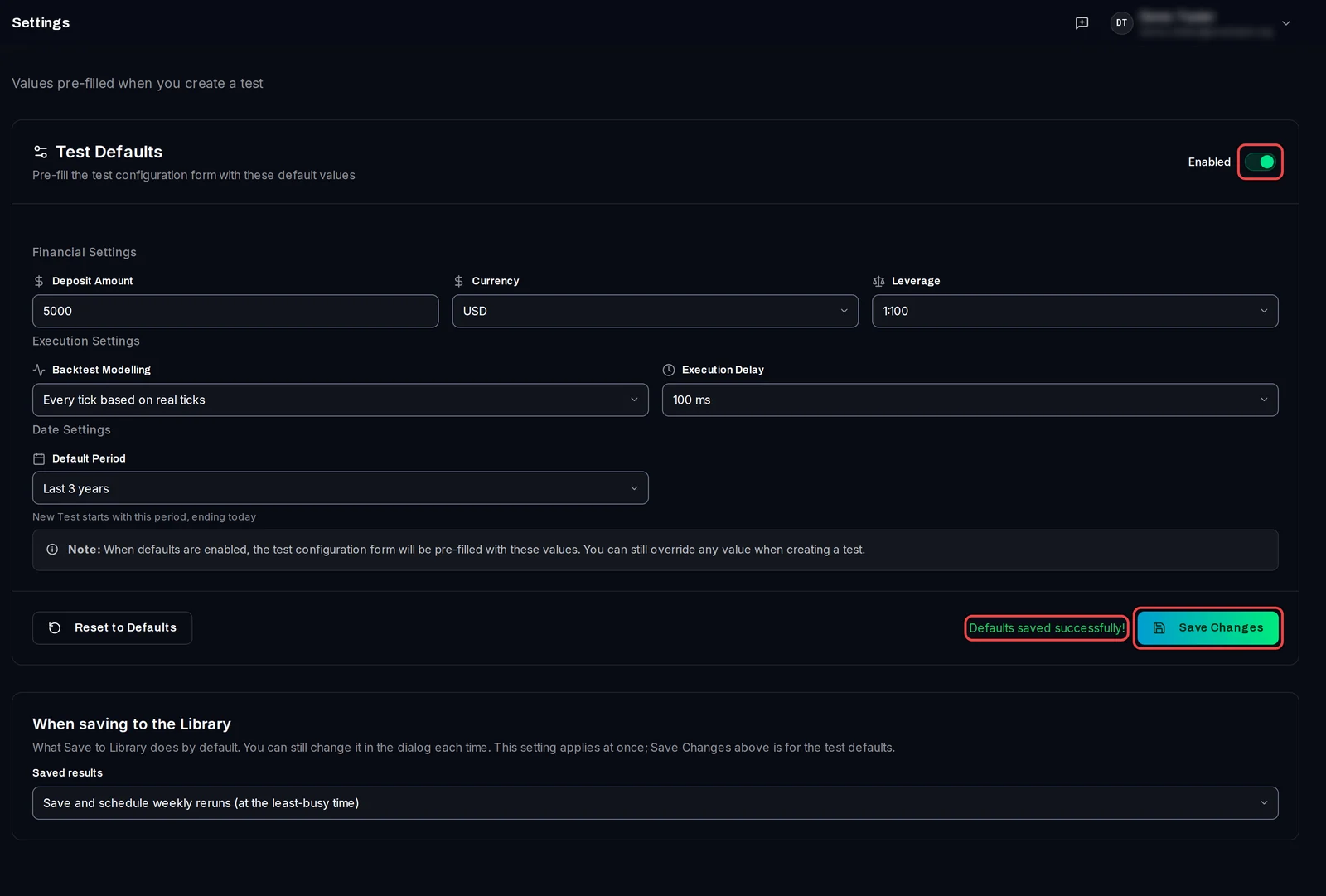
- Click Settings at the foot of the left rail (or press Ctrl+,), then Defaults.
- Switch Test Defaults to Enabled.
- Fill in the Deposit Amount, Currency and Leverage of the test account.
- Pick the Backtest Modelling (how MT5 makes the price ticks) and the Execution Delay (the delay added to each order).
- Pick the Default Period, for example Last 3 years. It always ends today, so it moves with the calendar. Pick Custom for fixed dates; leave To empty to end today.
- Click Save Changes. The page says Defaults saved successfully!
See them on New test
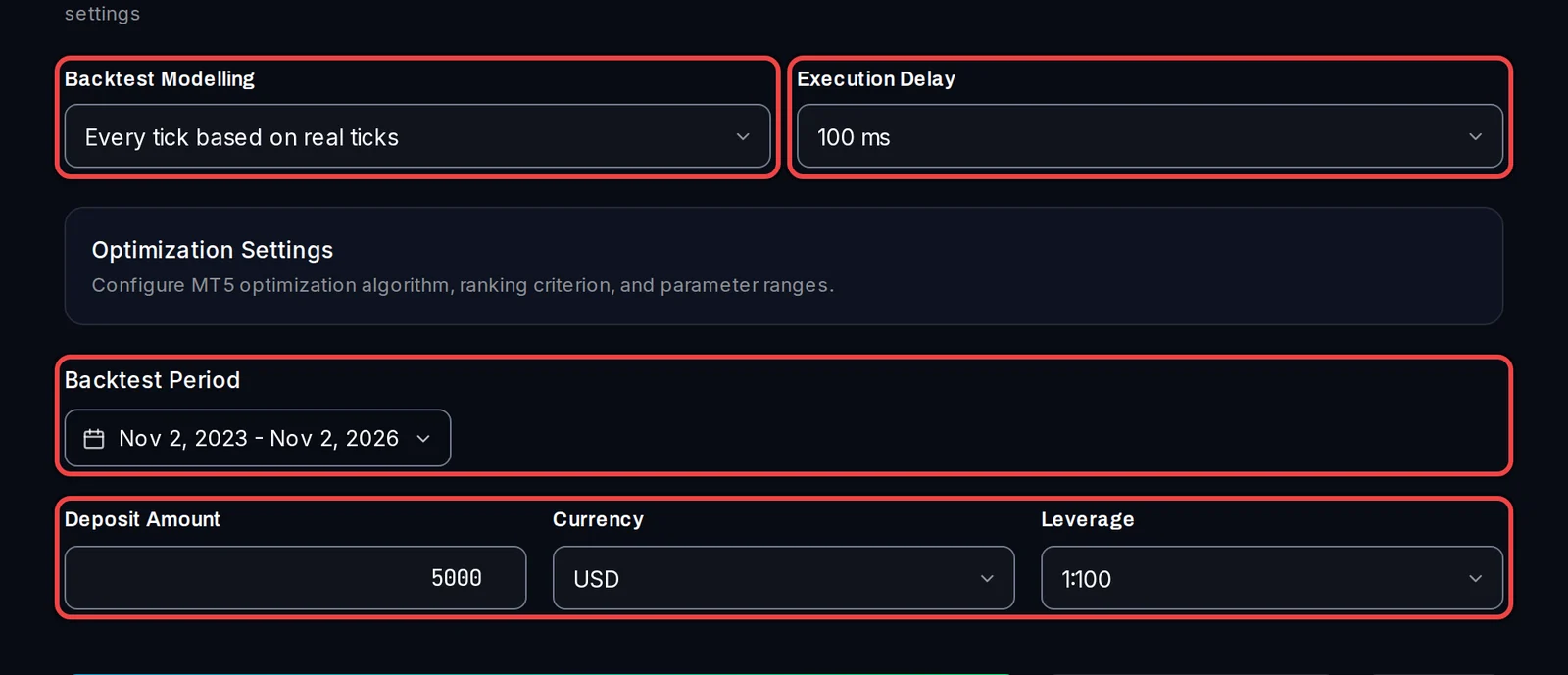
- Click Backtests › New test. The modelling, delay, period, deposit, currency and leverage are already filled in.
- Change any of them for this one test if you need to. Your defaults stay as they are.
Choose what Save to Library does
- On the same page, under When saving to the Library, pick Saved results: Save and schedule weekly reruns (at the least-busy time) or Save only.
- This one is saved as soon as you pick it; Save Changes is only for the test defaults above.
Good to know
- Defaults are kept on this PC, not in your account. On another PC, set them again there.
- Reset to Defaults puts the app's own values back in the form (switched off, 10000 USD, 1:500, real ticks, 50 ms, last 5 years). Click Save Changes to keep them.
- To turn the defaults off without losing them, switch Test Defaults to Disabled and save.
- Scheduled weekly reruns are part of Pro. On Free, Save to Library saves only.