
Knowledge Base
Help Center articles
Read the eight checks and the verdict
After you run a Backtest Comparison, the tab scores the match, runs eight checks for the usual ways a live robot drifts from its backtest, and sums it up in a written verdict. This guide explains how to read each part.
Plan: Pro or VIP. The 14 days of Pro every new user starts with include it.
Read the Health Score
- Open the account's Backtest Comparison tab and click Run Analysis.
- Look at the ring: 70 to 100 is Good Health, 40 to 69 Needs Attention, under 40 Critical.
- Read the confidence badge beside it. Low Confidence means the account has few trades or a short period next to the backtest, so the tab allows wider differences before it flags one.
- Each figure shows the account first and the backtest second, with a label: In line with the backtest, Better than expected or Worse than expected, and how far off it is.
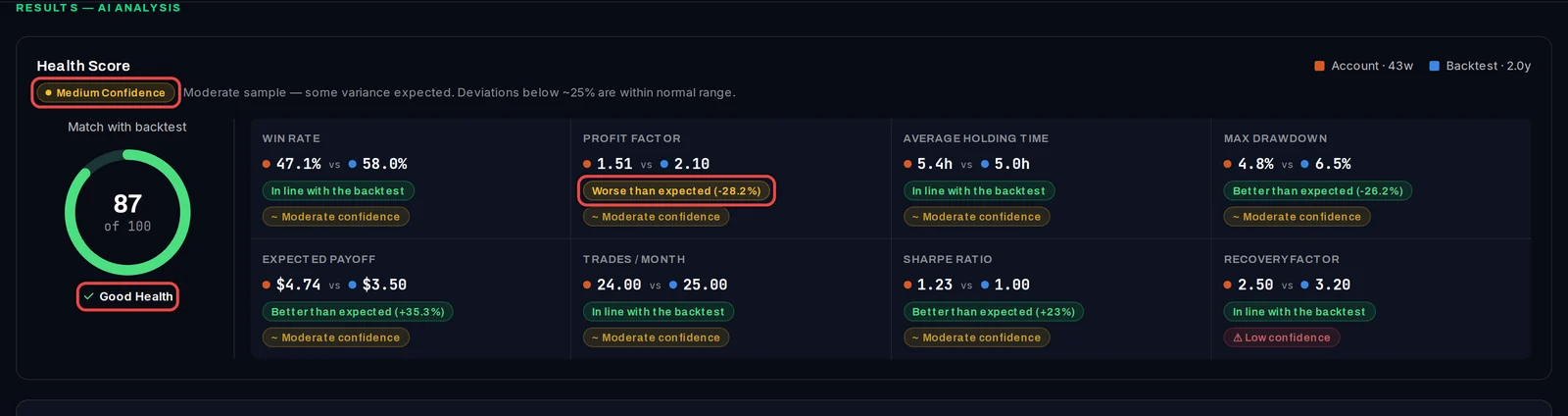
A lower drawdown or a higher profit factor than the backtest counts as better, so a robot beating its test is not flagged as a problem.
Read the checks
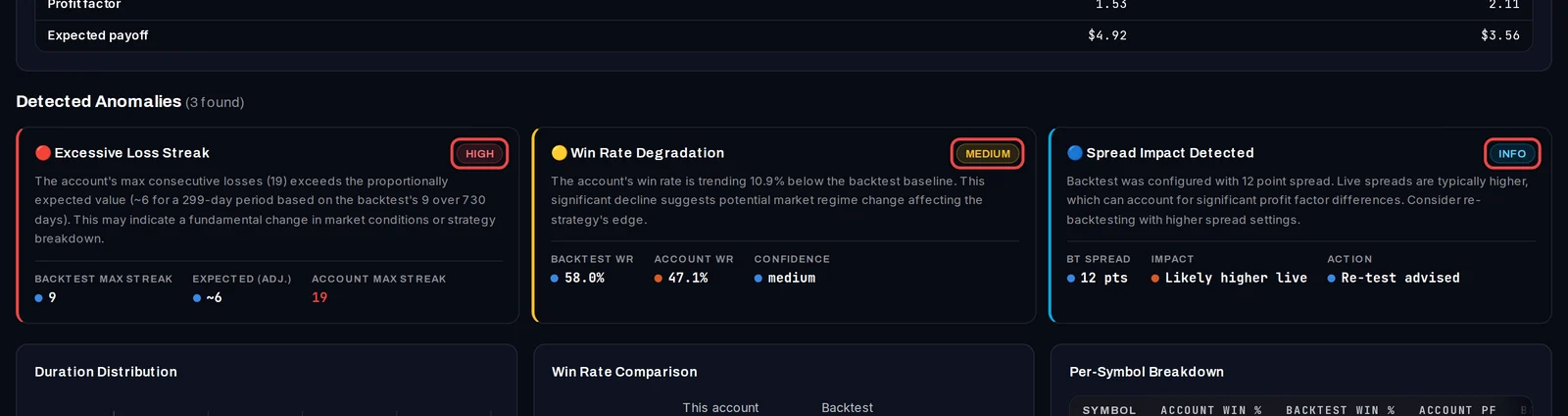
- Scroll to Detected Anomalies. Each check that found something gets a card, the most serious first.
- Read the badge: HIGH needs a look now, MEDIUM is worth watching, INFO is a note.
- Read the figures at the bottom of the card: the backtest's value, what was expected and the account's value.
The eight checks:
- Win rate: the account wins a smaller share of trades than the backtest.
- Trade duration: trades are held much longer or shorter than in the backtest.
- Profit factor (gross profit divided by gross loss): well below the backtest's.
- Drawdown (the fall from a peak): deeper than the backtest's largest.
- Trade frequency: far more or far fewer trades a month than the backtest makes.
- Spread: the backtest used a spread under 15 points, which live trading rarely gets.
- Per symbol: one symbol wins at least 15 points less often than the backtest (5 trades or more).
- Losing streak: a longer run of losses than the backtest suggests for a period this long.
If nothing is found, you see No Anomalies Detected instead of the cards.
Read the verdict
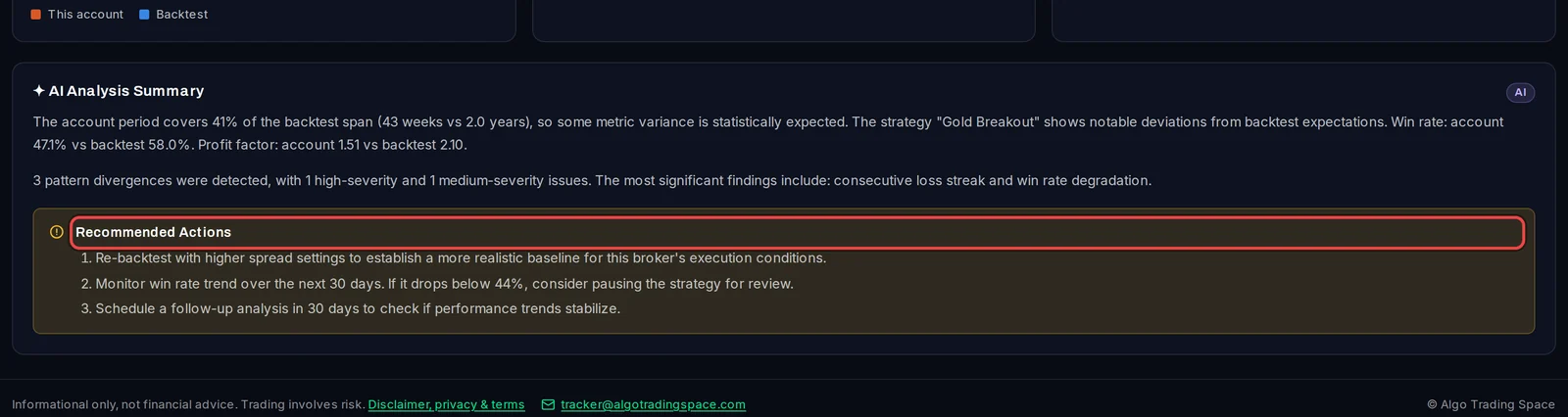
- Scroll to the bottom of the tab. The summary says how much of the backtest's span the account covers and whether it follows the backtest.
- Work through Recommended Actions, for example re-testing with a wider spread or checking again in 30 days.
Good to know
- The score and the checks follow the filters and Normalize Capital as you change them. Click Run Analysis again to refresh the written verdict and save the new result.
- Figures that grow with time, such as drawdown and recovery factor, are marked Not comparable when the live period is too short to compare them fairly.
- The checks describe past trades. They are not a forecast and not financial advice.