
Knowledge Base
Help Center articles
Make your robots unique (Random)
Many traders download the same top robots, so their robots open the same trades at the same time. Some prop firms don't allow that. Random changes each robot a little as you download it, so yours is your own.
Plan: a plan that includes the Prop Firm Robots App.
Turn on randomising
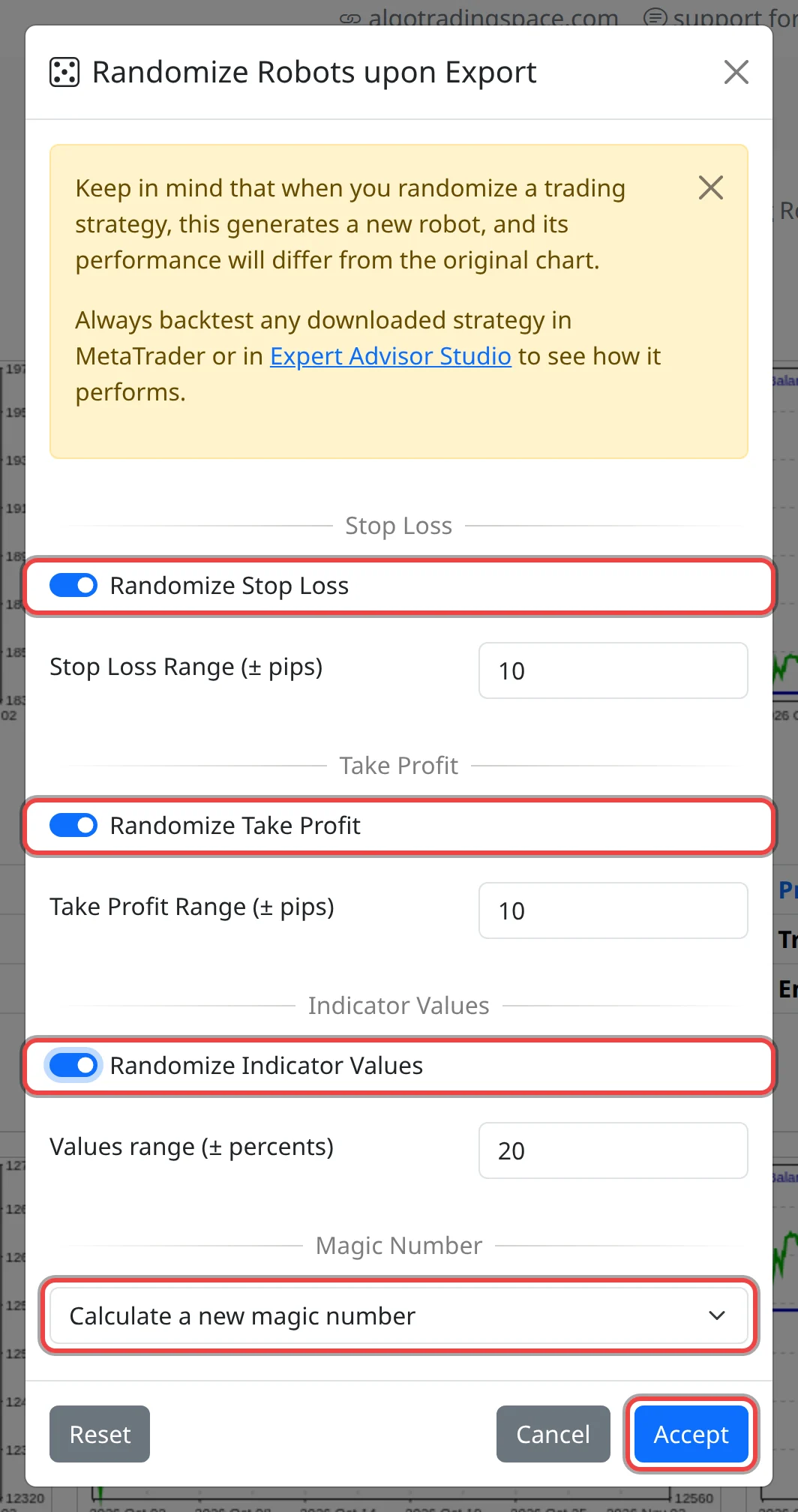
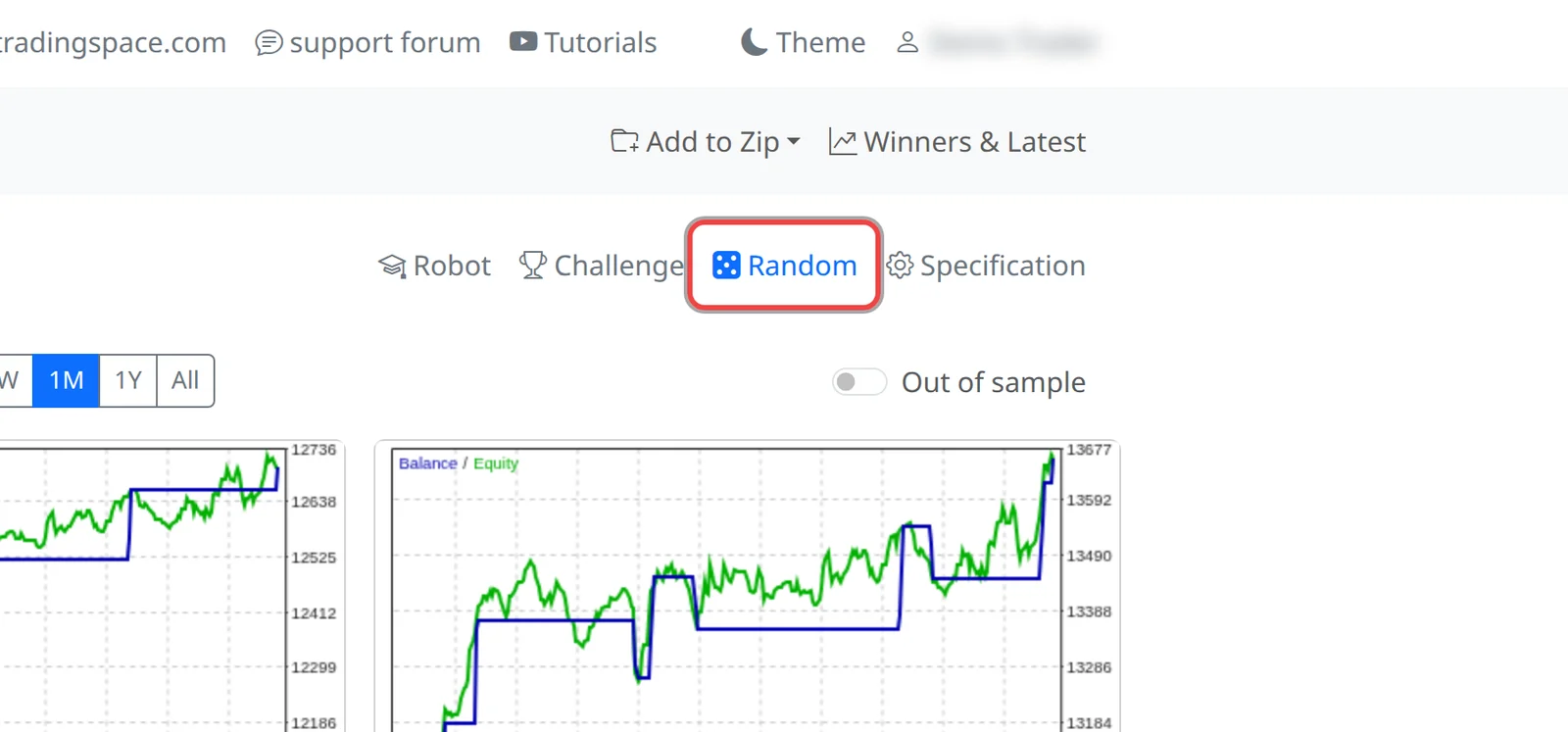
- Click Random (the dice) above the robot cards. The Randomize Robots upon Export window opens.
- Tick Randomize Stop Loss and set Stop Loss Range (± pips), 10 by default. Each robot's stop loss (the price distance at which a losing trade is closed) moves up or down by a random amount up to that many pips, and never goes below 10 pips.
- Tick Randomize Take Profit and set Take Profit Range (± pips) the same way for the take profit (the distance at which a winning trade is closed).
- Tick Randomize Indicator Values and set Values range (± percents), 20 by default. About one in five of the robot's indicator settings (for example a moving average's period) moves by up to that percentage.
- Choose the Magic Number, the ID the robot puts on its trades: Calculate a new magic number (the default), Keep the first 4 digits same, Keep the last 4 digits same or Keep the original magic number.
- Click Accept.
While randomising is on, the Random button is blue with a filled dice. Every MT4, MT5 and Zip click from now on makes a randomised robot.
Turn it off
- Click Random, then Reset and Accept. With no box ticked, robots download exactly as shown on their cards.
Good to know
- A randomised robot is a new robot. The card's chart and stats belong to the original, so backtest your file in MetaTrader before you trade it, as the app's own note says.
- Each download is a different variation, so downloading the same card twice gives two different robots.
- Only the stop loss, take profit, indicator values and magic number change. The entry lots stay as on the card, so the money lost at the stop loss can be a little more or less than your risk setting.
- The ranges accept up to 100. A higher number is ignored and the default is used.
- Your settings are kept in this browser for your next visit. Check your prop firm's rules on EAs and copied trades.