
Knowledge Base
Help Center articles
Get health alerts on a library test
Health alerts check every re-run of a saved Library test against limits you set, such as a lowest profit factor. When a re-run crosses one, the test is marked Degraded, so you see at a glance which EA has stopped doing what it did in the original test.
Plan: you can set alerts on every plan. They are checked after each re-run, and re-runs need Pro (€29 a month). New accounts get 14 days of Pro when they first sign in to the app.
Set the alerts
- Open the test under Library › Saved Reports.
- Click the Schedule tab and scroll down to Health alerts.
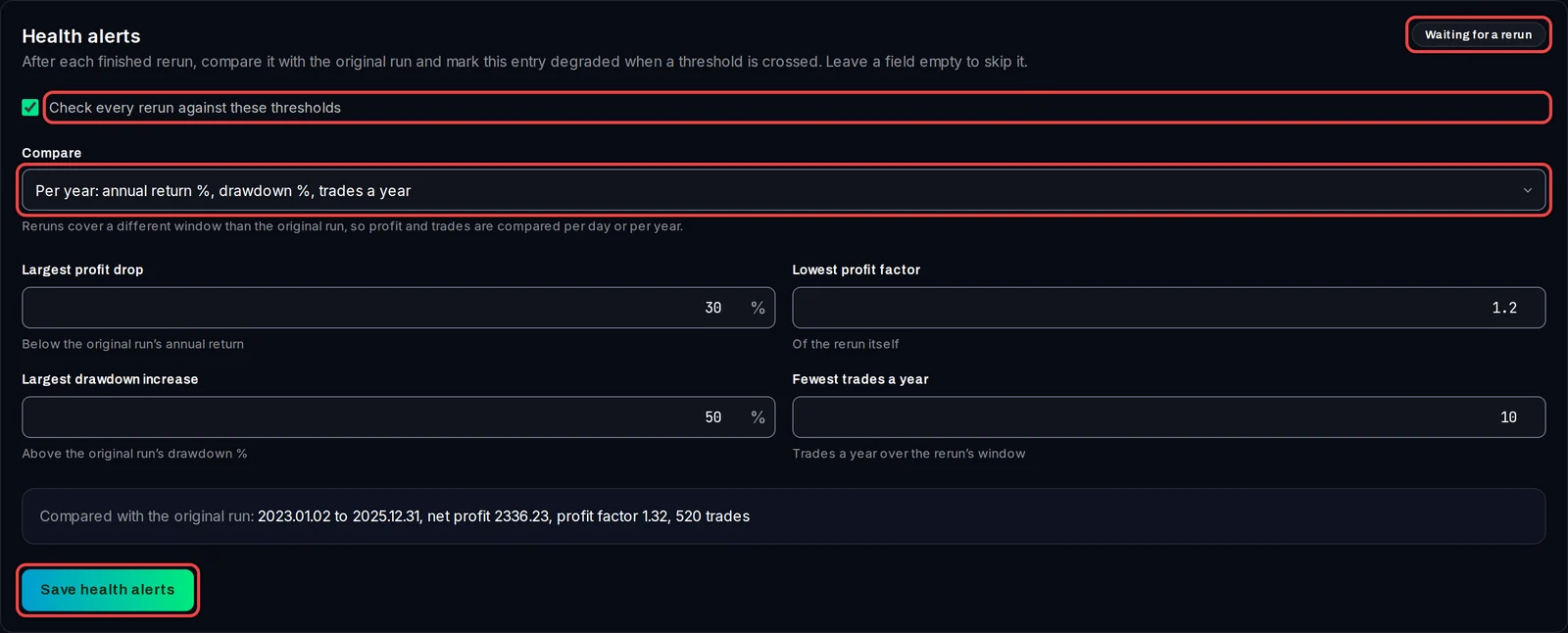
- Tick Check every rerun against these thresholds.
- Under Compare, keep Per year, or choose Per day. A re-run covers different dates than the original test, so profit and trades are compared per year or per day.
- Fill in the limits you want. Leave a field empty to skip it:
- Largest profit drop: how far, in %, the annual return may fall below the original test's.
- Lowest profit factor: the re-run's own profit factor (gross profit divided by gross loss) must stay above this.
- Largest drawdown increase: how far, in %, the drawdown (the largest fall from a peak) may rise above the original test's.
- Fewest trades a year: fewer trades than this often means the EA has stopped finding its setups.
- Click Save health alerts. The badge shows Waiting for a rerun until the next re-run is checked.
See when a test is degraded
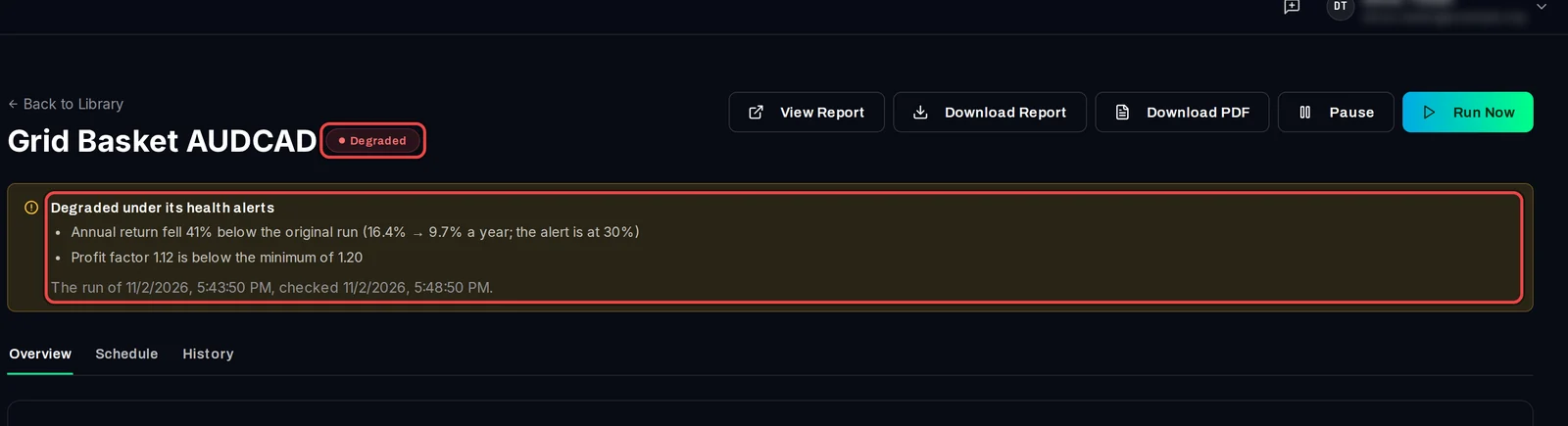
- After each finished re-run, scheduled or started with Run Now, the app compares it with the original test.
- If a limit is crossed, the entry shows a Degraded badge and a note that lists each reason, for example "Profit factor 1.12 is below the minimum of 1.20".
- If every limit holds, the badge on the Health alerts card reads Healthy.
Good to know
- The alert is shown in the app only: on the entry, in Library › Saved Reports and on Library › Schedules. The app sends no email or Windows notification.
- Until you save, the card's badge reads Off even though the tick box is already ticked.
- The card shows the original test it compares with: its dates, net profit, profit factor and trades.
- Degraded does not stop the schedule. Pause it on the entry or on Library › Schedules if you no longer want re-runs.