
Knowledge Base
Help Center articles
The six variants on Goals are quick builds: each adds one strategy at a time. Combination Search is the thorough check. It tries every combination of your best strategies within your goals and ranks them, so you can see which mix really comes out on top. A walk-forward test then shows whether that ranking would have held up on later data.
Plan: every plan. Free includes a monthly allowance of optimizations and Portfolio Builder runs; Settings › Profile › This month's runs shows what is left. It resets on the 1st of each month.
Set up the search
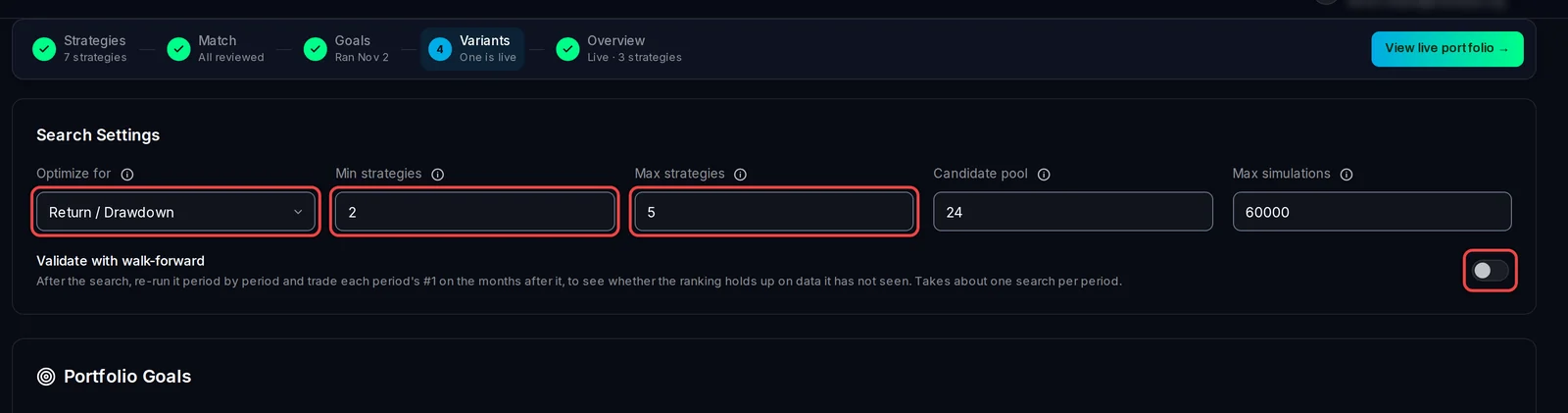
- Click Portfolio in the left rail, then Combination Search.
- In Optimize for, choose what to rank by: Return / Drawdown (the usual choice), Net Profit, Monthly Return, Profit Factor (gross wins divided by gross losses), Sharpe Ratio or Lowest Drawdown.
- Set Min strategies and Max strategies: the smallest and largest portfolio to try.
- Leave Candidate pool and Max simulations as they are unless your pool is large. The pool is how many of your best strategies are combined; the simulations are a hard stop.
- To test the ranking on later data as well, switch on Validate with walk-forward.
Run it
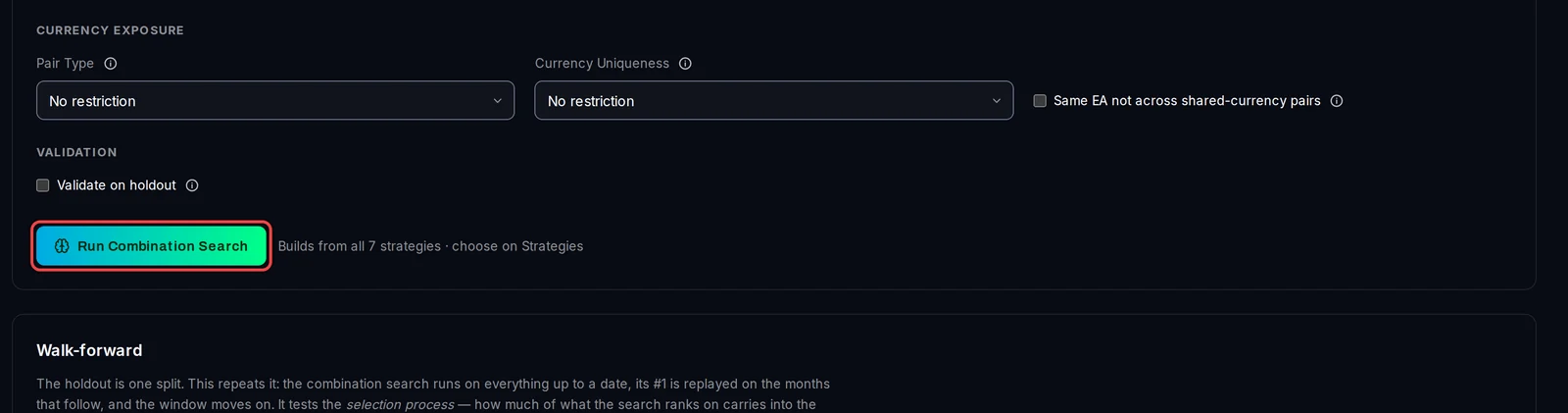
- Check the goals under the settings. They are the same goals you saved on Goals.
- Click Run Combination Search. The progress shows under the button.
Read the ranking
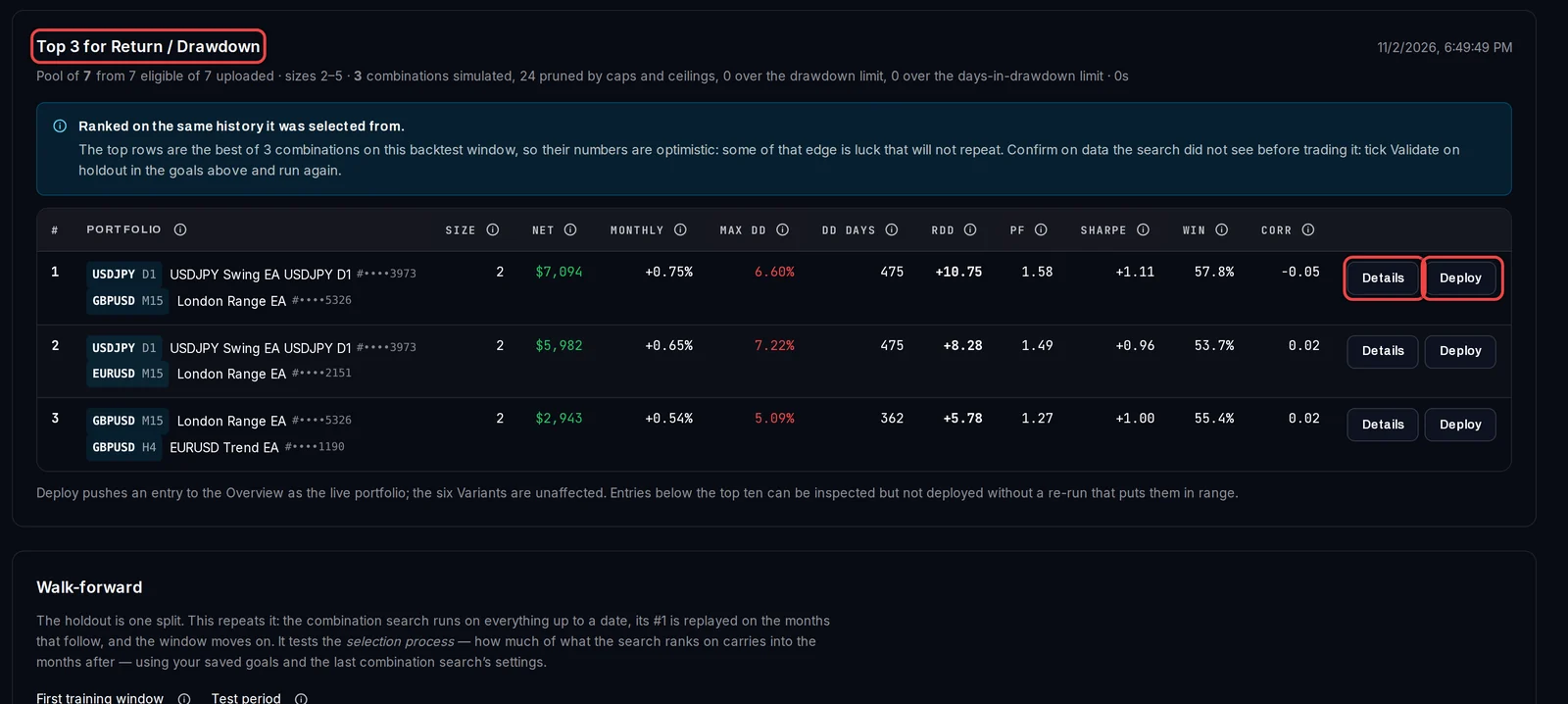
The result is a table, Top … for your choice, best first. Each row is one portfolio: its strategies, then Net, Monthly, Max DD, DD days (the longest wait to get back to a previous high), RDD, PF, Sharpe, Win and Corr (how much its strategies move together; near 0 is good).
- Click Details for that portfolio's curve and its strategies one by one.
- Click Deploy (or Deploy as live portfolio in the details) to make it the live portfolio on the Overview.
Read the walk-forward
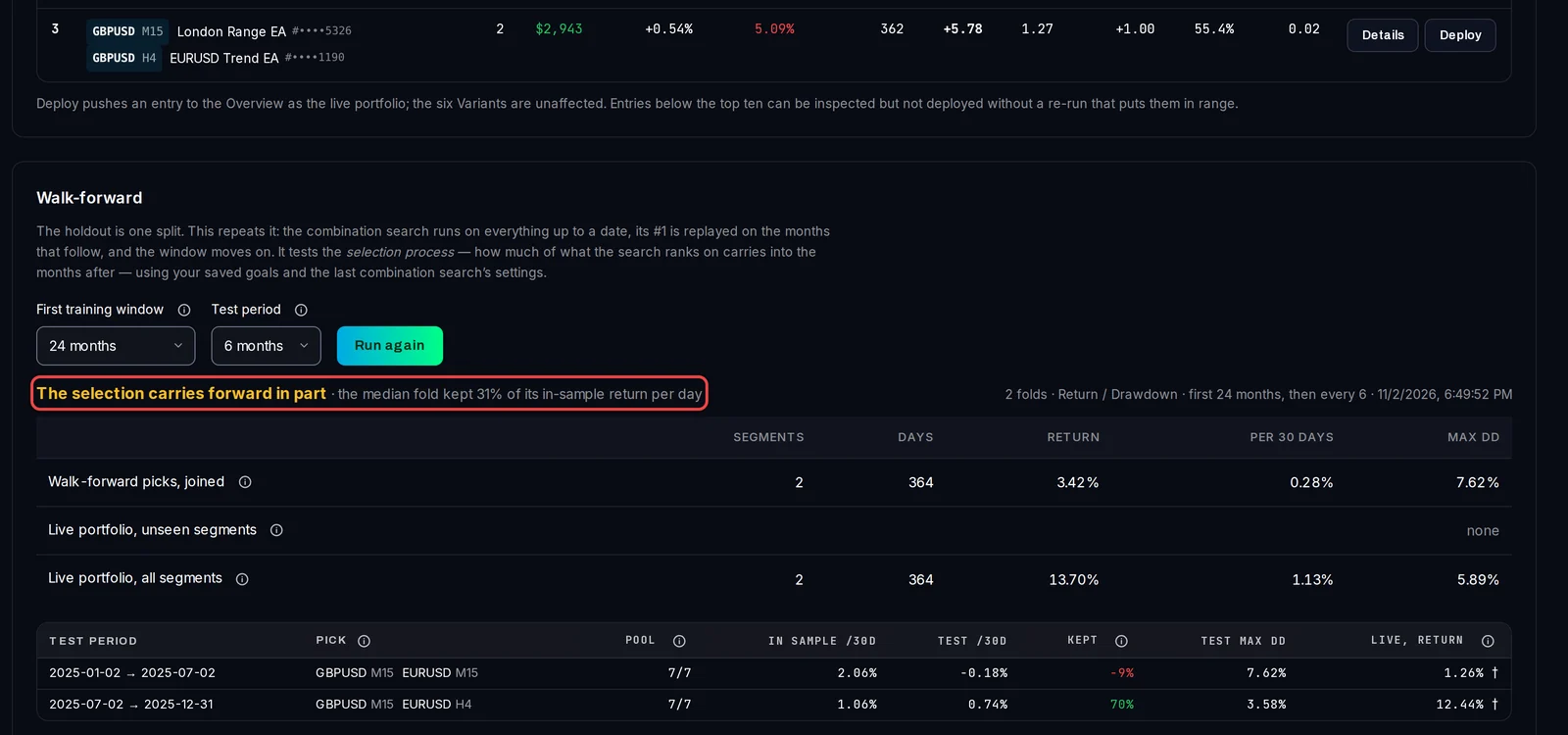
With the switch on, the walk-forward starts by itself after the search. It runs the search on the history up to a date, trades that period's number one on the months after it, then moves the window on. Change First training window or Test period and click Run again to repeat it.
The verdict reads The selection carries forward, The selection carries forward in part or The selection does not carry forward. The table shows each test period's pick and how much of its return it Kept on the months it had not seen.
Good to know
- The top rows are the best of many tries on the same history, so their figures are optimistic. Tick Validate on holdout in the goals, or use the walk-forward, before you rely on one.
- The search and the walk-forward each count as one Portfolio Builder run.
- Only the top ten can be deployed. Deploying here does not change the six variants.
- Combination Search is plain calculation: it does not use AI.