
Knowledge Base
Help Center articles
Connect another AI assistant with a token
Some AI assistants (OpenCode, Codex, Cursor, Claude Code and others) connect to other apps with an address and a token instead of a sign-in page. This guide makes an MCP token in the tracker and adds it to such an assistant. Using Claude? Signing in is easier: see Connect Claude to your accounts.
Plan: Pro or VIP. The 14 days of Pro every new user starts with include it.
Create an MCP token
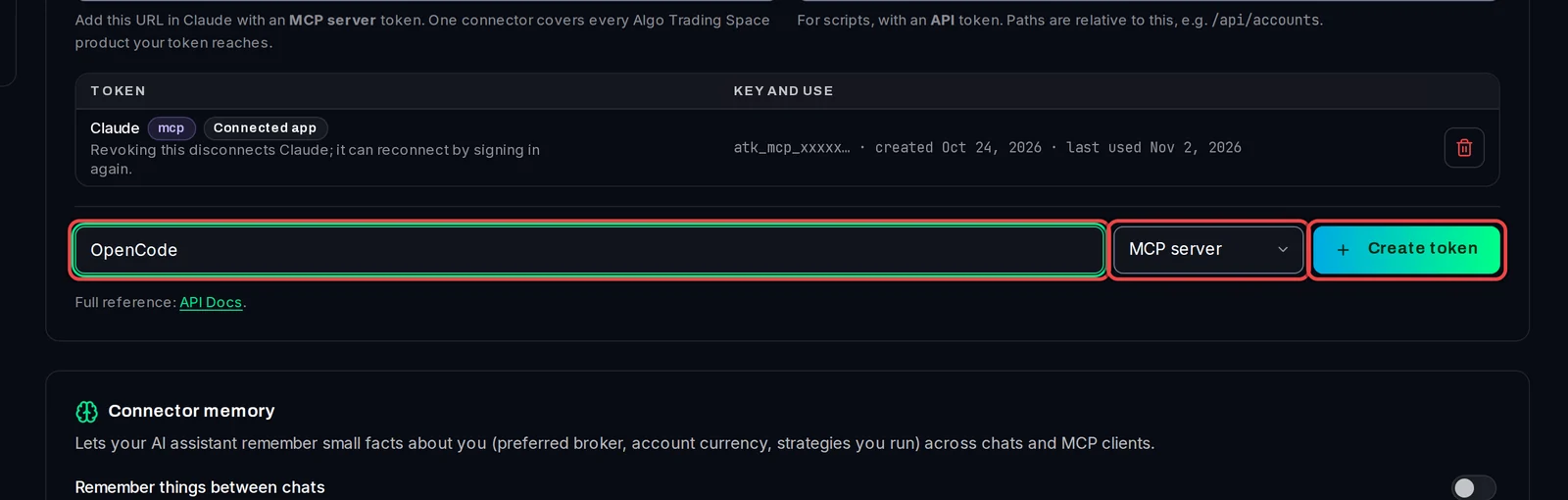
- Open Settings › Plan & Integrations and scroll to API & MCP tokens.
- In the Token name field, type a name you will recognise, for example the assistant's name.
- In the menu next to it, choose MCP server. (MCP is the standard way AI assistants connect to other apps. API tokens are for your own scripts.)
- Click Create token.
Copy the token
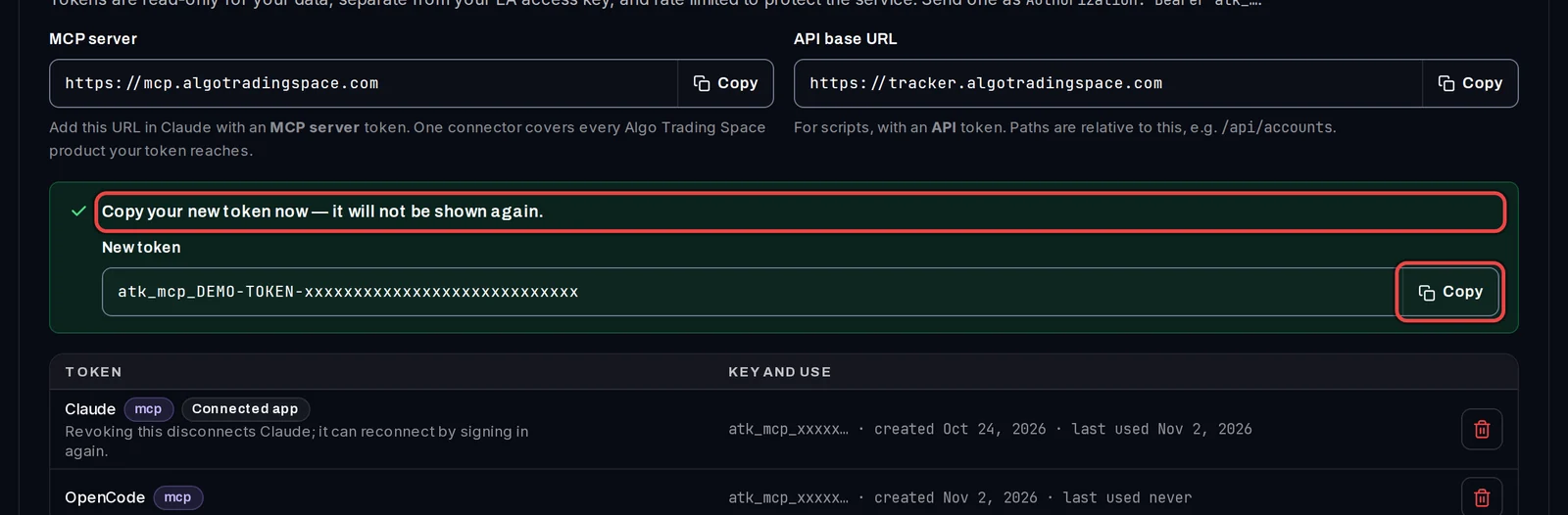
- A green box shows Copy your new token now — it will not be shown again.
- Click Copy next to the token and paste it straight into your assistant, or into a password manager.
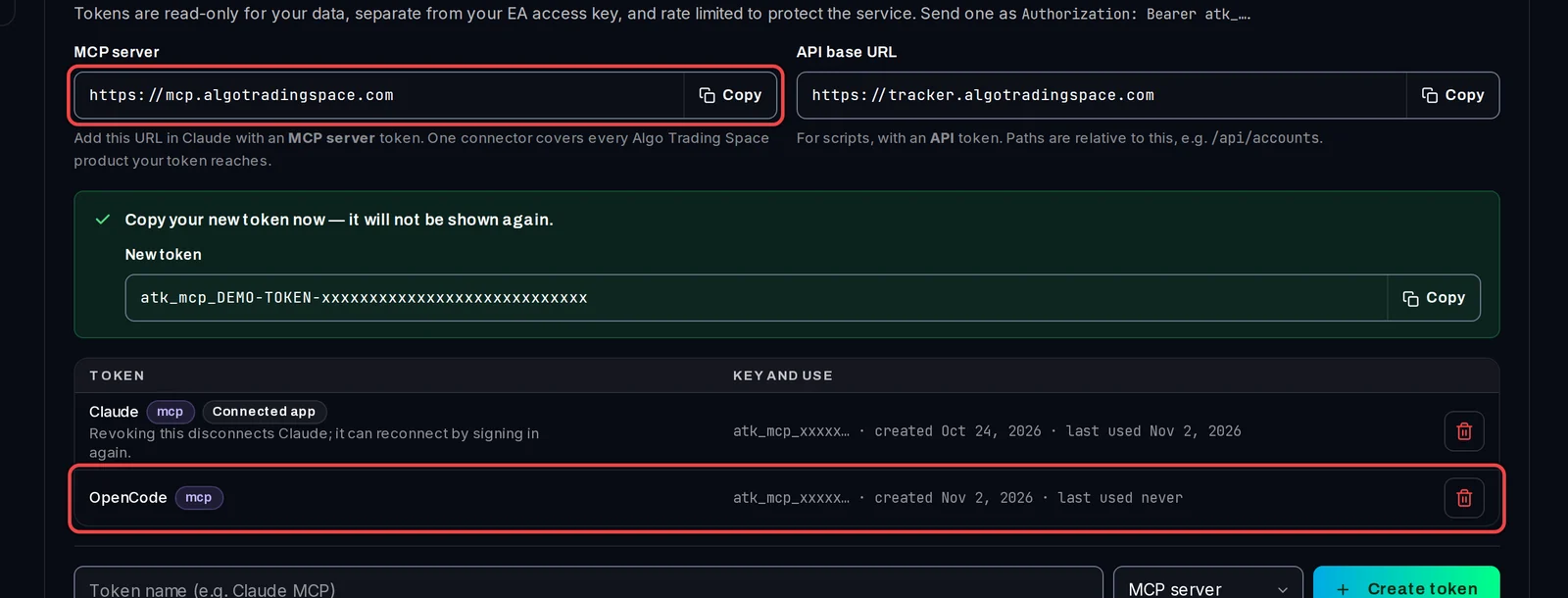
The token now has its own row in the list.
Add it to your assistant
- In your assistant's MCP settings, add a remote (HTTP) server.
- As the address, enter
https://mcp.algotradingspace.com(it is also above the token list, with a Copy button). - Add a header named
Authorizationwith the valueBearer, a space, and your token. - If the assistant lets you pick a header name from a list instead, choose
x-api-keyand paste the token on its own. - Save, then ask a question such as List my accounts and their drawdown to check it works.
In Claude Code, for example, one command does it: claude mcp add --transport http algo-trading-space https://mcp.algotradingspace.com --header "Authorization: Bearer YOUR_TOKEN"
Stop a token working
- In the token list, click the bin icon (Revoke) on its row.
- Click Revoke token to confirm. Anything using that token stops working at once.
Good to know
- Treat a token like a password. If someone else may have it, revoke it and make a new one.
- You can have up to 10 tokens. API tokens, MCP tokens and apps connected by signing in all count towards the 10.
- Tokens only read. The assistant cannot place trades, change settings or see your keys. Your EA access key is separate and is not affected.
https://tracker.algotradingspace.com/mcpalso works with an MCP token, for the Account Tracker only. Themcp.algotradingspace.comaddress covers every Algo Trading Space product your token reaches.