
Knowledge Base
Help Center articles
Let your AI assistant remember you (Connector memory)
Tired of telling your AI assistant your broker or your account currency in every new chat? Connector memory lets an assistant connected to the tracker remember small facts about you, such as your preferred broker, your account currency or the strategies you run, from one chat to the next.
Plan: every plan can switch it on. It is used by an assistant connected to the tracker, which needs Pro or VIP.
Switch memory on
- Open Settings › Plan & Integrations and scroll to Connector memory.
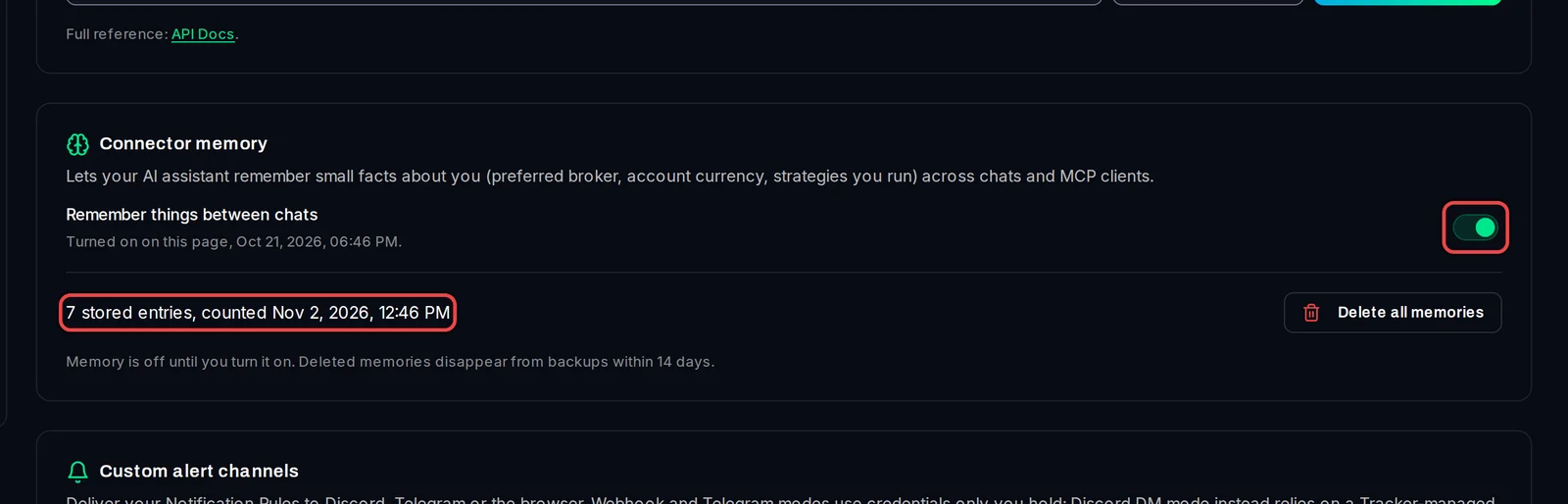
- Turn on the switch Remember things between chats. The line under it shows when and where it was turned on.
- Below the switch you see how many entries your assistant has stored, for example 7 stored entries, and when they were last counted.
You can also ask your assistant to turn memory on. It asks you to confirm in the chat before it does.
Switch memory off
- Turn off Remember things between chats, or ask your assistant to stop remembering. It can switch memory off without asking you.
- Switching off does not delete what is already stored. To remove that, use Delete all memories below.
Delete everything it remembers
- Click Delete all memories.
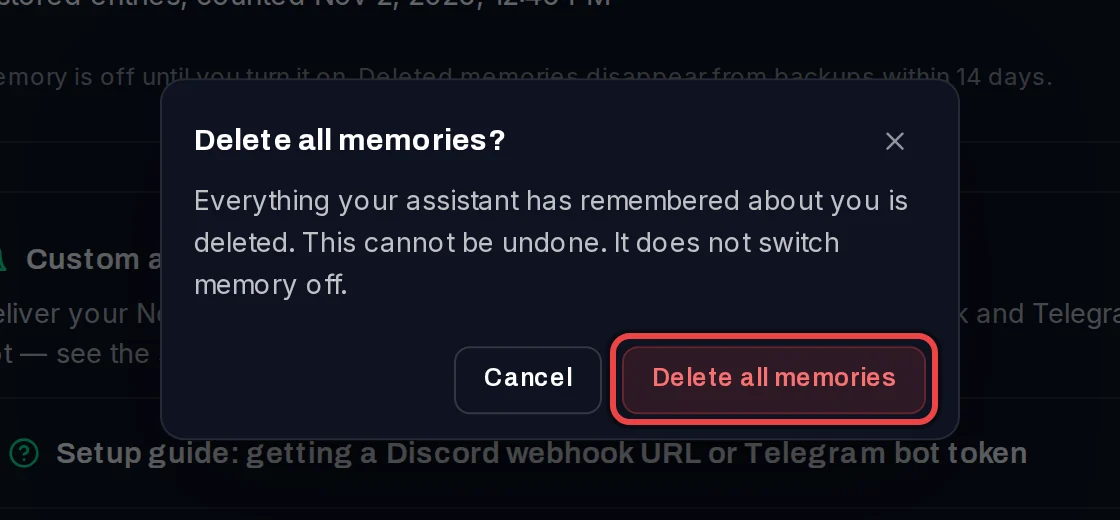
- Read the message and click Delete all memories again to confirm. This cannot be undone.
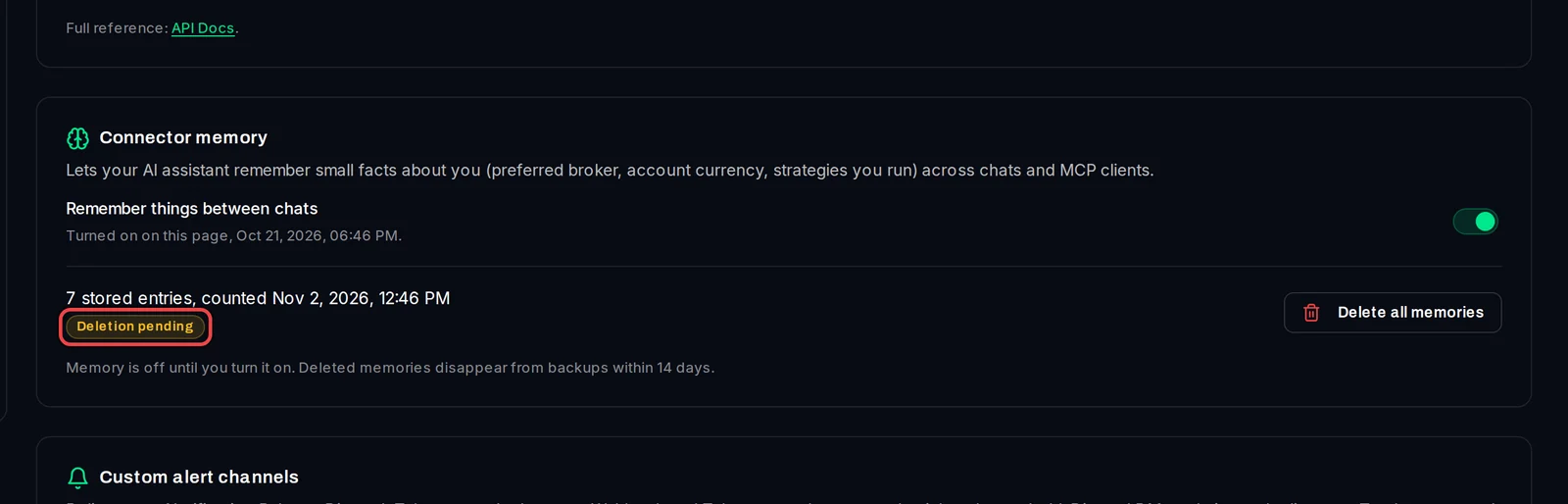
A Deletion pending label shows until the deletion is done; then it reads Deleted.
Good to know
- Memory is off until you turn it on.
- Deleting memories does not switch memory off. If it stays on, your assistant starts remembering again in your next chats.
- Deleted memories disappear from backups within 14 days.
- Memory works across all your chats and every assistant you connect with your login.
- Connector memory needs an Algo Trading Space platform account. Without one, the switch is greyed out.