
Knowledge Base
Help Center articles
Use the API in your own scripts
The Account Tracker has an API, so your own scripts and spreadsheets can read your accounts, trades and equity history. You create an API token in Settings, send it with each request, and look up every address in the API Docs.
Plan: Pro or VIP. The 14 days of Pro every new user starts with include it.
Create an API token
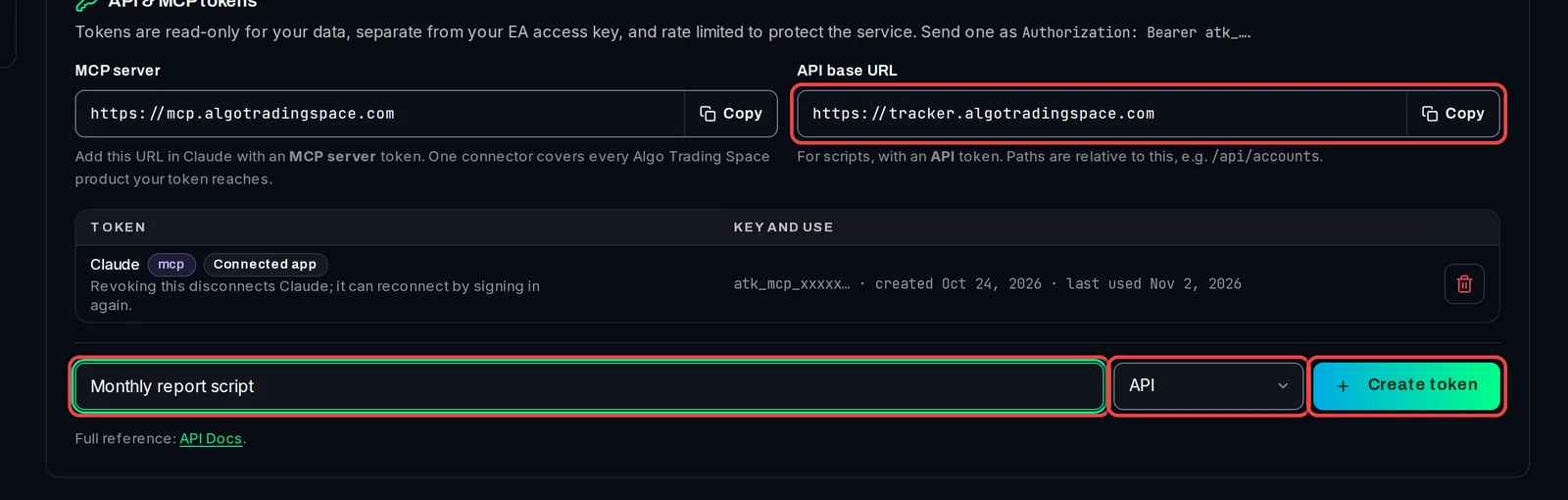
- Open Settings › Plan & Integrations and scroll to API & MCP tokens.
- Note the API base URL,
https://tracker.algotradingspace.com. Every address in the API starts with it. - In the Token name field, type what the token is for, for example Monthly report script.
- In the menu next to it, keep API.
- Click Create token.
Copy the token
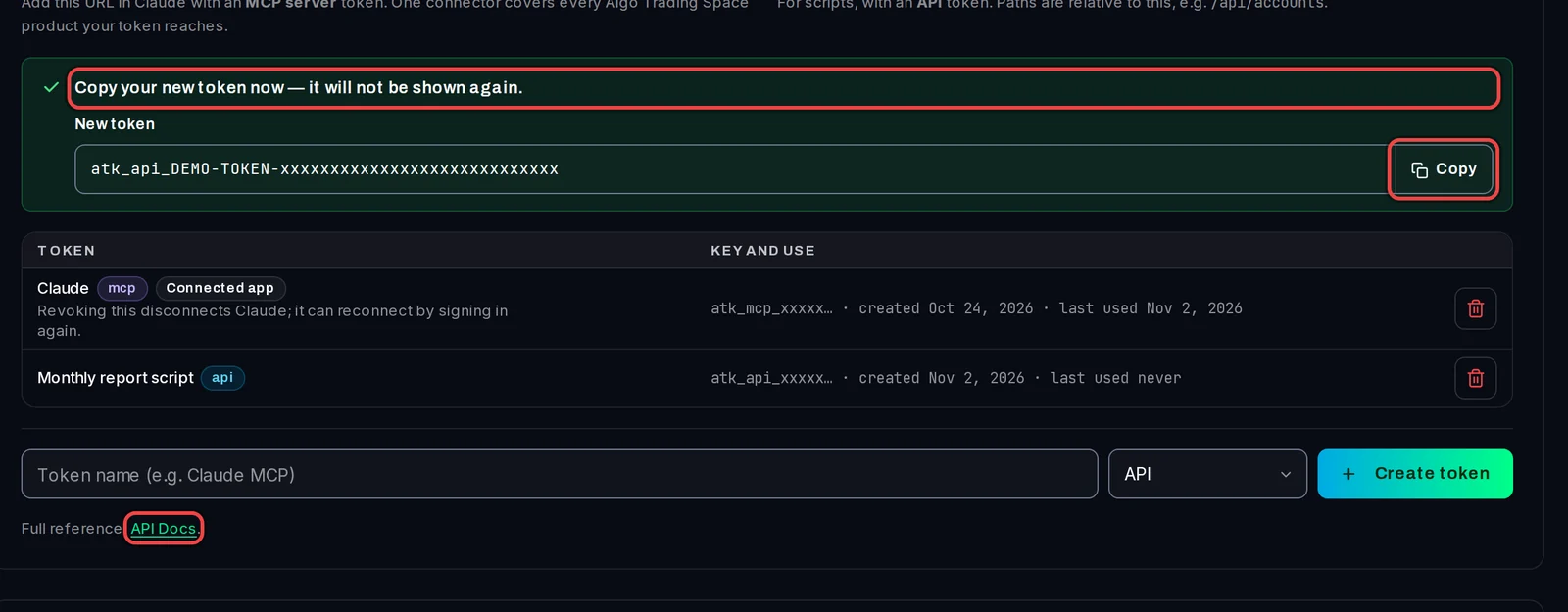
- Click Copy next to the new token. It is shown only this once.
- Keep it somewhere safe, such as your script's settings file or a password manager.
Send your first request
- Send the token in a header with every request:
Authorization: Bearer YOUR_TOKEN. - Try the list of your accounts:
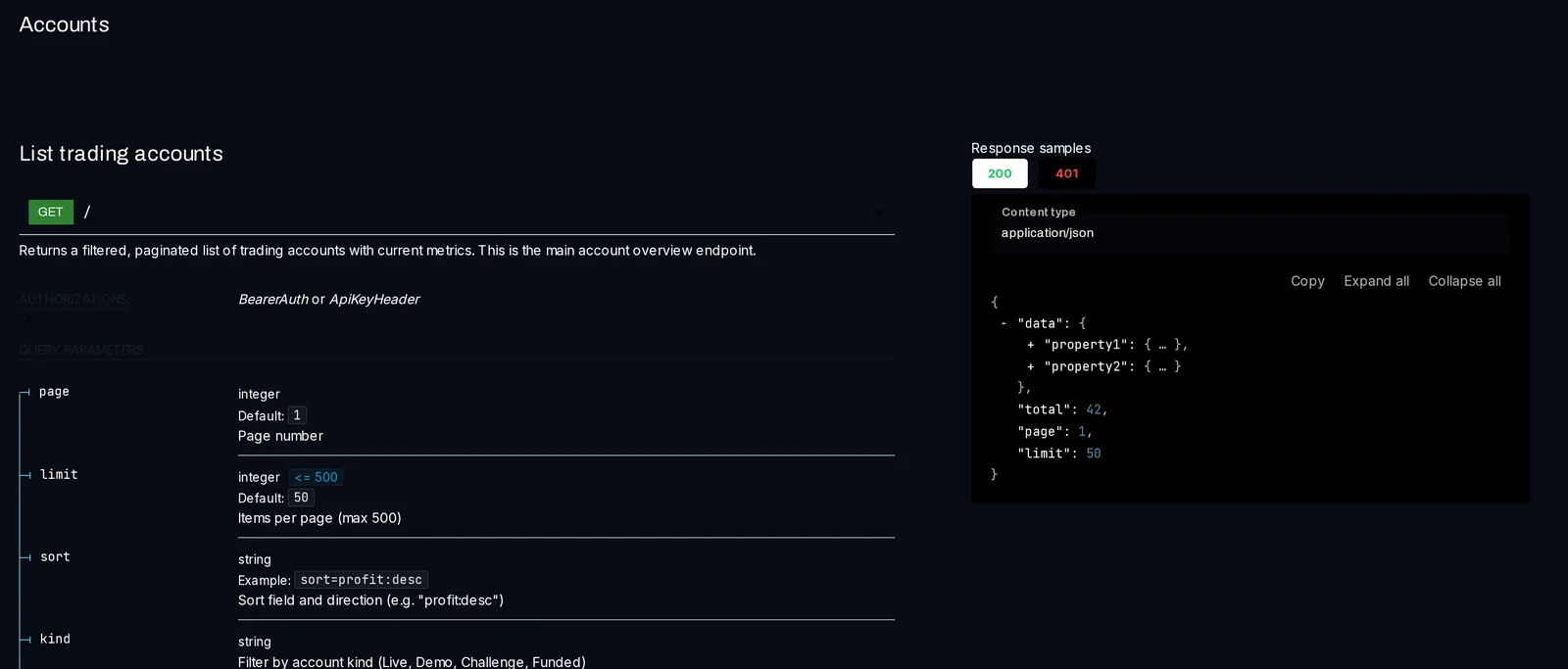
curl -H "Authorization: Bearer YOUR_TOKEN" https://tracker.algotradingspace.com/api/accounts - The answer is JSON, with one entry per account and its current figures.
Look up what you can read (API Docs)
- Click API Docs under the token list, or in the menu under Settings.
- Pick a section on the left, for example Accounts. Each address shows its options and an example answer.
- To use it in other tools, click Download at the top for the OpenAPI file (a standard description of the API).
Good to know
- Tokens only read. A request that would change something is refused. Your EA access key is separate and is not affected.
- Requests are limited per minute and per day. Each answer has the headers
X-RateLimit-Remaining-MinuteandX-RateLimit-Remaining-Day. Over the limit, you get error 429 and aRetry-Afterheader with the seconds to wait. - You can have up to 10 tokens, counting API tokens, MCP tokens and connected apps together. Revoke one with the bin icon on its row.
- If your plan steps down to Free, tokens stop working until Pro or VIP is back. They are not deleted.
- Money is in each account's own currency, never converted.