
Knowledge Base
Help Center articles
Check that your terminals are reporting
The ATS Terminal EA reports every 3 to 5 minutes while MetaTrader is open and connected to your broker. Two places tell you whether those reports still arrive, and when they stopped.
Plan: every plan.
Look at the last update on the Overview
- Open the Overview.
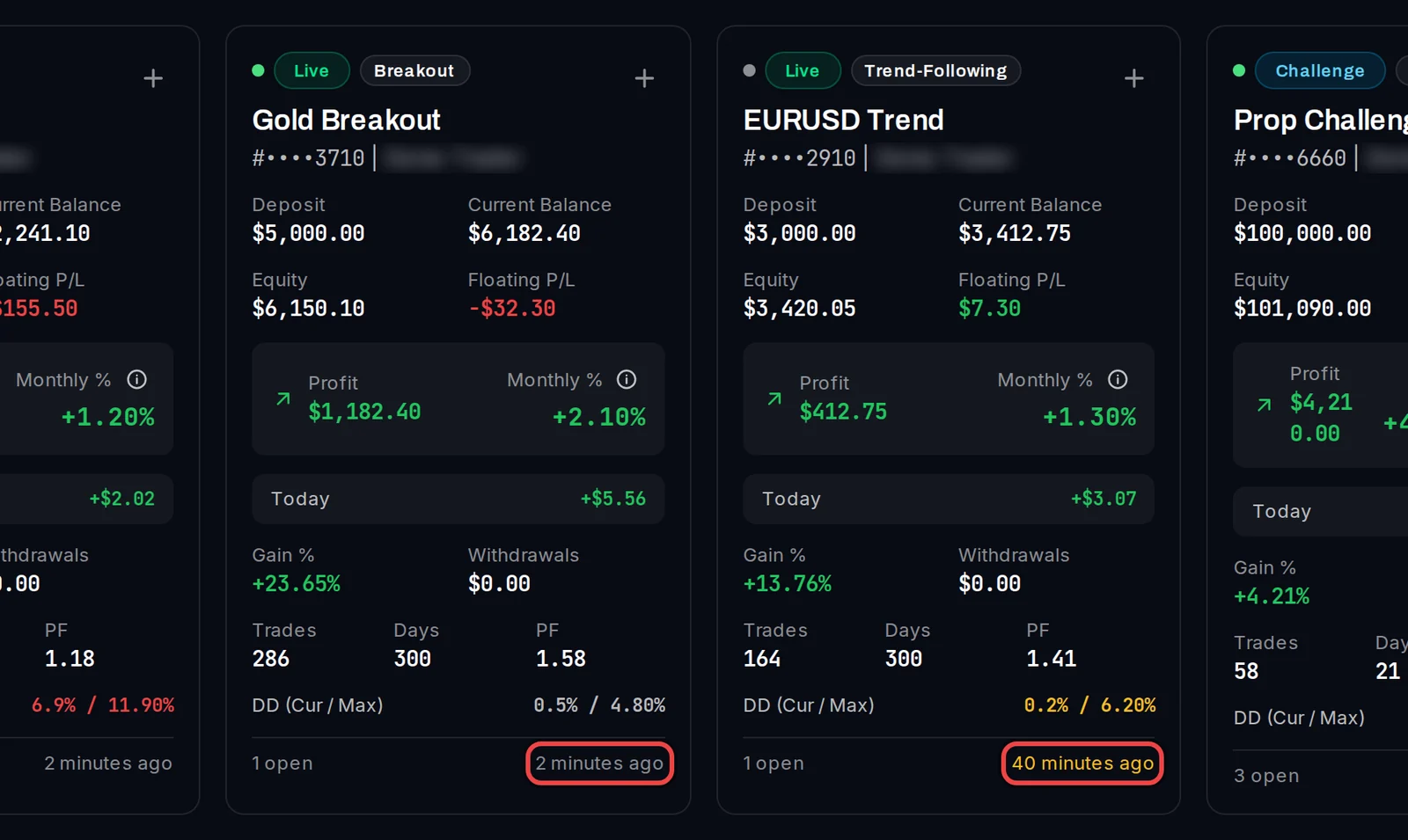
- Look at the bottom right of each account card. It shows when the account last reported, for example 2 minutes ago.
- After 15 minutes without a report the time turns amber. After 24 hours it turns red and reads Dormant · last synced followed by the time.
See when a connection was lost
- In the menu, open Monitoring › System Health.
- Pick Last 7 days, Last 30 days or Last 90 days at the top.
- Click Table View for a list, or stay on Timeline View.
- Read the rows. Connection Lost means the terminal stopped reporting; its end time is when reports came back. Connection Drop is a shorter gap. Broker Rejection is an order your broker refused.
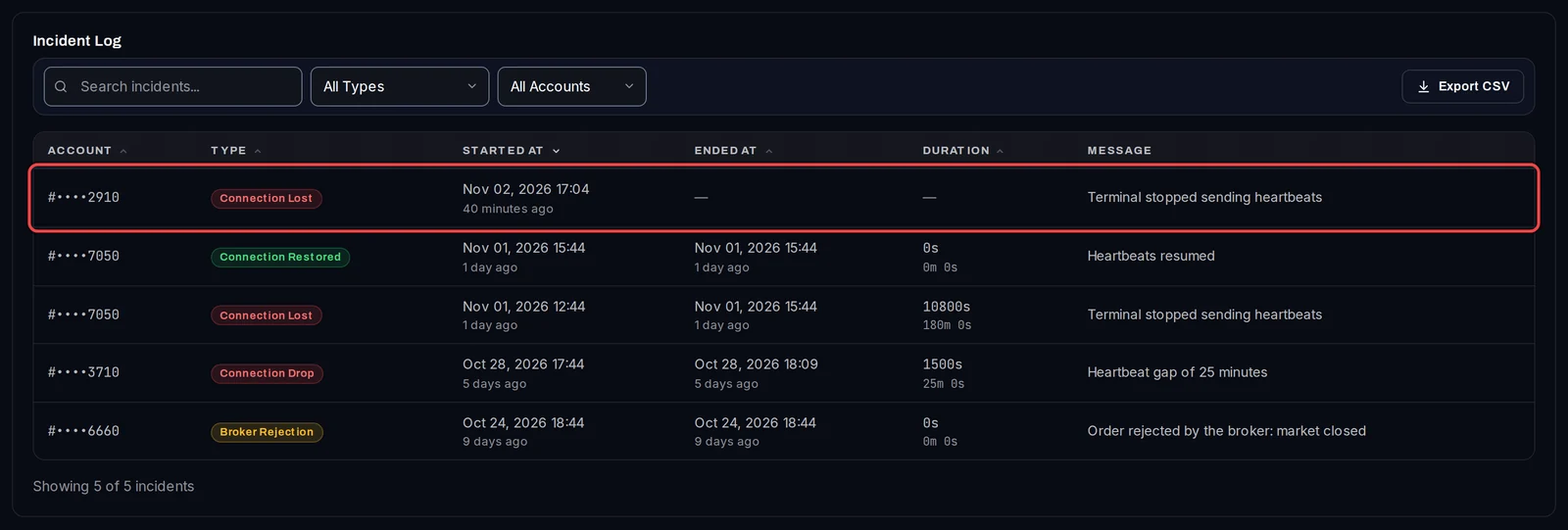
Use the search box, All Types and All Accounts to narrow the list, and Export CSV to save it.
Good to know
- An amber or dormant time almost always means MetaTrader is closed, the PC or VPS is asleep or was restarted, or the terminal lost its connection to the broker. Open MetaTrader and check its connection status at the bottom right.
- Used the one-command VPS setup? Settings › EA Configuration also lists each terminal with its status, and its background check re-attaches the EA within 10 minutes when an account goes silent.
- An account that sends nothing for 30 days is deleted automatically. The dashboard warns you 14 days and 3 days before; connecting it again keeps its settings.