
Knowledge Base
Help Center articles
At Risk, Warning and Healthy: what they mean
Every account gets a risk level from rules you control. The At Risk, Warning and Healthy pages each list the accounts at one level, so you can look at the ones that need you first.
Plan: every plan.
Open a risk page
- In the menu under Accounts, click At Risk, Warning or Healthy.
- Hover the i next to a page's name to see the rule it uses.
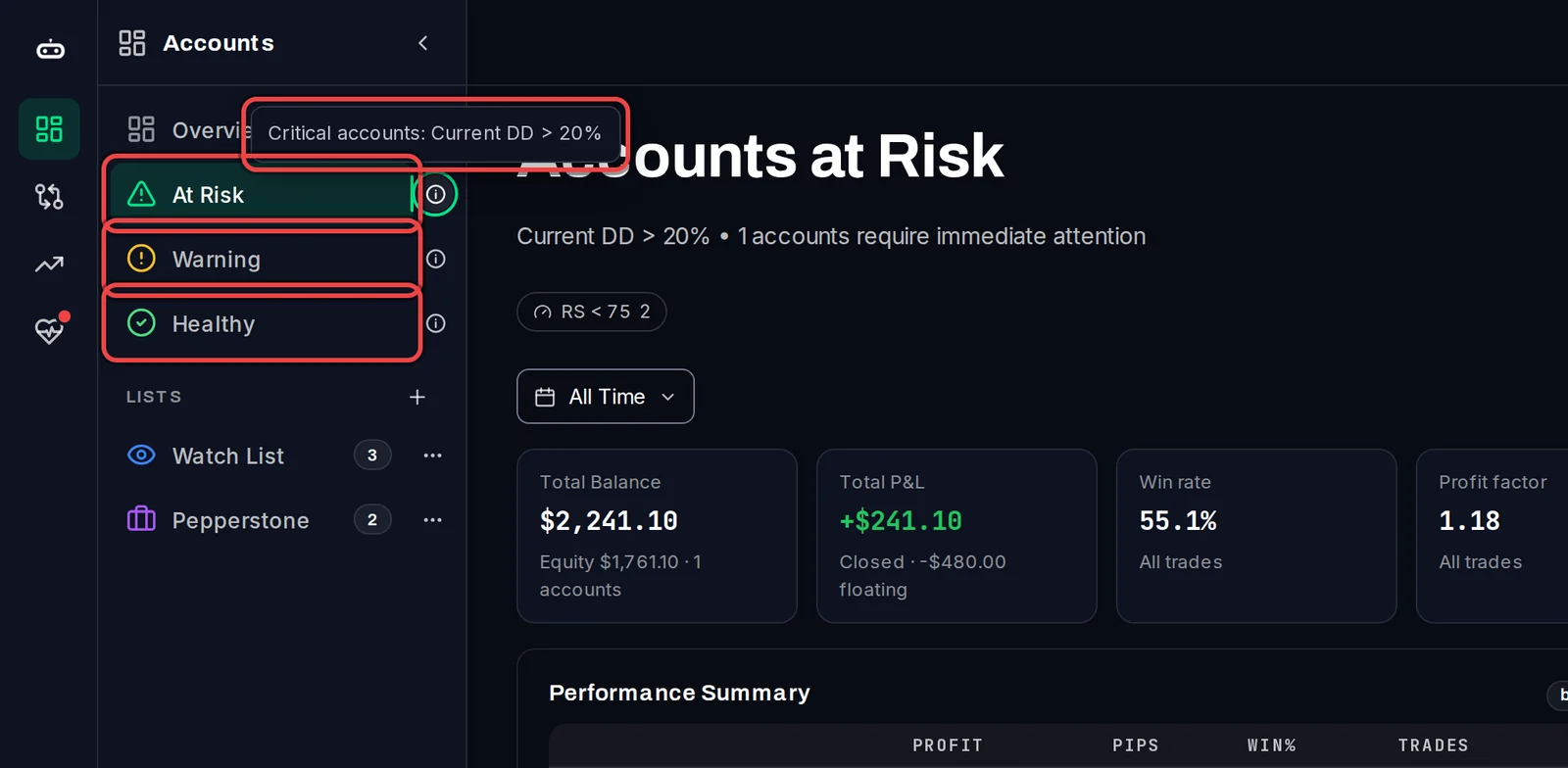
Read the page
- The top of the page repeats the rule and says how many accounts match. On At Risk, the account in the deepest drawdown comes first.
- On At Risk, click RS < 75 to add the accounts whose Risk-Adjusted Score is below 75. The number on the button says how many that adds.
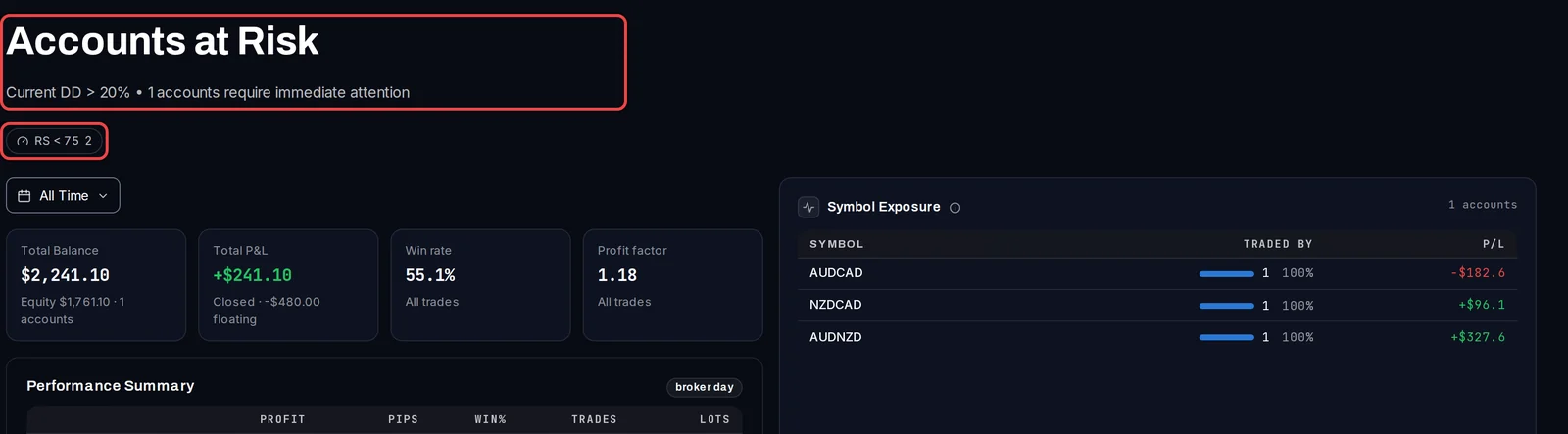
What the levels mean
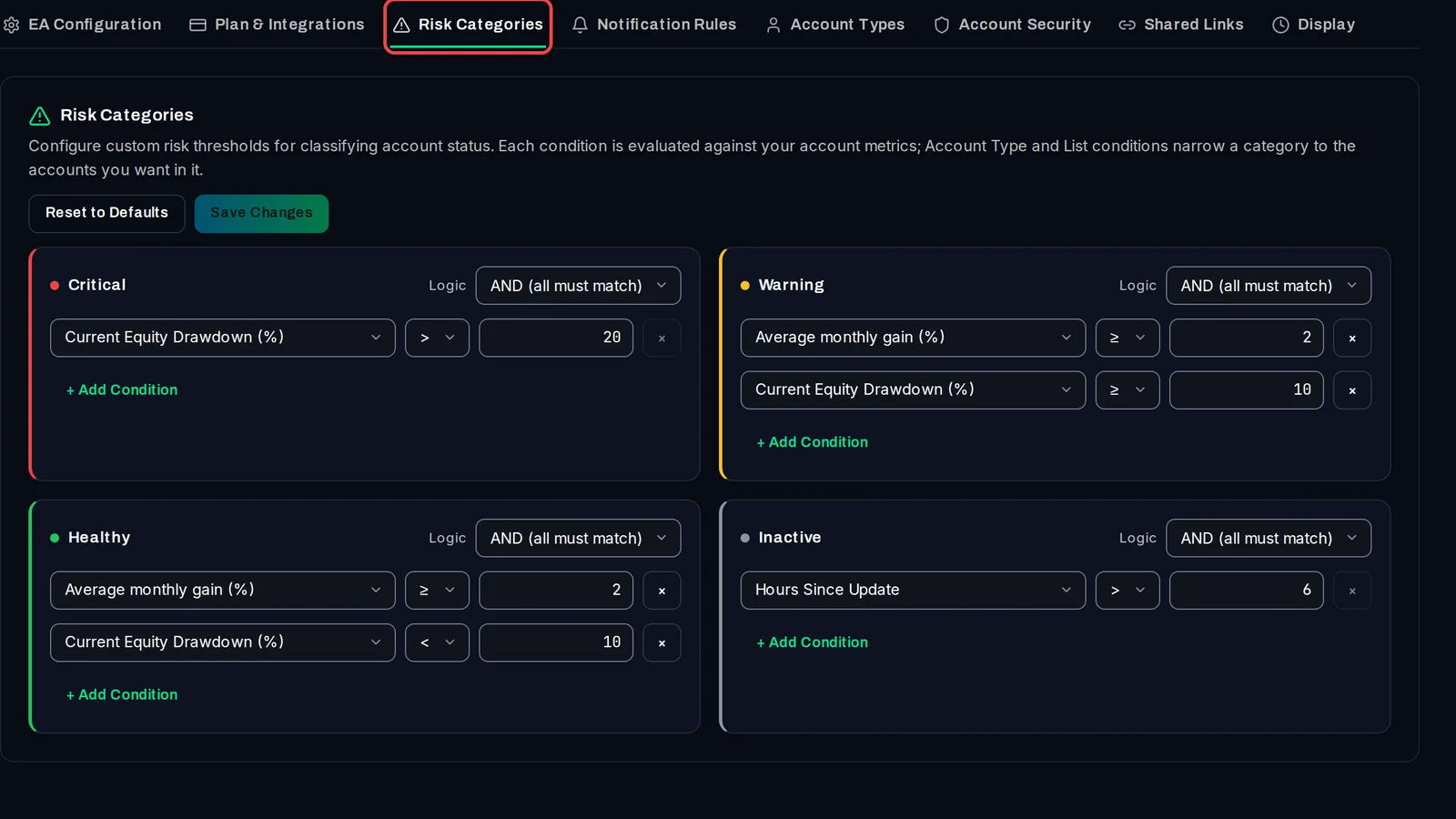
Until you change them, the rules are:
- At Risk (Critical): the current equity drawdown, the loss on the trades still open, is above 20%.
- Warning: an average monthly gain of 2% or more, with a current equity drawdown of 10% or more.
- Healthy: an average monthly gain of 2% or more, with a current equity drawdown under 10%.
- Inactive: no update for more than 6 hours. An inactive account is on none of the three pages.
Change the rules
- Open Settings › Risk Categories.
- Change a condition, or click + Add Condition. Under Logic, choose AND (all must match) or OR (any can match).
- Click Save Changes. Reset to Defaults brings back the rules above.
Good to know
- An account that matches no rule has no level and is on none of the pages. With the default rules, that is any account earning under 2% a month that is not in a drawdown above 20%.
- The rules are checked in the order Inactive, Critical, Warning, Healthy, and the first match wins.
- The same levels colour the dot on each account card and drive the built-in alert for a change of risk level.