
Knowledge Base
Help Center articles
Annual tax and accounting report
At the end of the year your accountant needs one set of figures per account: opening and closing balance, profit and loss, fees, swaps, deposits and withdrawals. The Annual Tax / Accounting report builds them for your fiscal year and downloads them as spreadsheets.
Plan: every plan.
Set the year
- In the menu on the left, click Analytics, then Reports.
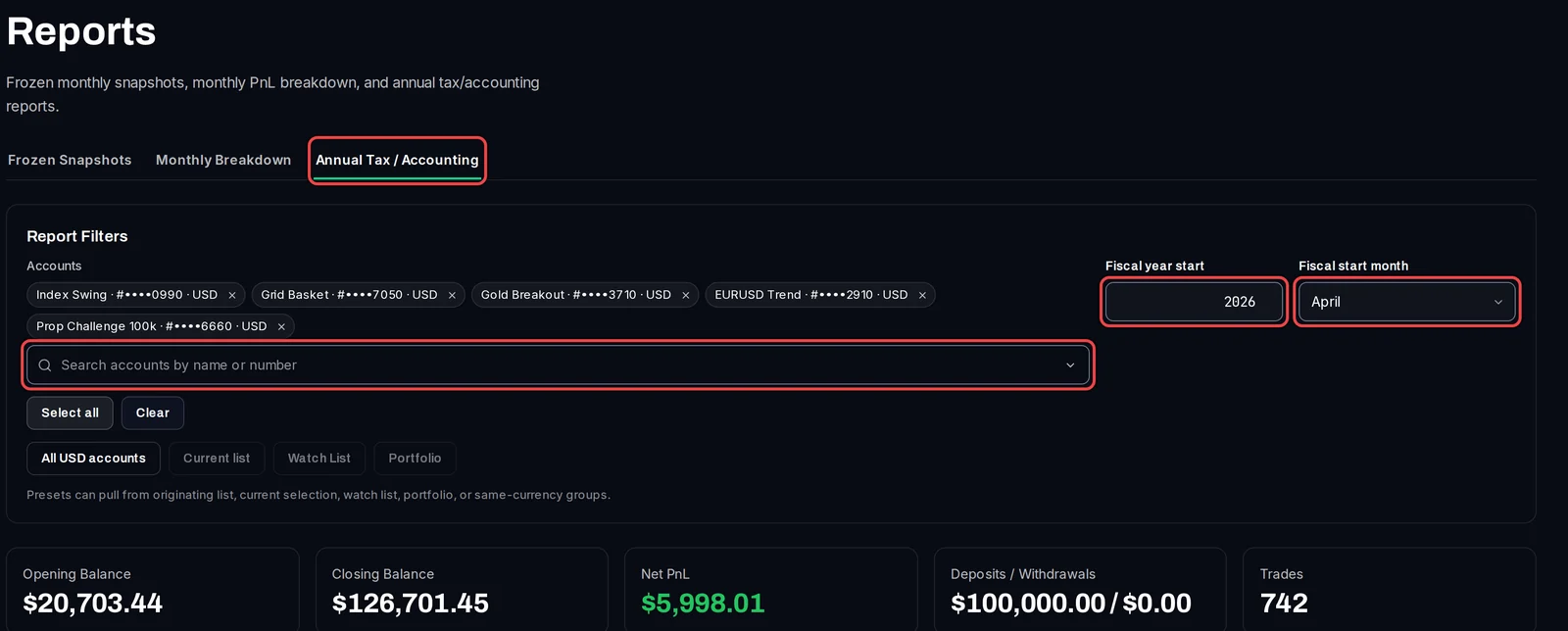
- Click the Annual Tax / Accounting tab.
- Pick the accounts under Accounts, or click All USD accounts or Select all.
- In Fiscal year start, type the year the fiscal year begins in, for example
2026. - In Fiscal start month, pick the month it begins. Leave January for a calendar year; pick April for a year from April 2026 to March 2027.
Read and download the report
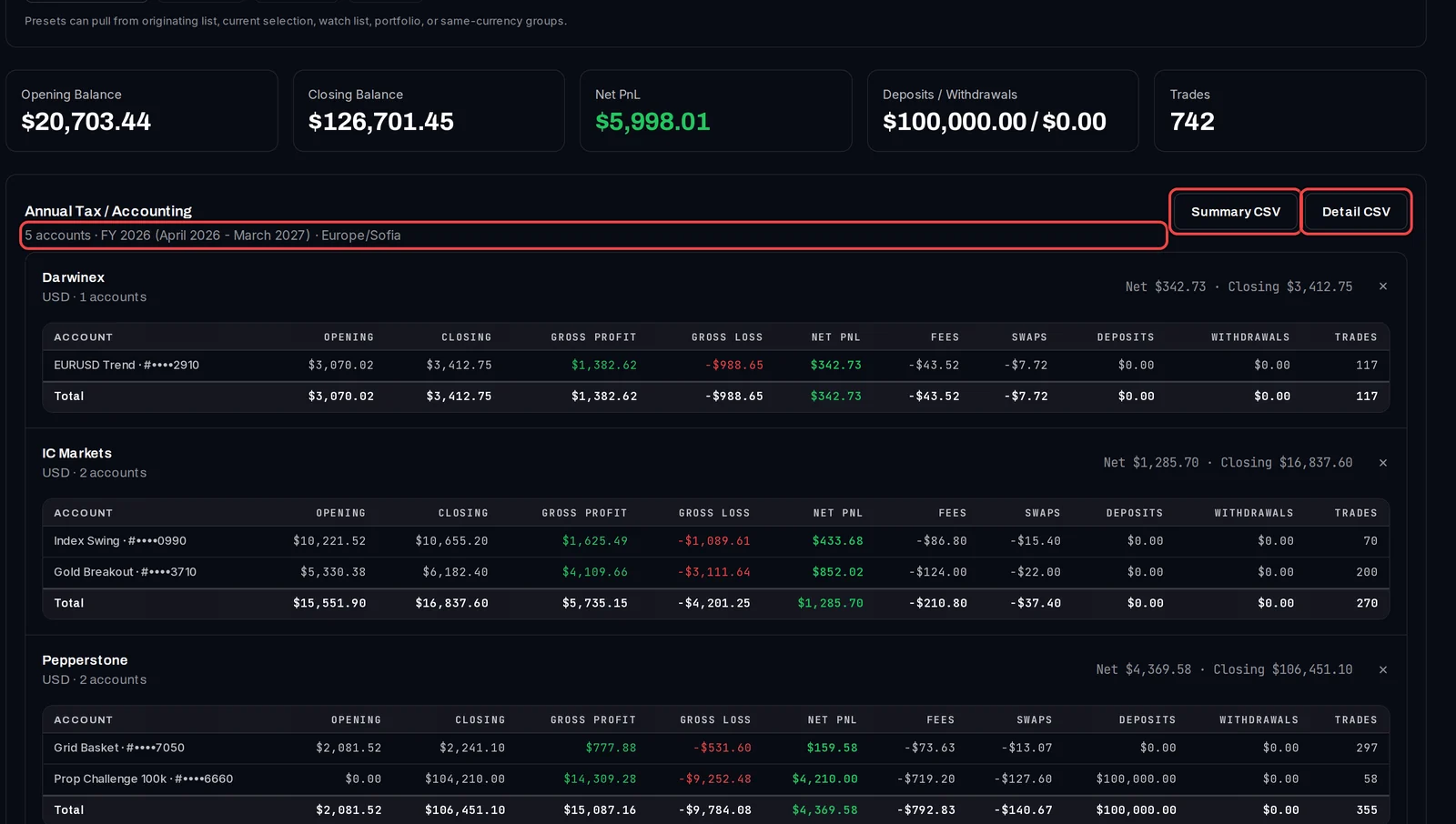
- The totals for all the accounts are at the top.
- Below, the accounts are grouped by broker and currency. Each group lists its accounts with Opening, Closing, Gross Profit, Gross Loss, Net PnL, Fees, Swaps, Deposits, Withdrawals and Trades, and a Total row.
- Click Summary CSV for one row per account.
- Click Detail CSV for every closed trade of the year, with its open and close time, symbol, lots, profit, commission and swap.
Good to know
- The year is cut on your own calendar and time zone, shown at the top of the report (for example Europe/Sofia). Set it under Viewer Timezone in Settings › Display before you download.
- Accounts in different currencies stay in separate groups and are never added together.
- The tracker prepares the figures; it does not give tax advice. Check your country's rules with your accountant.