
Knowledge Base
Help Center articles
The Account Tracker shows your MetaTrader 4 and 5 accounts in one web dashboard: balance, equity, drawdown, every trade, and which robot makes or loses the money. This is what you need before you connect your first account.
Plan: every plan.
Get these ready
- An Algo Trading Space account. The tracker uses the same email and password as the shop and the member area.
- The free Account Tracker product. Order it in the shop for €0; no card is asked for. You start with 14 days of Pro, then your account moves to Free by itself. Nothing is deleted and nothing is charged.
- MetaTrader 4 or MetaTrader 5 on Windows, at any broker. Live, demo, prop-firm challenge and funded accounts all work.
- A PC or VPS that keeps MetaTrader open. The tracker only receives figures while the terminal is running and connected to your broker.
Know what the ATS Terminal EA does
The ATS Terminal EA is the small program that sends your account to the tracker. It is a tracker, not a trading robot: it only reads your account. It never opens, changes or closes a trade, and it never sends your MetaTrader password.
Your own robots keep doing the trading. The ATS Terminal EA sits on a chart of its own beside them and reports what they do. If a robot is not taking trades, the cause is in that robot or its settings; the ATS Terminal EA will not place trades for it.
Sign in to the dashboard
- Go to tracker.algotradingspace.com.
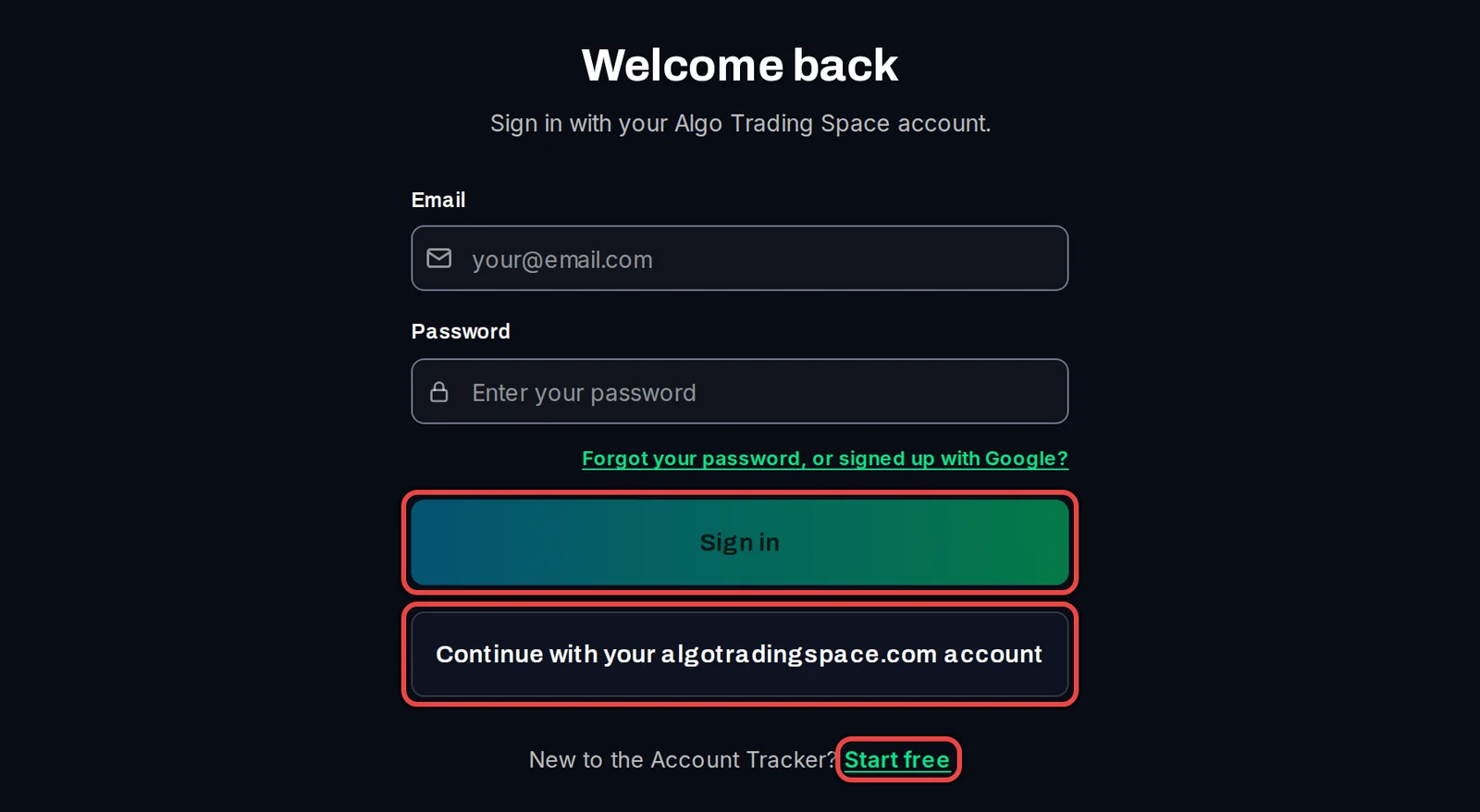
- Enter your Algo Trading Space email and password and click Sign in. Already signed in on algotradingspace.com? Click Continue with your algotradingspace.com account instead. New here? Click Start free.
- The first time you sign in, a VIP Community Stats window asks for your agreement before the dashboard opens.
See your accounts
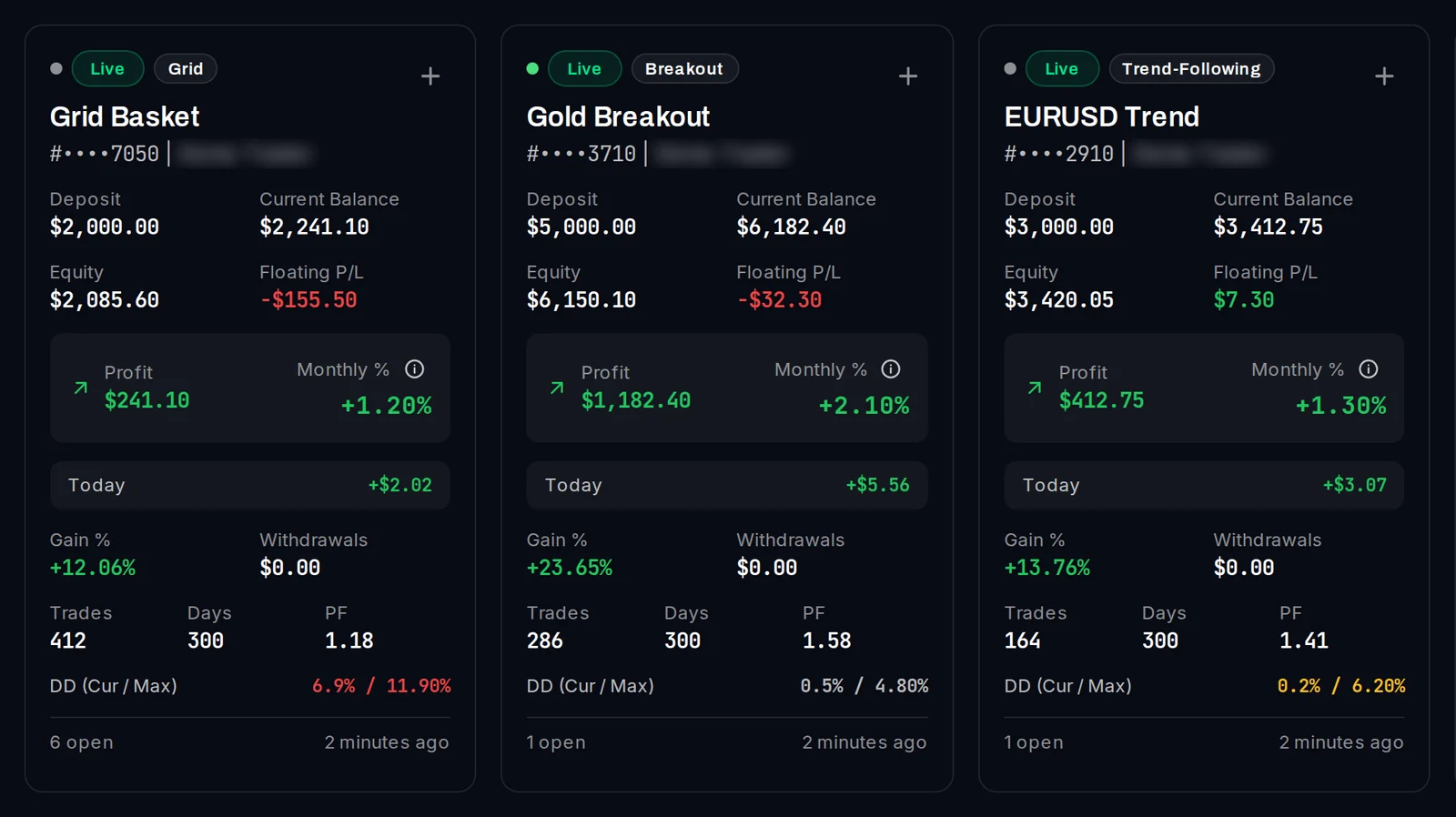
Once the EA reports, each account appears on the Overview as a card with its balance, equity, profit and drawdown (the fall from its highest point). The time at the bottom right shows when it last reported.
Good to know
- Free keeps up to 5 accounts, Pro up to 100, VIP unlimited.
- One ATS Terminal EA per MetaTrader account is enough. Running many terminals on a VPS? One command can set them all up.
- An account that sends nothing for 30 days is deleted automatically, unless your plan paused it. The dashboard warns you 14 days and 3 days before.
- The Disclaimer, privacy & terms link at the bottom of every page explains exactly what the EA sends.