
Knowledge Base
Help Center articles
In the Portfolio Builder, an AI can pick the first of the six portfolios that Generate AI Portfolio Recommendations builds: the AI Portfolio. It chooses from your strategy pool within your goals. On Pro it runs through Algo Trading Space, or with your own API key from an AI provider.
Plan: Pro (€29 a month). New accounts get 14 days of Pro when they first sign in to the app.
Use the AI included with Pro
There is nothing to set up. Pro includes 30 AI runs a month through Algo Trading Space; each click on Generate AI Portfolio Recommendations uses one. They reset on the 1st of each month.
- Open Settings › Profile.
- Under This month's runs, the row AI runs through Algo Trading Space shows how many you have used, for example 6 of 30.
Use your own API key
With your own key there is no monthly limit from us, and you choose the model. Your provider bills you for what you use.
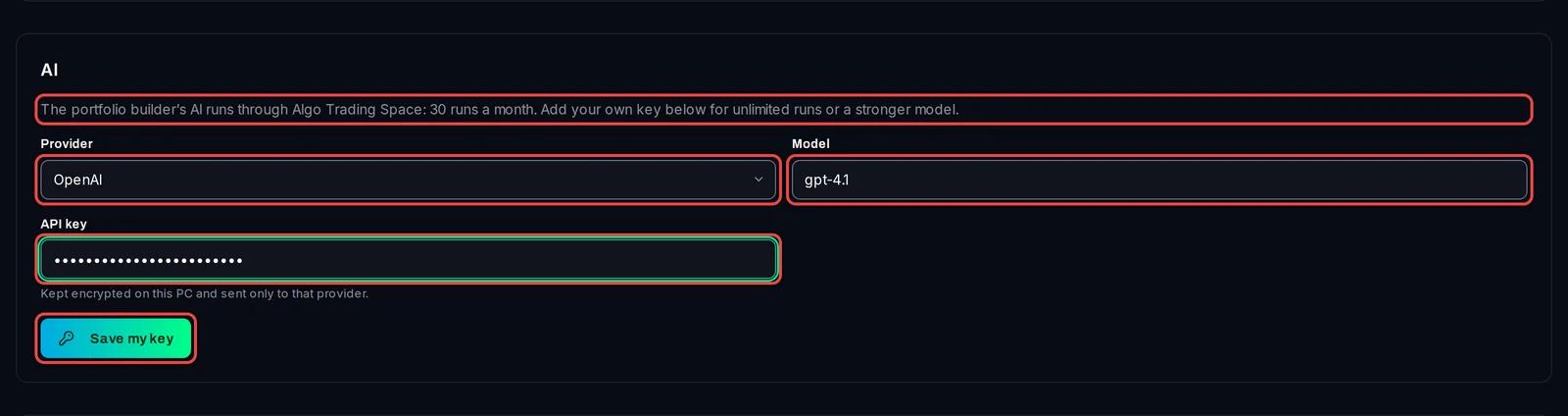
- Open Settings › Profile and find the AI card.
- In Provider, choose OpenAI, Anthropic or Another OpenAI-compatible endpoint.
- In Model, type the provider's model name exactly as the provider writes it.
- For another endpoint, type its Base URL: the address that ends before
/chat/completions. It must start withhttps://, orhttp://localhostfor a model running on this PC. - Paste your key in API key.
- Click Save my key.
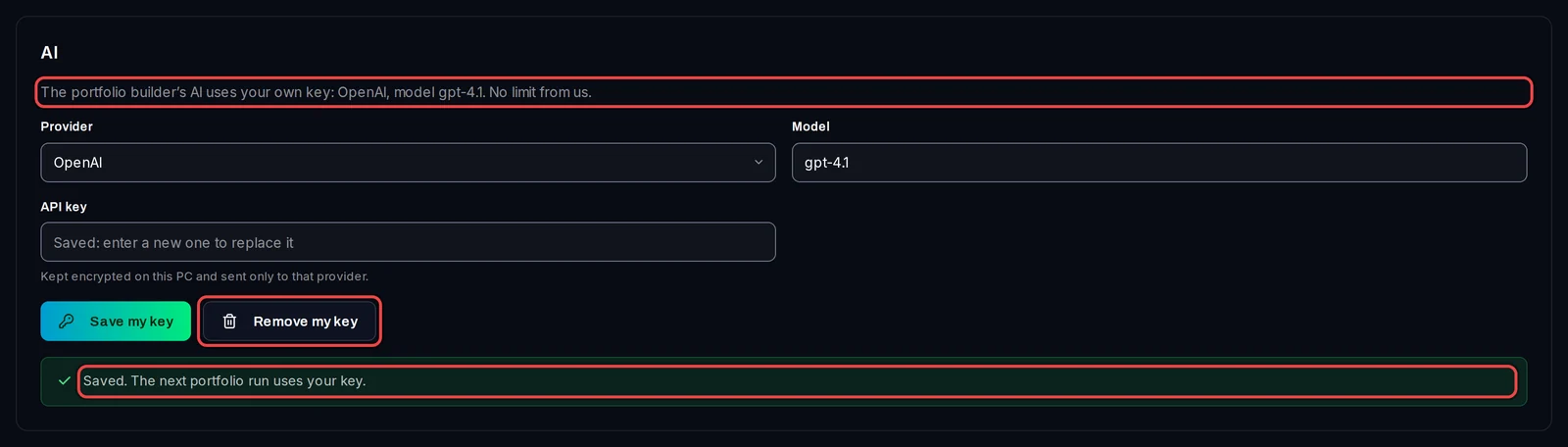
The card now says The portfolio builder's AI uses your own key, and Saved. The next portfolio run uses your key. To go back to the AI included with Pro, click Remove my key.
On Free
The AI card says the AI pick needs Pro, with Get Pro. Generate still works on Free within your monthly allowance: the first portfolio is the Fallback Portfolio, built with the standard rules.

Good to know
- Your key is kept encrypted on this PC and sent only to the provider you chose. It is never shown again; to change it, type a new one and save.
- The key is checked at the next run, not when you save it. If the AI cannot be reached or the 30 runs are used up, the run still finishes: the first portfolio is then built with the standard rules and a note on Variants says so.
- The AI only makes this one pick on Goals. Combination Search, walk-forward and the Analysis page do not use AI.
- If the app has not reached your account for more than 3 days, Pro pauses and the card says AI is paused with Pro until the app reaches your account again.