
Knowledge Base
Help Center articles
Turn on two-factor authentication
Two-factor authentication asks for a 6-digit code from an app on your phone each time you sign in, so a stolen password alone cannot open your dashboard.
Plan: every plan.
Start the setup
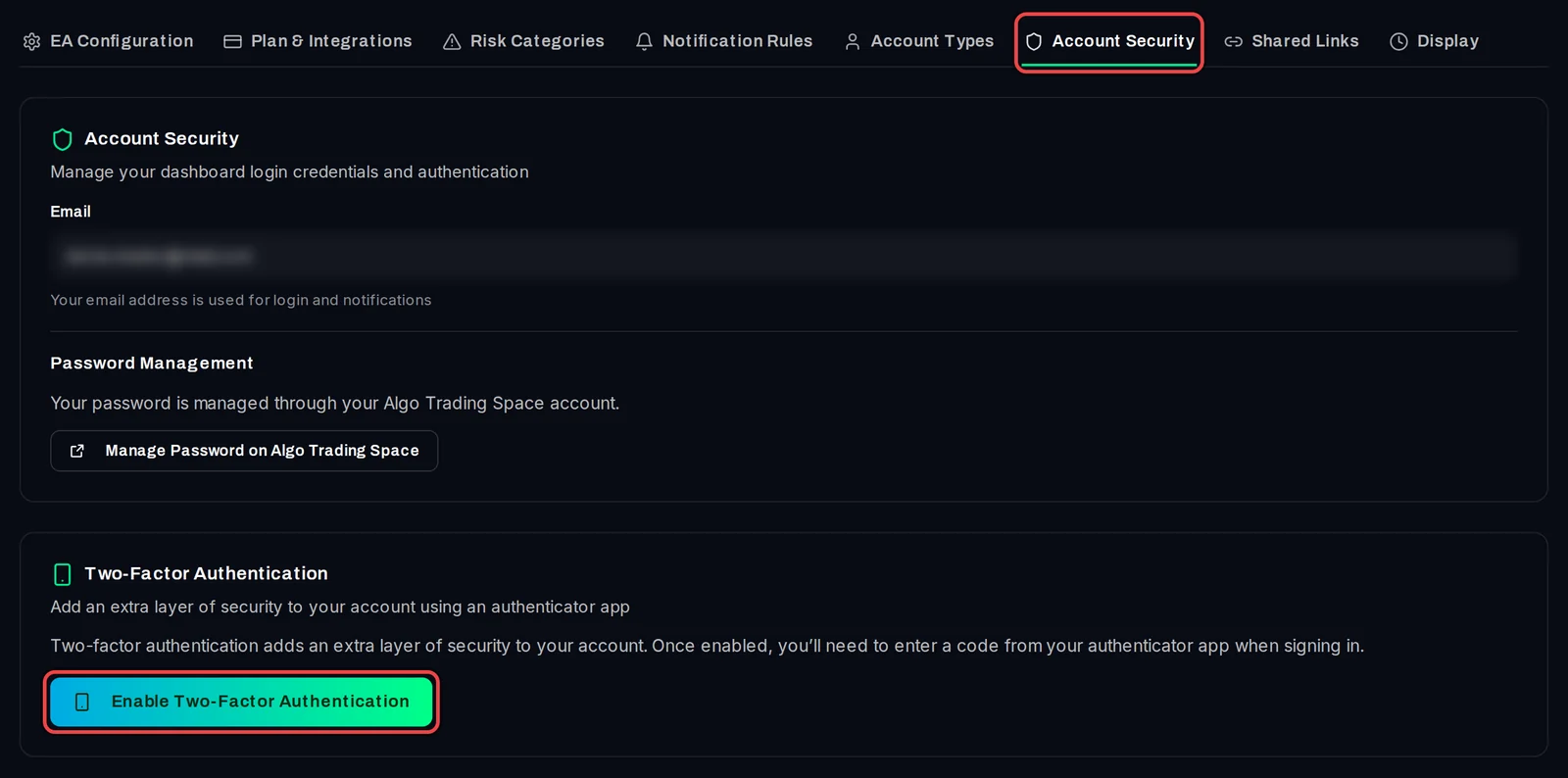
- Open Settings › Account Security.
- Under Two-Factor Authentication, click Enable Two-Factor Authentication.
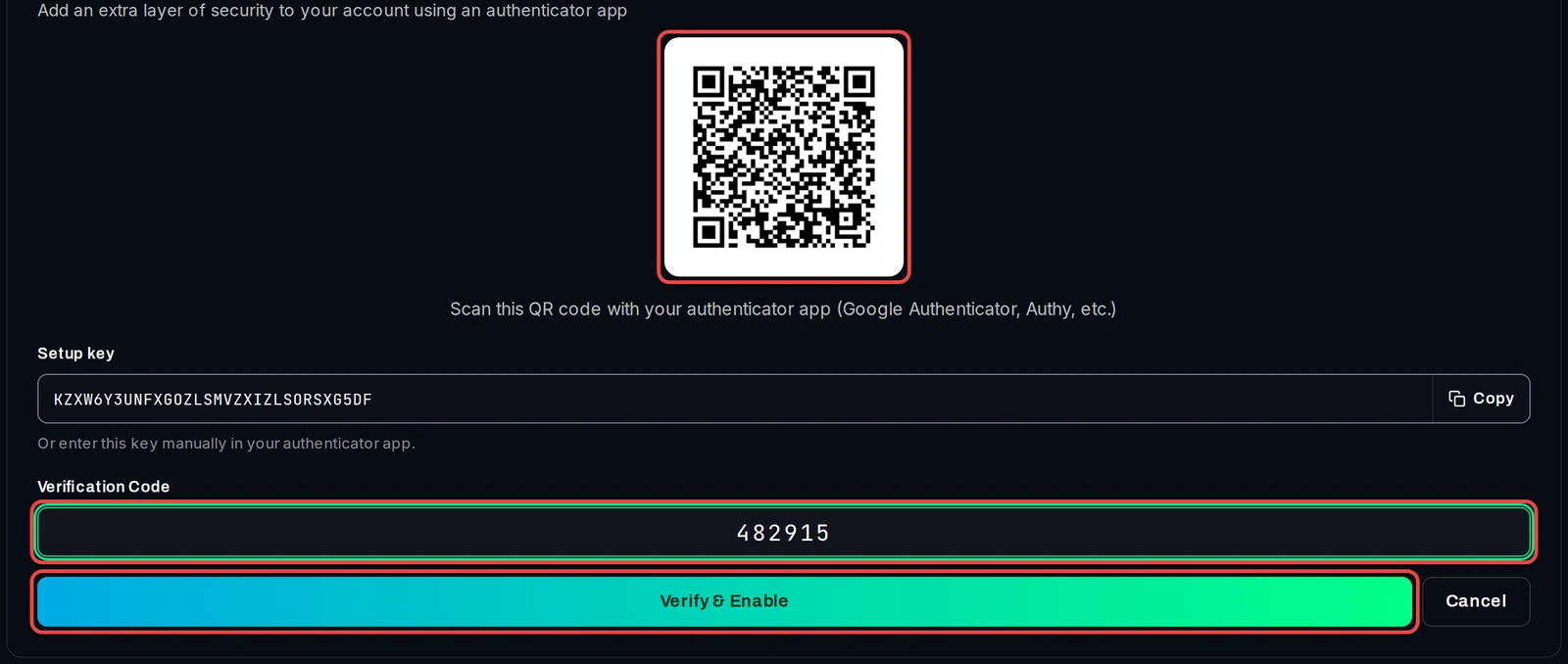
Scan the QR code
- Open an authenticator app on your phone (Google Authenticator, Authy or similar) and scan the QR code. The new entry is called SPACE-TRACKER. Cannot scan? Copy the Setup key into the app instead.
- Type the 6-digit code the app shows into Verification Code and click Verify & Enable.
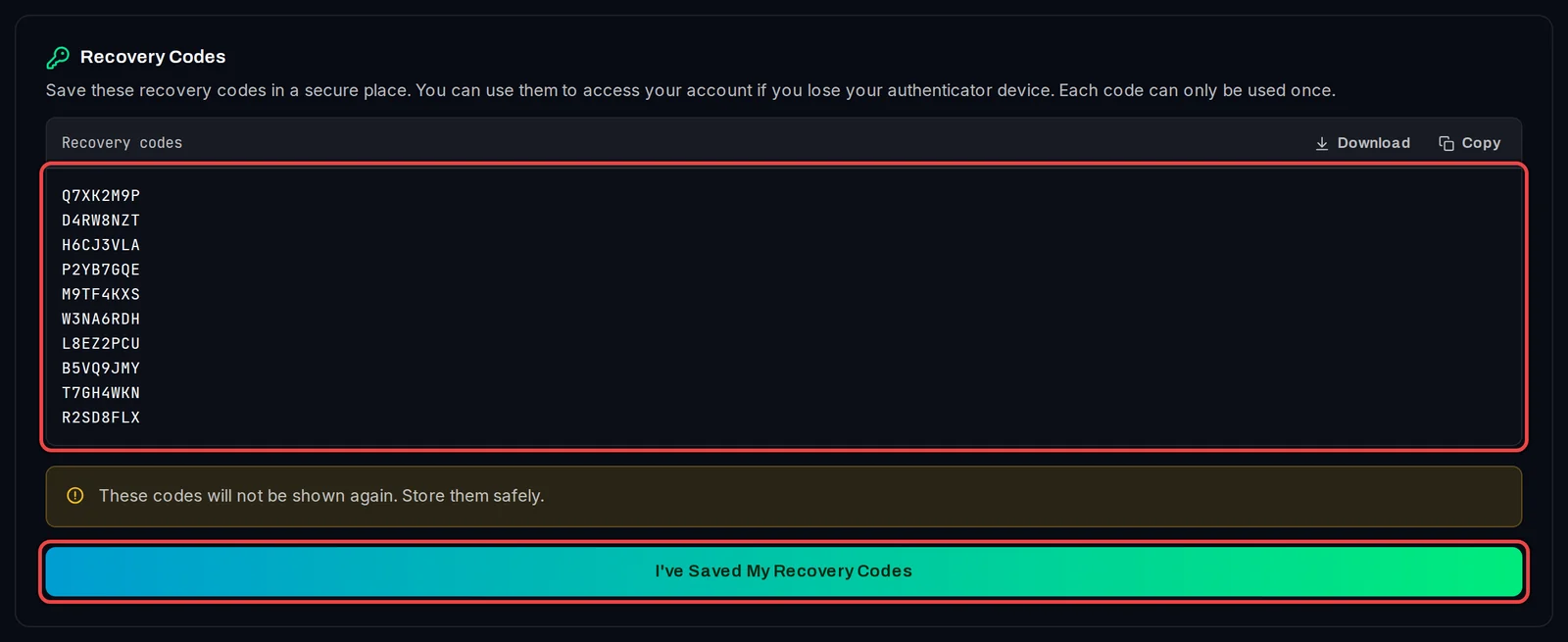
Save your recovery codes
- Save the ten recovery codes with Download or Copy. They are shown only once.
- Click I've Saved My Recovery Codes.
Sign in with your code
- Enter your email and password and click Sign in.
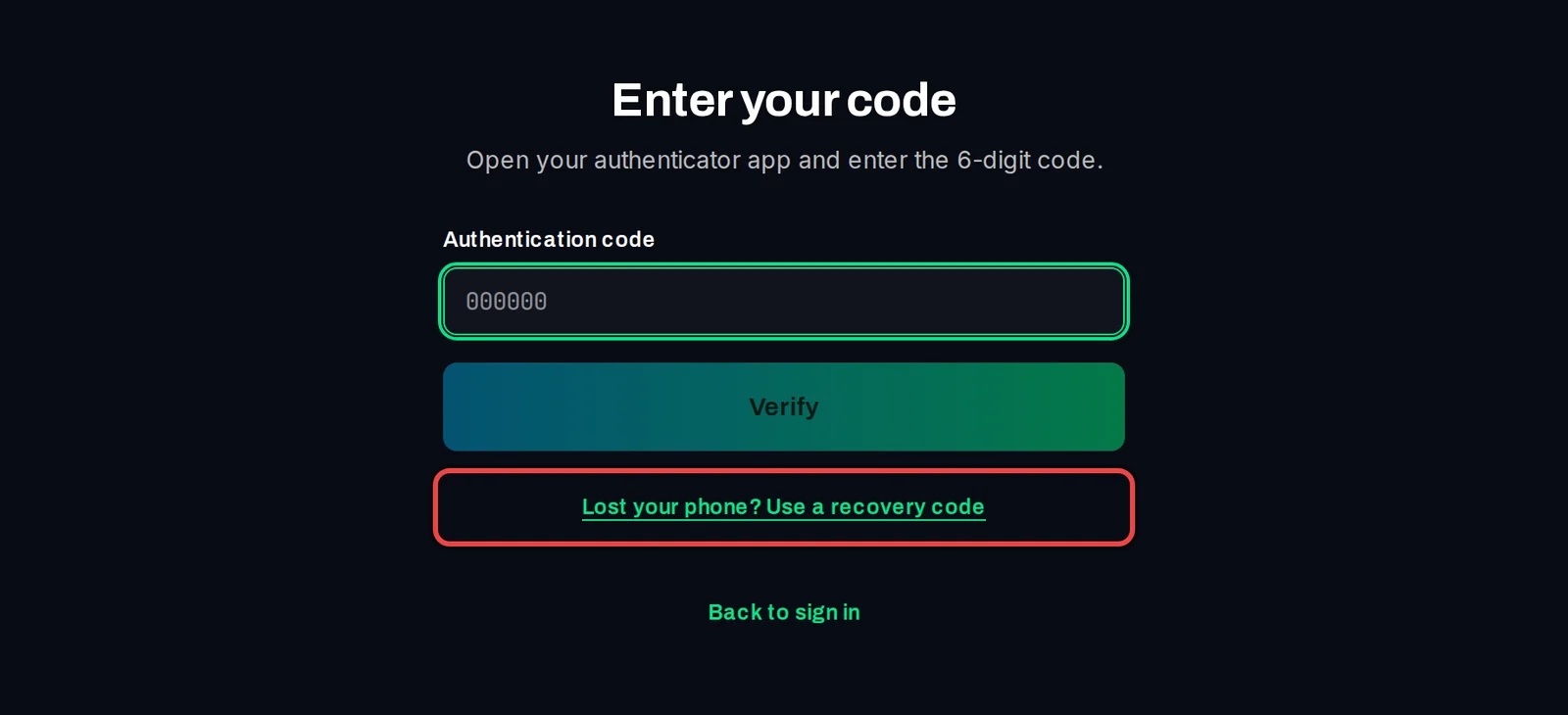
- On Enter your code, type the 6-digit code from your app into Authentication code and click Verify.
Sign in without your phone
- On Enter your code, click Lost your phone? Use a recovery code.
- Type one of your saved recovery codes into Recovery code and click Verify. Small letters are fine; the field turns them into capitals.
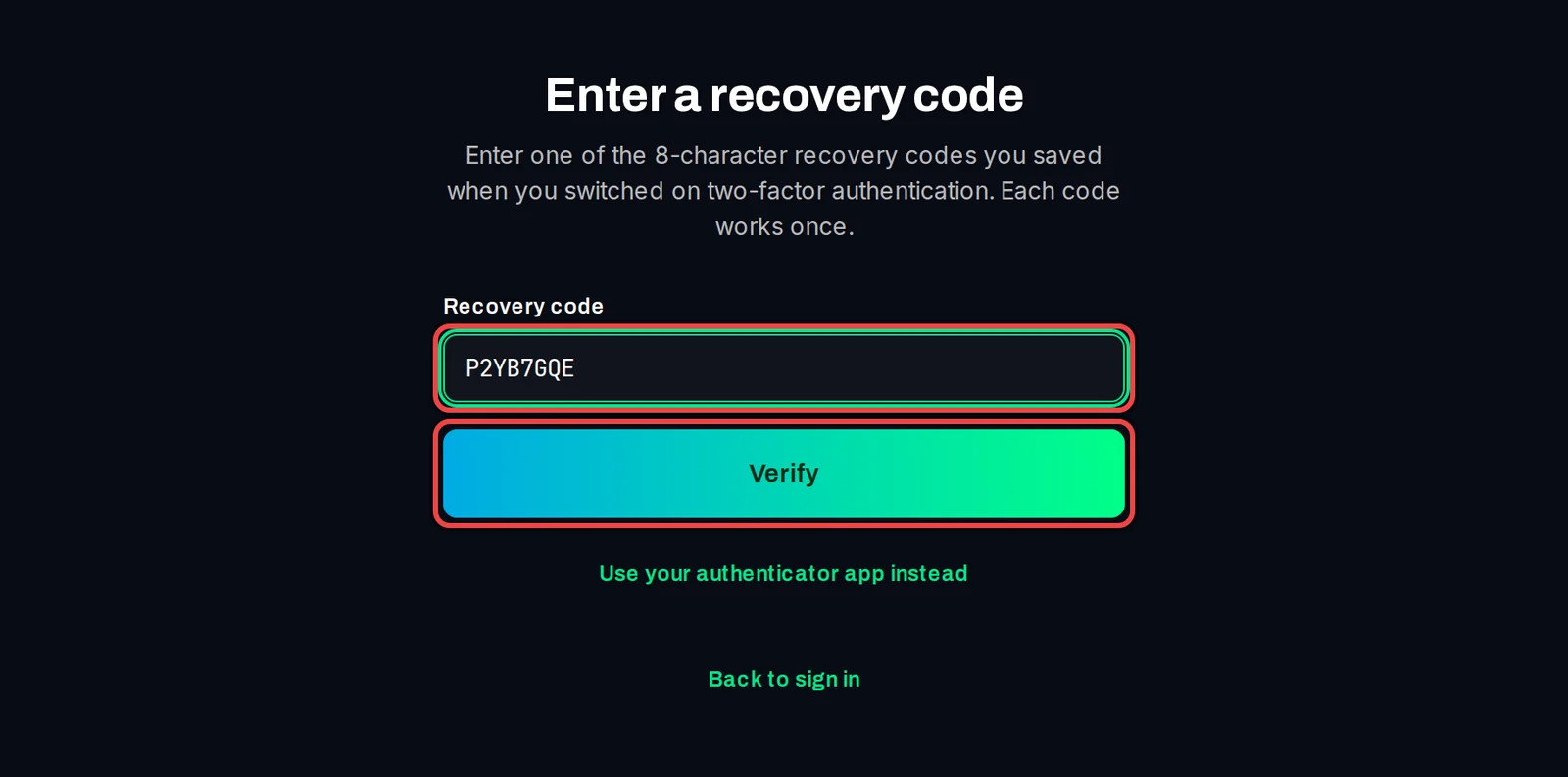
That code is now used up. Once you are in, set up two-factor on your new phone (turn it off, then on again) and save the new recovery codes.
With two-factor on, being signed in on algotradingspace.com no longer signs you in to the tracker by itself; use your password and code. Signed up with Google and have no password? Set one first with Forgot your password, or signed up with Google? on the sign-in page.
Turn it off or get new recovery codes
- Open Settings › Account Security.
- To turn it off, click Disable Two-Factor Authentication, enter a code from your app or a recovery code, and click Confirm Disable.
- For new recovery codes, click Regenerate Recovery Codes. The old codes stop working.
Good to know
- Each recovery code works once.
- Lost your phone and your recovery codes? Write to [email protected].
- Two-factor protects the dashboard sign-in. The ATS Terminal EA uses its access key and keeps reporting as before.
- Your password belongs to your Algo Trading Space account. Change it with Manage Password on Algo Trading Space on the same tab.